Category: Project management

  • How to Improve Project Profitability: Stop Managing the Margin Wrong

    How to Improve Project Profitability: Stop Managing the Margin Wrong

    Your team is 90% utilised. Timesheets are full. Projects are closing. So why does the margin keep coming in short?

    Because utilisation is the wrong number to watch.

    High utilisation only proves your team is busy. It doesn’t prove they’re making you money. The hours your team logs and the hours that reach an invoice are two different figures. The gap between them is where project profitability bleeds out.

    According to the SPI Research 2024 Professional Services Maturity Benchmark, average billable utilisation across professional services firms fell to 69.3% in 2023, sitting well below the 75% optimal threshold. That figure counts hours logged on billable work. It says nothing about how many of those hours actually reached an invoice. That second number is lower. Significantly lower. For a 10-person team billing at $150/hour, every percentage point below the 75% threshold costs roughly $15,000 in annual revenue. Most teams have no idea which side of that line they are on.

    Stop blaming your pricing model. You have a blind spot. Fixing it starts with understanding exactly where the leak is and why the tools most teams rely on are structurally incapable of catching it in time.

    The Metric Confusion Costing You More Than You Think

    Utilisation and realization sound like the same thing. They’re not, and conflating them is one of the most expensive habits a project business can develop.

    Utilisation: the percentage of a team member’s time spent on billable work. An 87% utilisation rate looks healthy on paper.

    Realization: the percentage of billable hours that actually reach an invoice and get paid. If 10% of those billable hours get absorbed by out-of-scope revisions, written off to keep a client relationship intact, or logged against the wrong code, your realization rate drops to 77%. No one registers it until the reconciliation.

    Most teams obsess over utilisation because it’s easy to pull from a time-tracking tool. Realization requires connecting three separate data points: scope agreed, hours logged, and amounts invoiced. Most teams don’t have that connection built into their day-to-day workflow.

    The industry benchmark for realization in professional services sits between 85% and 95%. Below 80% on a consistent basis, the problem isn’t a lazy team or difficult clients. Your operational systems are letting revenue walk out the door before you’ve had a chance to bill it.

    Four Places Your Margin Is Leaking Right Now

    Scope creep gets blamed for everything. The biggest margin leaks are internal, and they’re happening on projects that look completely under control.

    Unbilled revisions: The client requests a change. The team absorbs it because the relationship matters. No change order is raised because it feels like a small ask. Across eight projects a month, that pattern produces a material write-off with no paper trail.

    Senior staff doing junior work: A senior consultant drafts an update an analyst could write. In the moment, it feels efficient. At billing, it destroys your margin. You’re burning senior-rate costs against mid-level outputs, and your margin model was never built for that.

    Scope agreed in the wrong place: Projects with ambiguous deliverables generate more revision cycles, more internal debate, and more write-downs than projects with tight scope. The damage doesn’t show up at kickoff. It surfaces six weeks in when three stakeholders have three different definitions of done.

    Write-downs that nobody tracks: Most billing teams carry an informal habit of sneaking reductions into an invoice when a project runs long. It keeps the client relationship intact. Write-downs that aren’t tracked systematically become invisible losses that compound month over month. They never get fixed because nobody can see them.

    Spreadsheets are autopsy tools. By the time a monthly finance report lands, the projects are closed, the team has moved on, and the loss is permanent. Any business still relying on end-of-month reconciliation to manage profitability isn’t managing it. It’s documenting failure after the fact.

    Why Your Current Tools Are Built for the Wrong Moment

    The tools most project teams use, time trackers, billing spreadsheets, monthly finance reports, share one design flaw: they record what happened, not what’s happening.

    A time tracker tells you hours were logged. It doesn’t tell you whether those hours are billable, whether they’re within scope, or whether the project is tracking toward a profitable close. A monthly finance report arrives three weeks after the month ends, reporting on projects already closed and margins you can no longer recover.

    By the time a spreadsheet shows you a problem, you have two options: absorb the loss, or have an uncomfortable client conversation. Neither is a good operational outcome.

    Teams running consistent margins aren’t better at post-mortems. They’ve moved visibility from after closeout to during delivery. At any point in an active project, they know whether budget burn is tracking against the original forecast and they act on that information while there’s still time to change the outcome.

    💡  Pro Tip: Before changing any process, run a realization audit on your last five closed projects. Pull hours logged, hours billed, and hours written off. The pattern will immediately tell you whether you have a scope definition problem, a billing process problem, or a resource allocation problem. That distinction determines which fix you actually need.

    How Kobi and the Skarya CFO Dashboard Stop the Bleed In-Flight

    The operational shift that separates teams running 30%+ margins from those perpetually puzzled by the gap: profitability visibility has to live inside the delivery workflow, not in a separate finance tool someone checks at month end.

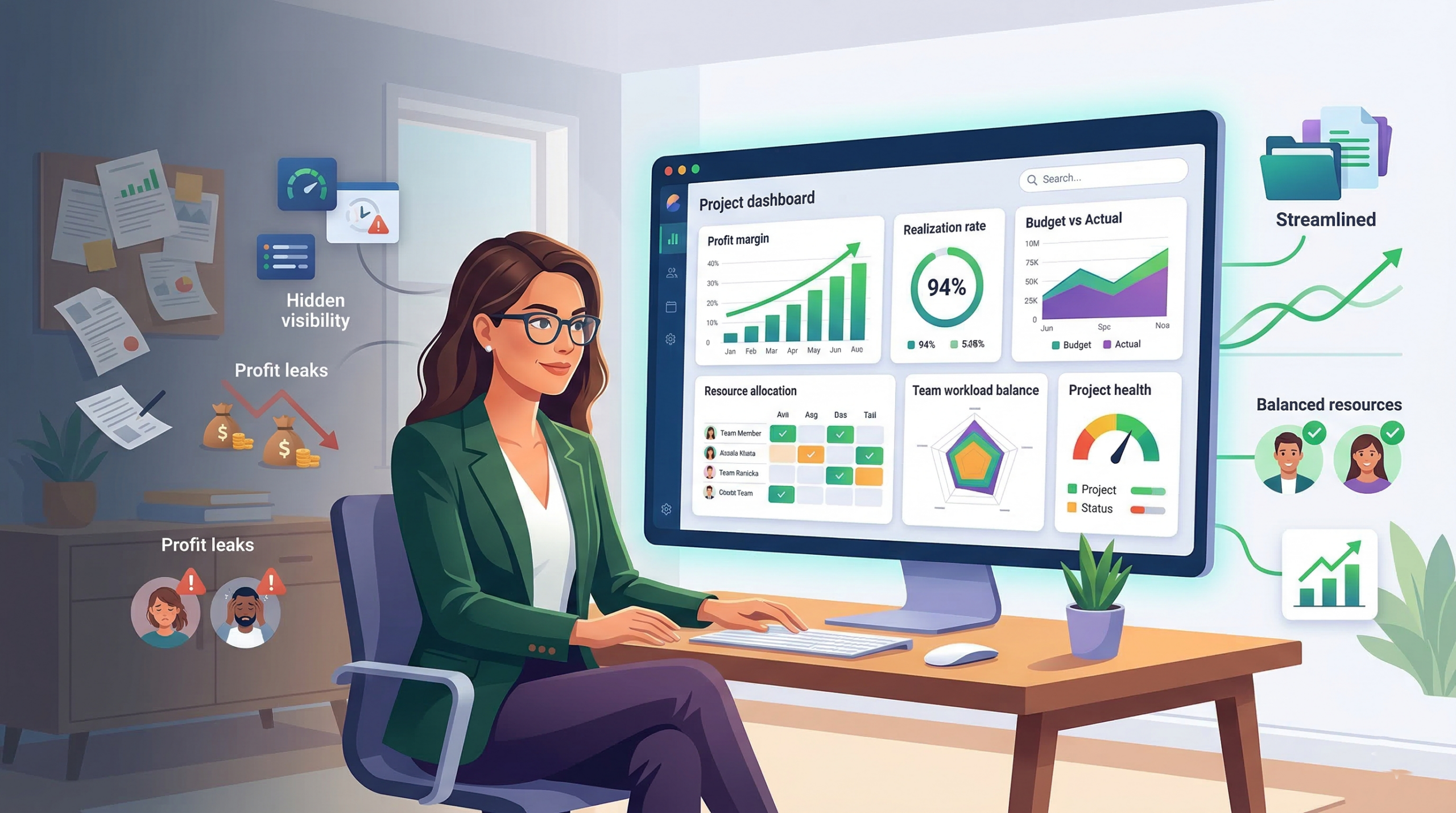
    Skarya’s CFO Dashboard gives project leaders a live read on budget burn, realization rate, and resource cost, updated as hours are logged, not after the project closes. No manual reconciliation. No waiting for a finance report. The numbers move in real time, which means decisions that affect margin get made while there’s still margin left to protect.

    Kobi flags realization leaks before they reach billing. When a team member logs hours against a project tracking above scope, Kobi surfaces the discrepancy immediately. Project leads see the alert inside their workflow, raise a scope conversation with the client, or adjust resource allocation before the write-down becomes inevitable. The intervention happens at the moment it’s still possible to act on it.
    The CFO Dashboard maps cost to task before you staff the project. One of the most expensive decisions in a project business happens at staffing: who gets assigned to what. Skarya’s resource view shows the cost rate of each team member against the value of each task phase, so you can match seniority to complexity before work begins, not after you’ve already burnt two weeks of partner time on tasks that should have gone to a mid-level.

    The CFO Dashboard also tracks write-downs as a project metric, not as an accounting footnote. Every hour written off is captured, categorised, and visible to the project lead and finance team simultaneously. Patterns that were previously invisible become actionable: if one project type consistently generates write-downs, that’s a pricing or scoping problem you can fix before the next engagement.

    Resource Allocation Is Where Margin Is Won or Lost

    Every time you assign a senior consultant to a task a mid-level could own, you’re making a margin decision. Most teams don’t recognise it that way, which is precisely why it keeps happening.

    Effective resource allocation for profitability follows one principle: senior capacity is your scarcest, most expensive resource. Reserve it for work that genuinely requires senior judgment: complex problem-framing, high-stakes client decisions, quality control on critical deliverables. Everything else flows to the level it matches.

    This requires two things most teams skip. First, explicit task classification at scoping: which phases require senior input, and which require mid-level execution? Second, a staffing view that shows cost against task complexity before assignments are made, not just availability.

    Teams that build this discipline into their resourcing process consistently find that margin improves without changing their rates. The cost basis per project drops because the work is being done by the right person, not just the available one.

    Making Margin a Live Metric, Not a Monthly Verdict

    The final piece isn’t a tool or a process. It’s a decision about who owns the numbers.

    In most project businesses, profitability is a finance team concern. The people making the daily decisions that destroy margin, scope accommodations, resource assignments, revision cycles absorbed without a change order, are completely disconnected from the financial data.

    When project leads can see budget burn, realization rate, and write-down history in real time, inside the same platform where work is happening, the feedback loop closes. Scope drift gets flagged by the person managing the project, not discovered by the finance team three weeks later.

    Make project-level profitability visible to the people leading the project before the project closes. Not in a separate dashboard they have to log into. Not in a report they have to request. In the same workflow view they’re already using.

    That’s when profitability stops being a verdict and becomes a variable you can actually manage.

    The Only Number That Actually Tells You If a Project Made Money

    Utilisation fills timesheets. Realization fills bank accounts. If you’re only tracking one of them, you’re managing a feeling, not a margin.

    The path to consistently profitable projects isn’t a pricing overhaul or a new client onboarding checklist. It’s closing the gap between hours worked and hours billed, matching resource cost to task complexity, and shifting profitability visibility from month-end reconciliation to active delivery management.

    Find your realization rate right now. If it takes more than five minutes to locate that number, your system is already costing you money.

    If you want to see how Skarya handles this in practice, Kobi flagging realization leaks before they reach billing, the CFO Dashboard mapping cost to task complexity, all of it live inside the delivery workflow, the platform was built for teams who are done managing margin in hindsight. See how it works →

    Frequently Asked Questions

    What is the difference between utilisation and realization rate in project management?

    Utilisation measures how much of a team member’s time is spent on billable work. Realization measures how much of that billable time is actually invoiced and collected. A team can be fully utilised and still have poor realization if hours are being written off, absorbed into unbilled revisions, or logged against non-billable codes. Realization is the metric that determines whether a project actually made money.

    What is a healthy project profitability margin for service businesses?

    Most professional services firms target 20 to 35% net project margin. Firms consistently running below 15% typically have a realization problem, a resource cost alignment problem, or both. The benchmark varies by service type. Strategy and advisory work often targets higher margins than implementation or managed services, but the underlying drivers are the same.

    Why do projects lose profitability even when they deliver on time?

    On-time delivery and profitable delivery are not the same thing. Projects lose margin to unbilled revisions, senior staff performing low-complexity work, scope that was ambiguous at kickoff, and write-downs that never get reviewed. None of these show up in a delivery timeline. They appear in the gap between hours logged and hours invoiced at billing time.

    How do I track project profitability in real time without a dedicated finance team?

    You need a direct connection between scope, time logged, and billing status, visible to the project lead, not just the finance function. Tools like Skarya’s CFO Dashboard surface budget burn and realization rate in real time, inside the delivery workflow, so project leads can catch margin drift before the project closes rather than discovering it at reconciliation.

    What is a project write-down and how does it affect profitability?

    A write-down occurs when billable hours are reduced or removed from an invoice, usually to manage a client relationship when a project runs over scope. Occasional write-downs are a normal part of professional services. Systematic write-downs that are never tracked become invisible losses that compound over time. Treating write-downs as a project metric, not just an accounting entry, is one of the fastest ways to identify structural profitability problems across your portfolio.
  • How to Use Kanban View to Manage Projects Better

    How to Use Kanban View to Manage Projects Better

    A project manager I know used to run her Monday standups from a spreadsheet. Seventeen rows. Color-coded by status. She’d updated it herself every Friday so the team would have something accurate to look at come Monday morning.

    It worked until the team grew. Then she was spending three hours every Sunday chasing updates so the spreadsheet wasn’t wrong by the time the meeting started. The work wasn’t the problem. The visibility was.

    She switched to Kanban view. Not because someone told her to, but because she was exhausted and needed the board to do the work of collecting information she’d been doing manually. Six months later, she told me the Sunday ritual was gone. “The board just shows me what’s actually happening.”

    That’s the real case for Kanban view, not the aesthetics, not the productivity trend. It’s the fact that it turns a question you used to have to ask (“where does this task stand?”) into something you can just see.


    What Kanban View Is Actually Doing For You

    Before getting into how to use it well, it’s worth being precise about what Kanban view is because “visual task board” undersells it.

    Kanban originated at Toyota in the 1950s as a manufacturing signal system. The word itself means “signboard” in Japanese. The idea was simple: make the state of production visible to everyone on the floor, so blockages couldn’t hide. If a stage was overwhelmed, you could see it. If work stopped flowing, you could see that too.

    Knowledge work has the opposite problem from a factory floor. Nothing is physically visible. Tasks live in inboxes, in documents, in someone’s head. A piece of work can be “stuck” for a week, and nobody knows except the person it’s stuck on, and sometimes not even them.

    Kanban view imports that factory-floor logic into project management. Every card is a piece of work. Every column is a stage that work passes through. The board’s job is to make the invisible visible: not just what exists, but where it is right now, and whether it’s actually moving.

    “Stop starting, start finishing.”
    – David J. Anderson, creator of the Kanban Method for knowledge work

    Anderson spent years applying Kanban principles to software teams before codifying the methodology. His point and it’s a sharp one is that adding more tasks to a team’s plate doesn’t accelerate output. It creates drag. The board forces that truth into the open in a way a status update never will.


    The Board That Lied (And What We Did About It)

    Here’s a pattern that shows up constantly with new Kanban users: the three-column board.

    To Do. In Progress. Done.

    It looks clean. It feels manageable. And it hides almost everything that matters.

    “In Progress” becomes a black hole. A task that entered the column eleven days ago looks identical to one that moved there this morning. A card that’s blocked on a decision from another team looks the same as one that’s actively being worked on. You can’t distinguish momentum from stagnation which means you can’t act on the difference.

    What we’ve seen work far better is building columns that reflect how work actually moves through your team, not how you wish it would.

    A content team’s board might run: Brief → Draft → Internal Review → Client Review → Approved → Published. 

    A product team’s might be: Backlog → In Sprint → In Development → In Review → Deployed. 

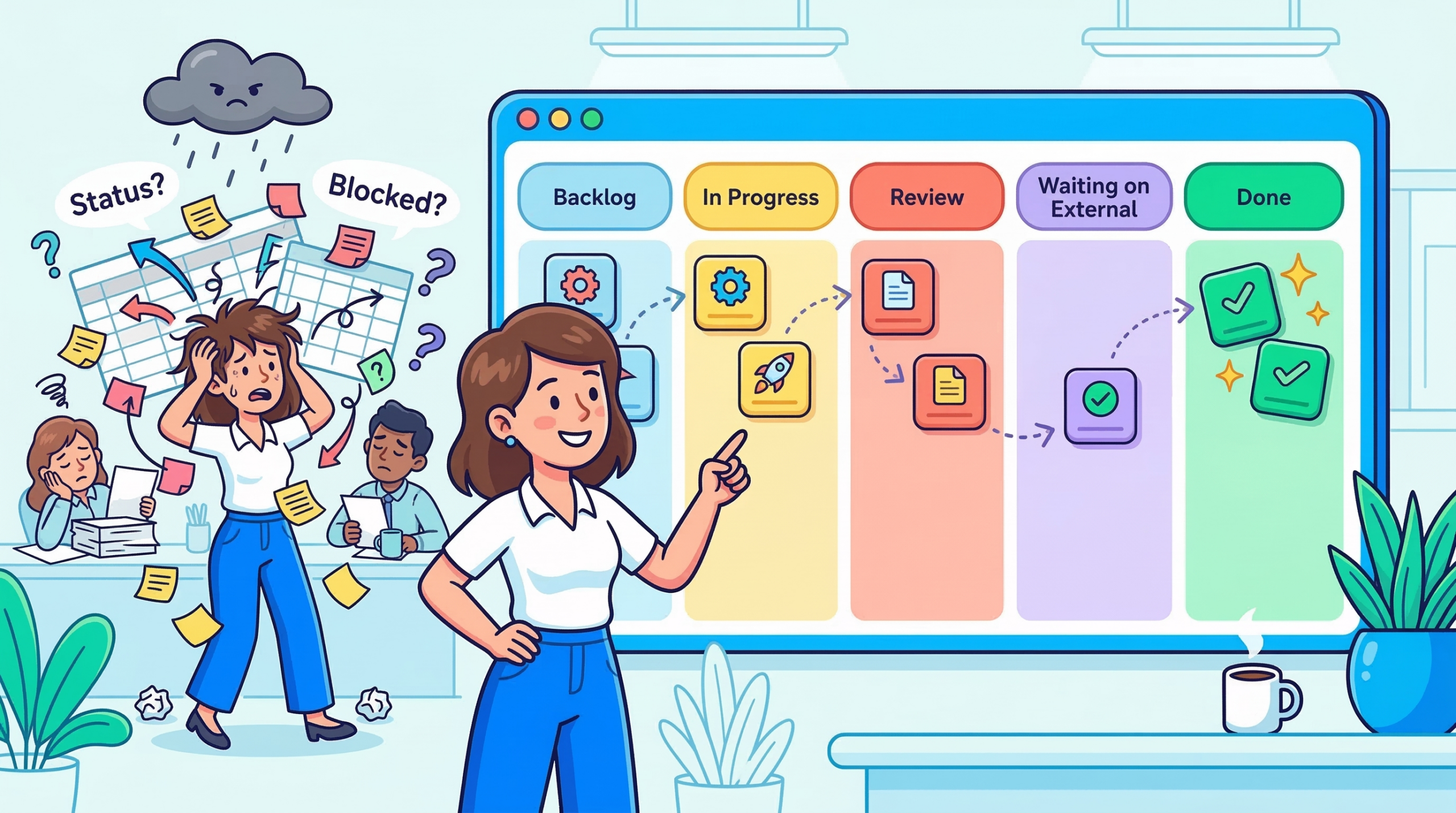
    An operations team: Requested → Scoping → In Progress → Waiting on External → Done.

    Notice what changes when you do this. “Waiting on External” becomes its own column which means you can see at a glance how many tasks are sitting idle waiting on someone outside your team. That’s not a nice-to-have. That’s a conversation you need to have with your stakeholders, and the board makes it impossible to ignore.

    💡 Pro Tip: When you first build your column structure, map it from a real task that completed last week. Walk it backwards what was the last stage before Done? The one before that? Keep going until you hit the origin. That sequence is your board.


    Reading the Board Like a Project Manager, Not a Task Tracker

    Once your columns reflect real workflow stages, the board stops being a checklist and starts being a diagnostic tool.

    A column that keeps filling up is a bottleneck signal. If “In Review” consistently has seven cards while “In Progress” has two, that’s not a productivity report it’s a resourcing conversation. Something downstream isn’t keeping pace with what’s arriving upstream. You don’t need a retro to surface that. The board shows it to you in real time.

    A card that stops moving is a blocked task, not a slow one. This is where card aging becomes one of the most underused features in any Kanban tool. When you can see how long a card has been sitting in a given column, a 14-day-old “In Progress” card stands out immediately. The instinct is to ask why. More often than not, the answer is a dependency nobody flagged, a decision that was never made, or a handoff that fell through a crack.

    Workload distribution tells you more than utilization rates. Filter your board by assignee. If one person has nine active cards and another has two, that imbalance either reflects legitimate priority or it’s a problem you need to address before someone burns out or a critical task gets dropped. The board shows you that in seconds. A spreadsheet would take a pivot table.

    This is the philosophy that shaped how Skarya.ai built its Kanban view not as a task list with column headers, but as a real-time signal layer that surfaces what needs a manager’s attention without requiring them to go looking for it. The goal was always the same as that project manager’s: make the board do the work of collecting information, so you can spend your attention on actually managing.

    💡 Pro Tip: Set a WIP (work-in-progress) limit on your most critical columns. When “In Review” hits five cards, nothing new enters until something exits. It feels counterintuitive, you’re deliberately slowing input. In practice, it forces the conversations that needed to happen anyway, and it stops the board from becoming a dumping ground.


    The Project That Changed How I Think About Kanban

    A few years ago, a team running a product launch tried to manage the entire project on one Kanban board — design, dev, marketing, legal, and ops all on the same columns.

    For the first two weeks, it felt like clarity. Everyone could see the full picture. Then the board became unmanageable. A legal review card sitting in “Waiting on External” for three weeks made the whole board look blocked, even though dev was shipping daily. A design card stuck in “Revisions” inflated the In Progress count and made the team look behind when they weren’t.

    The fix wasn’t a different tool. It was swimlanes horizontal rows that separated each workstream on the same board. Now the legal track had its own lane, dev had its own, marketing had its own. The columns stayed consistent. But you could read each workstream’s health independently, or zoom out and see the full project at once.

    That experience is what I’d tell most project managers who say Kanban doesn’t work for complex projects: it’s not that Kanban can’t handle complexity. It’s that a single flat board can’t. Structure the board to match the actual shape of the work.


    When Kanban Isn’t the Right View

    Kanban earns its value in flow-based work, where tasks move continuously through stages and the goal is throughput. But there are project types where it genuinely isn’t the best choice, and pretending otherwise wastes everyone’s time.

    If your project has hard sequential dependencies where team B can’t start until team A finishes, full stop a timeline or Gantt view will serve you better. Kanban doesn’t show you critical path. It shows you current state. That’s a meaningful difference when a two-week delay in one workstream cascades into a launch postponement.

    And if you’re doing bulk task management reassigning fifty tasks, filtering by due date, exporting a status report for a stakeholder list view is faster. Kanban is built for human eyes scanning workflow stages, not for data manipulation.

    The most effective project managers we’ve worked with don’t choose one view and live in it. They use Kanban for daily team visibility, a timeline for planning conversations, and list view for administrative work. Each view answers a different question. The mistake is asking one of them to answer all three.

    💡 Pro Tip: Introduce Kanban to a skeptical team by starting with one small, contained workflow not your biggest project. Let them see a card move from left to right and land in Done. Trust builds fast once the board proves it reflects reality.


    The Board Your Team Will Actually Use

    There’s a version of Kanban that’s theoretically perfect optimized columns, WIP limits on everything, swimlanes for every workstream, card aging alerts, automated transitions.

    And then there’s the version your team checks every day.

    Build for the second one.

    The highest-functioning Kanban boards aren’t the most elaborate ones. They’re the ones where every team member can update their card in under 30 seconds. Where the columns match exactly what the team calls their own workflow stages. Where a project manager can scan the whole board in two minutes and know where attention is needed.

    If your board needs a tutorial to understand, it’s already too complex. Kanban’s power is in immediate legibility you look at it, and you know what’s happening. That’s the whole deal.

    Start simple. Let the team’s real working patterns shape it over time. The board will show you what it needs to become. You just have to resist the urge to design the ideal version before any real work has moved through it.

    The project manager who gave up her Sunday spreadsheet ritual didn’t start with a perfect board. She started with five columns and three team members. The board grew with the work. That’s usually how it goes.


    The shift from a chaotic spreadsheet to a clear signal layer doesn’t require a massive workflow overhaul. It usually just requires setting up the right structure once columns that reflect reality, a board the team actually trusts and then letting it do the work. Most teams that get there don’t rebuild from scratch. They make a few deliberate changes and stop managing around the gaps.

    If you’re setting up Kanban for the first time or rethinking an existing board, this guide on choosing the right project view walks through how to decide which view fits which type of work. And if you want to see how Skarya.ai’s Kanban view is built around these principles workflow clarity, bottleneck signals, and team visibility without the overhead  here’s where to start →


    Frequently Asked Questions

    What is Kanban view in project management?

    Kanban view is a visual board that organizes tasks into columns representing workflow stages. Cards move left to right as work progresses. It’s used to track task status, spot bottlenecks, and see workload distribution across a team in real time.

    When should I use Kanban view instead of list view?

    Use Kanban when you want to understand workflow, where tasks are, where they’re stalling, and who’s carrying what. List view works better for bulk editing, sorting by field, or preparing a status report. Most teams get the most value from using both depending on the context.

    What are WIP limits and do I actually need them?

    WIP (work-in-progress) limits cap how many tasks can sit in a given column at once. They’re not mandatory but they’re one of the fastest ways to surface bottlenecks. When a column can’t accept new work until something exits, it forces the prioritization conversations teams usually avoid until it’s too late.

    How many columns should a Kanban board have?

    Five to seven is the practical range for most teams. Fewer and you lose meaningful stage distinction; more and the board becomes hard to read at a glance. The right structure comes from mapping how a real task actually moves through your team not from a template.

    Can Kanban handle large, complex projects?

    Yes, with the right structure. Swimlanes let you separate workstreams on a single board. Priority labels and due dates give cards a second layer of urgency. For projects with hard sequential dependencies, pairing Kanban with a timeline view gives you day-to-day visibility and planning clarity without trading one for the other.