
Most teams do not lose time because the work itself is too hard.
They lose it in the gaps around the work. Chasing updates, searching for files, sitting in meetings that exist only because no one can see the real status, and repeating the same manual steps week after week.
That drag adds up quickly. A few minutes here, half an hour there, another thread to clarify ownership, another call to reconnect the dots. By the end of the week, a team can easily lose a full day to coordination alone.
The good news is that this is fixable. Saving time at work is rarely about asking people to move faster. It is about building a system where the right information, the next action, and the current status are already visible. When that happens, a surprising amount of wasted time disappears on its own.
In this guide, we look at the three most common ways time gets lost, then walk through a practical workflow to reduce that friction across your team.
Where Time Actually Gets Lost at Work
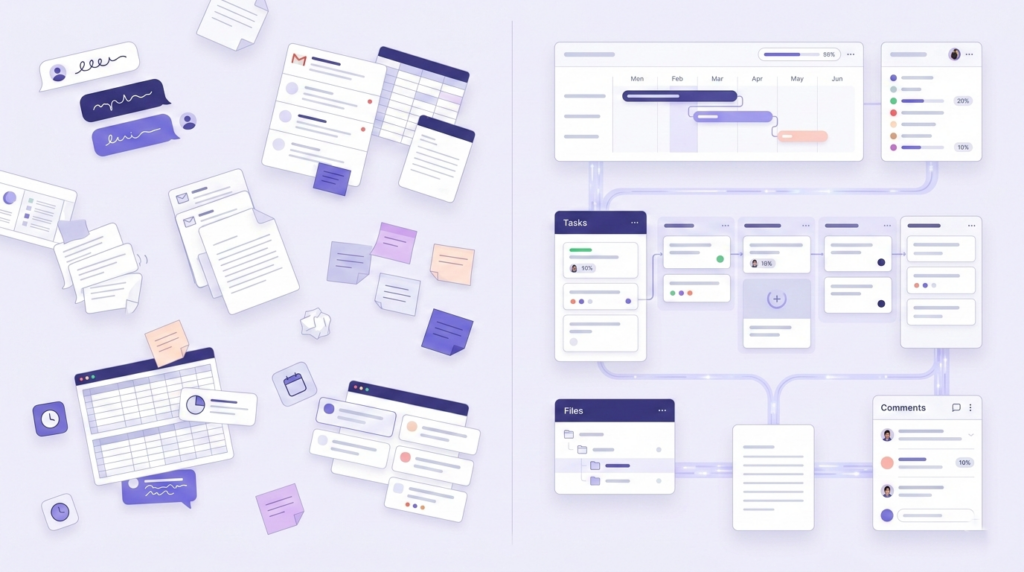
Before a team can reclaim time, it needs to see where time is leaking. The causes are consistent across most teams and industries: disconnected communication, repetitive manual work, and lack of clarity.
1. Communication Happens Away From the Work
This is where most teams quietly lose hours, and it is rarely obvious until you stop to count it.
A task lives in one tool. The brief lives in a document. Feedback arrives by email. A decision gets made in a chat thread. Then someone joins the project a week later, cannot find the full context, and the team spends more time reconstructing what happened than actually moving forward.
The issue is not too much communication. It is disconnected communication. Conversations happen in one place while the work lives somewhere else entirely.
Common signs:
- Unclear task ownership, so simple questions need a meeting to resolve
- Long email threads for approvals that should take two minutes
- Status meetings that exist primarily to fill information gaps
- Files and decisions scattered across four or five different tools
When communication is separated from the work itself, teams spend their day translating, searching, and re-explaining instead of making progress.
2. Manual Repetitive Work Eats Skilled Time
Recurring reports. Task creation. Handoff notifications. Follow-up reminders. Progress summaries. These jobs are necessary, but they should not be consuming the attention of your best people.
The problem is rarely one task. It is the same pattern of tasks repeating every day, every week, without anyone questioning whether a person actually needs to do them.
When skilled people spend their days on work the system should be handling, the work that requires real judgment gets squeezed into whatever time is left.
Most teams know this is happening. They just have not yet built the habit of questioning which parts of the week could run without them.
3. Lack of Clarity Creates Invisible Waste
When people do not know what matters most, what is blocked, or how their work connects to bigger goals, wasted time fills the gap.
They check in more often than necessary. They duplicate effort. They wait longer than they should. They attend meetings that do not really need them. They spend energy staying aligned rather than moving things forward.
This is one of the most expensive forms of inefficiency because it is easy to normalise. Teams adapt to the confusion and start calling it just how things are here. It is almost always a systems problem, and systems problems have systems solutions.
What This Looks Like in Practice
Here is a version of a workflow that most teams will recognise.
A request comes in by message. Someone turns it into a task later. The brief is stored in a separate document. Feedback arrives by email. Progress gets discussed in a meeting because nobody fully trusts the board. At the end of the week, the manager asks for time spent and everyone estimates from memory.
None of that sounds catastrophic on its own. But together, it creates friction at every step. Work gets rebuilt from fragments, constantly.
Now compare that to a cleaner version of the same flow:
- The request becomes a task immediately, with context attached from the start
- The brief lives with the task, not in a separate document no one can find
- Comments, feedback, and files stay tied to the work they belong to
- Status is visible in real time, without requiring a meeting to surface it
- Repetitive follow-ups run automatically
- Time is tracked where the work happens, not estimated after the fact
That is how teams reclaim hours. Not by working harder, but by removing the rebuild-work that lives in the gaps around the real work.
A Practical Workflow to Save 1 Day Every Week
The following steps reflect how teams are reducing coordination drag in 2026. The principles lead. Where a tool helps, it is mentioned once, not repeated.
Step 1: Make Goals Visible Enough to Cut Alignment Meetings
A lot of wasted time comes from one recurring question: what are we actually trying to move right now?
When goals sit in a separate document that nobody reads regularly, people need more check-ins to stay oriented. When goals are tied directly to the tasks your team executes each week, many of those check-ins become unnecessary. Progress is visible while the work is happening, not summarised after the fact in a Friday email.
In Skarya, teams connect goals to milestones and link those milestones to live tasks. Progress updates automatically as work is completed. That means the answer to what are we working toward is already visible, without a meeting to explain it.
Step 2: Turn Vague Requests Into Structured Work Faster
One of the most common sources of drag is the gap between something needs to happen and the task is ready to be worked on.
That handoff is usually slower than it needs to be. Someone rewrites the brief. Subtasks get created manually. Ownership lands in a separate conversation. The same fields get filled out again and again across different projects.
A smarter setup reduces that admin without adding complexity. The goal is that by the time a task reaches the person doing the work, it already has the context, priority, and structure it needs. Less setup time per task, multiplied across a week, adds up fast.
Step 3: Replace Status-Chasing With Real-Time Visibility
Status meetings are usually a symptom, not the root problem.
Teams do not meet because they enjoy meetings. They meet because the system does not make progress visible enough to trust. Remove that blind spot, and many of those meetings stop being necessary.
A shared board that people actually trust is worth more than three status calls a week.
The key word is trust. A Kanban board or project timeline only reduces meetings if it reflects reality. That means statuses need to be updated where the work happens, not maintained separately as a reporting exercise. When the board is the source of truth, updates stop depending on memory or scheduled interruptions.
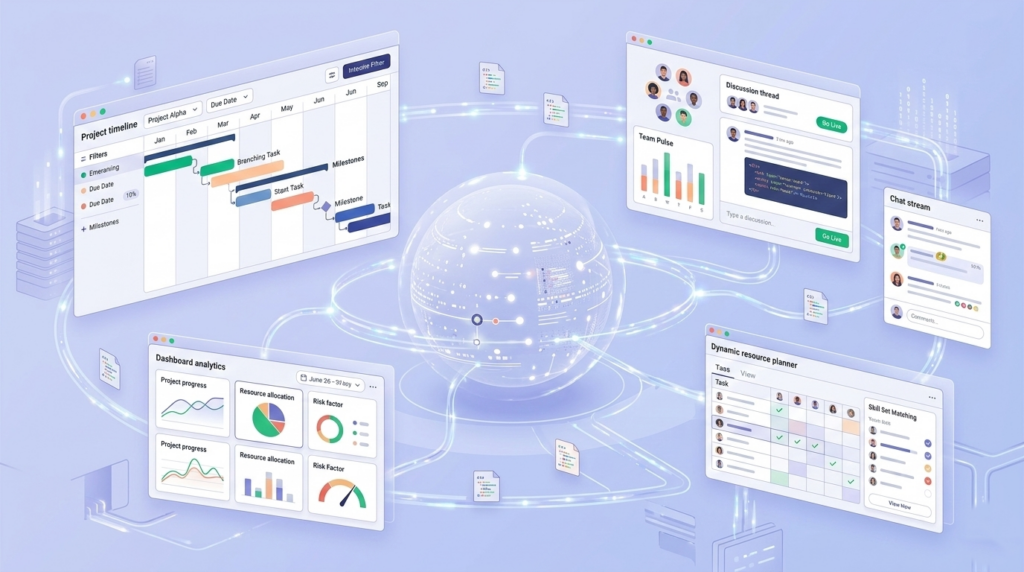
Skarya’s boards, timeline views, and workload overviews are built to sit inside the actual workflow, not alongside it. That distinction matters more than it first sounds.
Step 4: Keep Communication Inside the Work
This is one of the fastest fixes available, and one of the most consistently skipped.
When a decision gets made in Slack and the task lives in a project tool and the files are in a shared drive, context fractures almost immediately. Every time someone new joins the work, they have to piece together what happened from three different places. The team pays for that loss in follow-ups, delays, and repeated explanations.
The fix is simple in principle: keep comments, files, approvals, and action items attached to the task they belong to. That one change reduces a surprising amount of daily friction, regardless of which tool you use to do it.
Step 5: Document Once, Then Stop Explaining From Scratch
If your team keeps explaining the same process, rewriting the same brief, or hunting for the same reference notes each time a project starts, that is not a people problem. It is missing documentation, and the cost of it compounds every week.
The goal is not to document everything. It is to make repeat work easier the second time, and the tenth time. Process notes, onboarding guides, meeting records, and project briefs should be findable where the work happens. When they are, teams stop recreating context from scratch and start building on what already exists.
Skarya keeps project knowledge alongside the project itself, searchable and accessible without depending on whoever happens to remember where that file was saved.
Step 6: Automate the Parts That Do Not Need Judgment
Not everything should be automated. But a surprising amount of what teams do manually every week does not actually require a human decision.
Things like:
- Notifying a reviewer when a task moves into review
- Creating the next task in a sequence once the previous one closes
- Assigning onboarding steps when a new person joins a project
- Prompting the right person when a deadline is approaching
These are system tasks. The more reliably your workflow handles them, the less your team relies on memory, nudges, and manual follow-through to keep things moving.
Start with one or two automations on your most repetitive workflow. The compounding effect of small reductions in manual admin is usually larger than it looks on paper.
Step 7: Measure Where the Time Is Actually Going
Teams often say they want to save time at work, but they are not measuring where time is actually being spent. Without that visibility, improvement stays vague.
Tracking time at the task level does more than help with billing or reporting. It helps teams spot patterns over weeks and months:
- Which work types regularly run longer than estimated
- Where admin is taking disproportionate space relative to its value
- Who is consistently over capacity before it becomes a real problem
- How accurate estimates are, and how to improve them next time
The most useful time tracking happens where the work happens. Skarya includes native timesheets built into the workflow itself, synced with Google Calendar and Microsoft Calendar, so time data reflects what actually happened rather than what people can piece together at the end of the week.
Why Getting This Right in 2026 Is Worth the Effort
The case for fixing how teams work is not really about AI. It is about the fact that coordination overhead has quietly grown into one of the largest costs in knowledge work, and most teams have normalised it to the point where they no longer see it clearly.
What is different in 2026 is that the tools available for reducing that overhead are genuinely better than they were two or three years ago. AI can now handle a meaningful share of the admin, summarisation, and structuring work that used to require a human. That is only useful, though, if it sits inside a connected workflow rather than functioning as a separate tool that still requires people to copy, paste, and manually distribute outputs.
The teams getting the most out of these tools are not the ones using the most AI features. They are the ones that built a clear, connected workflow first, and then let automation and AI reduce the friction inside it.
Gallup’s most recent workplace data suggests that the feeling of spending too much time on low-value admin is one of the clearest predictors of disengagement. Fixing that is not just a productivity question. It is a retention question, and in most industries, a meaningful competitive one.
Conclusion
Most teams do not need to work harder to get time back.
They need fewer disconnected steps, fewer rebuild moments, and fewer manual actions between a request coming in and work being delivered.
That is why the biggest time savings rarely come from one change. They come from fixing the workflow itself: making work visible, keeping context attached, reducing the tasks that should not need a person to complete them, and measuring what is actually happening rather than what everyone assumes is happening.
Skarya combines projects, tasks, docs, automation, AI assistance, timesheets, and collaboration in one place. Not to add another tool to the stack, but to replace the friction that too many disconnected tools quietly create.
If your current process feels heavier than it should, that is usually a sign the system needs work. Not the people.
Start with one workflow and see where your time is really going.
Explore Skarya and try it free · Free to start, no credit card needed.
Leave a Reply