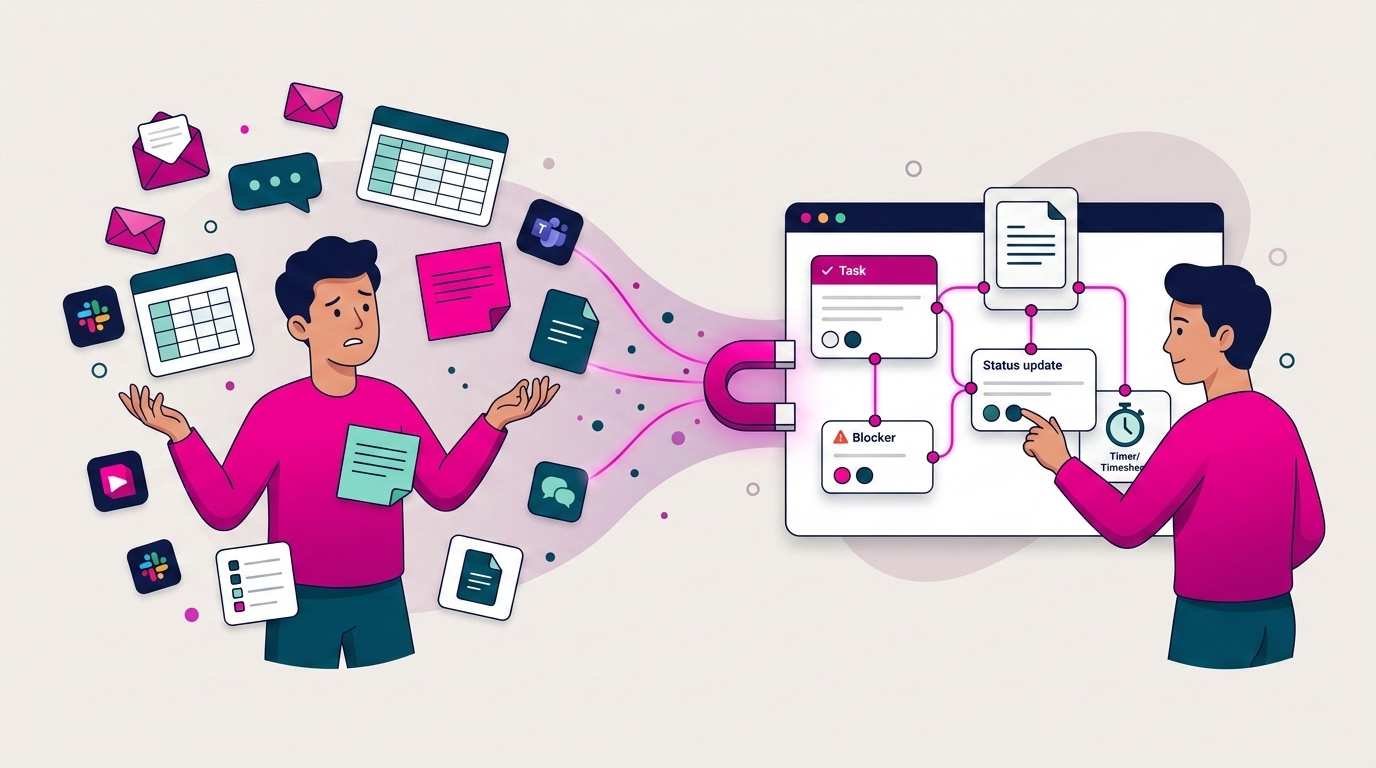
The Problem: AI Is Everywhere, But Admin Did Not Disappear
Most teams adopt AI expecting fewer follow-ups, fewer “can you resend that?” messages, and fewer status meetings. Then reality hits. The AI tool becomes one more tab, one more workflow, one more place to paste context and the admin is still there, just with an extra step in the middle.
AI does not reduce admin by itself. It reduces admin only when it is embedded inside where work happens. If your requests live in email, your tasks live in a project tool, your updates live in chat, and your time tracking lives in a spreadsheet, AI cannot fix the underlying mess. It will float between systems and create more noise.
The uncomfortable truth: if your AI needs constant feeding, tagging, and prompting, it is not automation. It is admin with a glow-up.
The 4 Admin Traps AI Creates (and How to Avoid Them)
AI fails teams in predictable ways – not because the models are weak, but because teams place AI on top of a broken work system and expect magic.
Trap 1: Summaries That Do Not Live Where Work Happens
Meeting summaries are popular. The problem is where they go. Posted in a chat thread, they disappear by tomorrow. Emailed, they get buried. Living inside the AI tool, people forget they exist and the team ends up asking the same questions again next week.
Fix it: Attach summaries directly to the project or task. Anyone opening the item should see what changed, what was decided, and what is next, without hunting through Slack history.
Trap 2: Chatbots That Answer Questions but Create No Action
A chatbot can tell you what was said, what a doc contains, or what the next steps should be. But unless it turns that output into a real task with an owner and a due date, nothing changes. Translating conversation into execution is one of the biggest admin drains in the first place.
Fix it: Use AI to convert conversation into action. Requests become tasks. Decisions become checklist items. Next steps get assigned to real people with real deadlines.
Trap 3: More Tools Instead of Fewer Steps
This is the most common failure. Teams add an AI tool but do not remove any steps. They still copy requests into a task tool. They still chase status updates in chat. They still hunt for the latest document link. The AI becomes a helper, but the process stays scattered.
Fix it: AI must operate inside a centralized work management setup, not beside it. If it sits outside your workflow, you are always switching tools – and switching tools is admin.
Trap 4: Automation Without Ownership
AI can create tasks quickly. But tasks with no owner, no deadline, and no next step create clutter, not clarity. Someone still has to clean up the mess.
Fix it: Every AI-generated task must include a clear owner, a next step, and a due date. If those three things are missing, the output is not finished — it is a new problem.
The Rule: AI Must Eliminate One of These 5 Admin Jobs
Before adopting any AI feature, ask one blunt question: which admin job will this remove?
- Collecting work requests from multiple channels
- Converting those requests into tasks
- Writing and compiling status updates
- Chasing handoffs and clearing blockers
- Logging time and tracking effort
If AI does not remove at least one of these, it is not a priority. Pick the one that costs your team the most time right now, and start there.
Tip: Track it for seven days. How many times did someone ask “where is that file?” How many status pings happened? How long did timesheets take Friday afternoon? AI is only useful if it moves a metric you can feel.
The Playbook: How to Use AI to Actually Reduce Admin
This works only in the right order: centralize first, then automate.
Step 1: Centralize Intake (Before AI Touches Anything)
AI cannot bring order to chaos if work arrives through email, chat, WhatsApp, calls, and sticky notes simultaneously. It will miss things or create duplicates. The first move is simple: give work one front door.
That can be a request form, a shared intake board, a client portal, or a dedicated channel with a strict rule. Whatever format, every request should become a trackable task — not a message that relies on someone’s memory.
This is the foundation that makes everything else work. Without it, AI amplifies scattered inputs rather than organizing them. If your team currently loses hours to the “where is that file?” spiral, read more about the hidden cost of disconnected tools here: The Hidden Cost of “Where Is That File?”
Tip: Start with one project. One intake rule. One week. Do not try to centralize everything at once.
Step 2: Turn Messy Requests into Structured Tasks Automatically
This is where AI delivers real value when connected properly. Most admin is not doing work — it is translating work from messy human language into structured execution.
You already have the inputs: client emails, chat messages, meeting notes, quick “can you do this?” requests. The output you want is a task with a title, owner, deadline, and linked documents. When AI bridges that gap automatically, the team stops copy-pasting, ownership becomes clear instantly, and work becomes visible without a single extra meeting.
AI should reduce translation work. Humans should spend time on decisions and delivery, not on formatting tasks that someone else described out loud.
Step 3: Auto-Generate Weekly Updates People Actually Read
Most teams do not hate updates. They hate writing updates that nobody reads, then getting asked for updates anyway.
A good AI workflow here is not “post a long summary.” It is “draft a tight update based on what changed in the project,” then let the owner approve or adjust it in 30 seconds. The update should live on the project itself — not scattered across threads.
A format that consistently works: what moved, what is blocked, what needs attention, what is next. Short. Structured. Easy to skim in 60 seconds. Done right, you eliminate two admin drains at once: writing updates and answering follow-up questions about updates.
The key rule: if the update lives in chat, it becomes a scroll problem. If it lives on the project, it becomes visibility.
Step 4: Surface Blockers Before They Become Meetings
Meetings multiply when blockers are invisible. When leadership cannot see what is stuck, the default response is a call.
AI can spot patterns that humans miss in the rush of the week: tasks with no owner, work that has not moved in days, approvals that are overdue, dependencies that are backing up. The goal is not micromanagement — it is surfacing what needs attention early and calmly, so teams are not scrambling on Friday afternoon.
The best meetings are the ones that never happen because the system already showed what was true.
Step 5: Track Time Where Work Lives
Timesheets are not hard because people cannot count hours. They are hard because time lives in a separate world from tasks. People do the work in one place, reconstruct the hours later from memory and calendar history, and call that a timesheet.
Track time inside the task. Start a timer where the work happens. Review weekly, not daily. The less reconstruction your team has to do at the end of the week, the less admin you create.
For service teams and agencies where margin depends on accurate time data, this is not optional — if time tracking is disconnected from tasks, profitability becomes guesswork. See how Skarya approaches this for agencies and service teams: Creative Agency Use Cases
Before vs. After: What This Actually Looks Like
Before: A request arrives in email. Someone copies it into a task tool. The doc link is pasted into chat. The latest decision was made in a meeting. Time is logged in a spreadsheet on Friday afternoon from memory. Everyone is busy, but nobody feels in control.
After: The request becomes a task automatically. The doc is attached to the task. The owner and deadline are clear from the start. Updates live on the project. AI drafts a weekly summary for the owner to approve in one click. Blockers surface early. Time is tracked where the work happens.
That second state is not a different set of tools. It is the same work, connected differently with AI doing the translation and the admin, not adding to it.
Where Skarya.ai Fits
Skarya is built around this approach because it is not an AI add-on sitting outside your workflow. It is a centralized work management system where tasks, documents, updates, workflows, and timesheets live together, and AI works inside that structure, not alongside it.
Skarya helps you centralize first, then remove the repetitive parts: creating tasks from plain-language requests, summarizing progress automatically, and surfacing what is blocked before it becomes a meeting.
Next step that actually matters: Pick one live project this week. Centralize its tasks and documents in one place. Add one AI automation: turn incoming requests into structured tasks automatically. If your week gets quieter, you are doing AI the right way.
Frequently Asked Questions
What is the best way to use AI to reduce admin work?
Use AI to convert messy inputs — emails, chat messages, meeting notes — into structured tasks with owners and deadlines. Then use it to generate short, accurate status updates from real project activity, and to flag blockers before they require a meeting. The key is that AI must live inside your workflow, not alongside it.
Why does AI sometimes make admin worse?
Because it becomes another tool to manage rather than a layer that removes work. When AI sits outside your tasks and documents, your team ends up copying, pasting, and switching tabs more than before. The tool adds steps instead of removing them.
Do we need centralized work management before introducing AI?
Yes. Without a single place where tasks, docs, and updates live together, AI amplifies chaos rather than organizing it. Centralize first, then automate. Skipping that order is why most AI rollouts disappoint.
What is the single best AI automation for a small or mid-sized team?
Task creation from natural-language requests. Email messages, Slack threads, and meeting notes should automatically become tasks with an owner and a due date. This removes the biggest single translation cost in most teams.
How does AI reduce the number of meetings?
By keeping work status visible and current without manual effort, and by surfacing blockers early enough to resolve them asynchronously. When the system already shows what is true, people do not need to call a meeting to find out.
What is the connection between time tracking and admin reduction?
When time tracking is separated from tasks, people reconstruct hours from memory at the end of the week — which is slow, inaccurate, and deeply frustrating. Tracking time inside the task eliminates that reconstruction step entirely, and gives service teams reliable margin data without extra effort.
Leave a Reply