SaaS, IaaS, and PaaS all run in the cloud, but they are not interchangeable. Pick the wrong model and you will either pay for control you do not need, or lose flexibility you actually require. This guide explains all three using one simple analogy, real examples, and a quick framework to choose what fits your business today.
The Gym Membership Analogy: Understanding Cloud Models Simply
Before diving into definitions, here is one clean way to think about all three cloud models. Imagine you want to get fit.
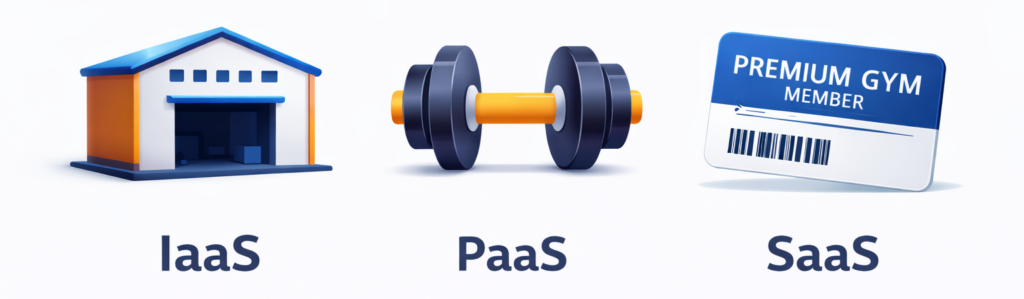
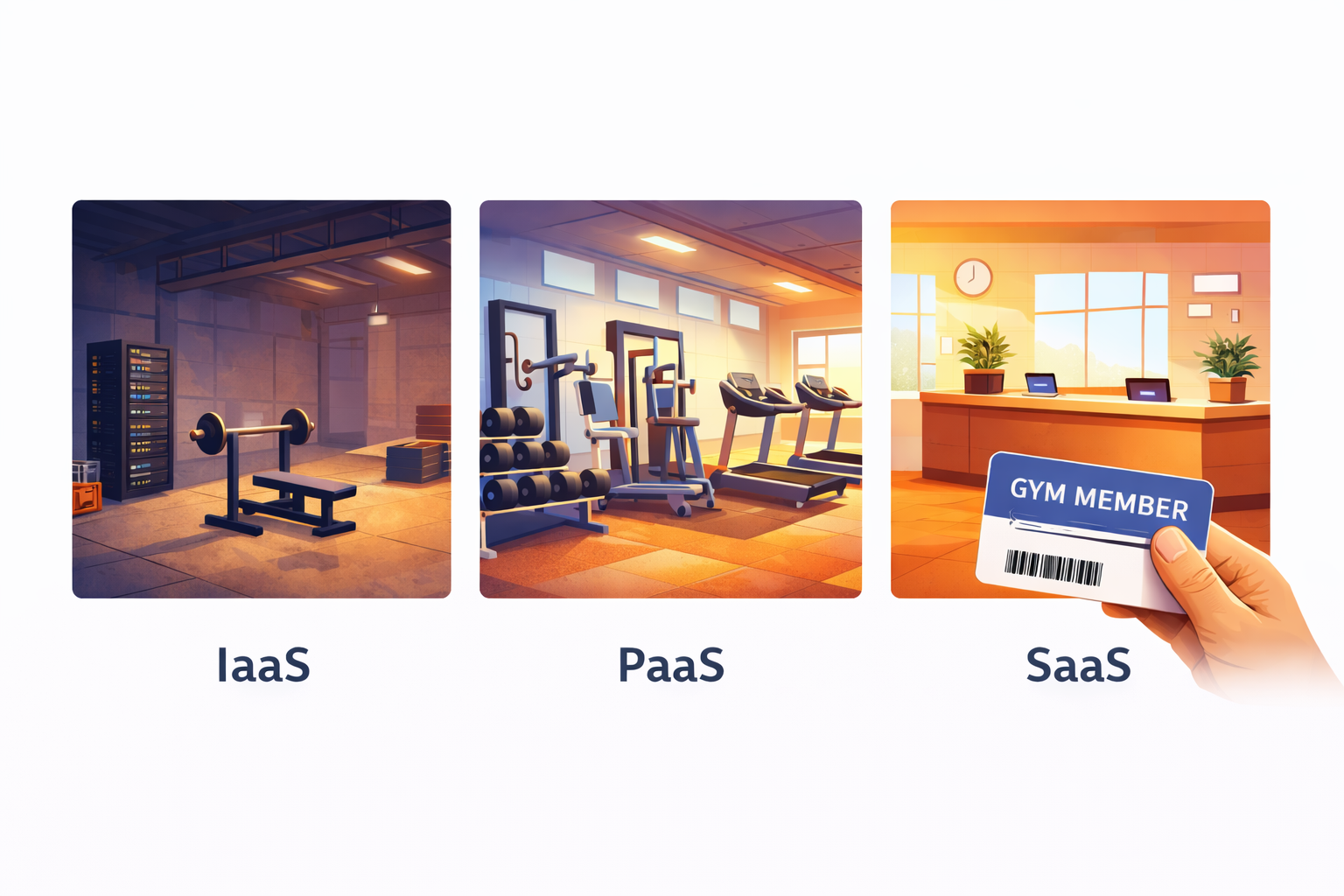
- IaaS: You buy an empty warehouse. You install your own gym equipment, hire trainers, set your own hours, and manage everything yourself. Total control, but total responsibility.
- PaaS: You rent a fully equipped gym space. The treadmills, weights, and showers are already there. You just bring your own workout plan and do the training.
- SaaS: You join a premium gym. Everything is set up, maintained, and upgraded for you. You just show up, swipe your card, and work out.
One analogy. Three models. Keep reading to go deeper on each.
Responsibility shortcut before we go deeper:
- SaaS: Provider runs almost everything. You just use the software.
- PaaS: Provider runs the platform. You write and ship the code.
- IaaS: Provider runs the hardware. You manage most of the stack above it.
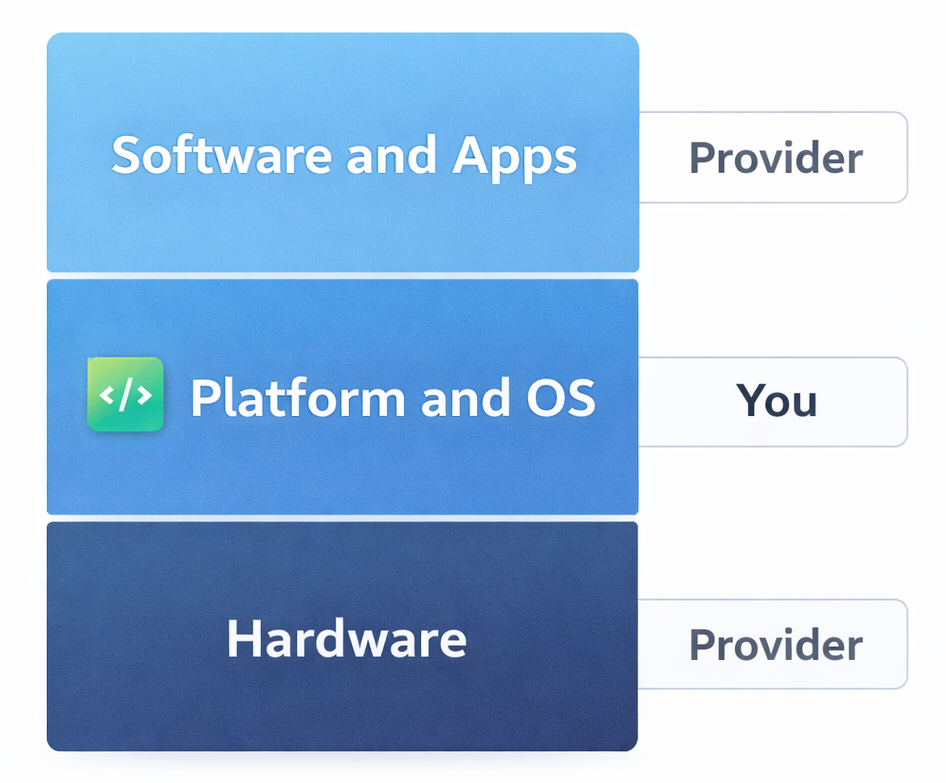
Keep this in mind as you read each section. It is the fastest way to remember which model owns what.
What Is SaaS (Software as a Service)?
SaaS is cloud-delivered software that users access through a browser or app. No installation, no server management, no IT headaches. The provider handles everything under the hood while you focus on using the product.
How SaaS Works
Think of SaaS like a Netflix subscription. Netflix manages the servers, updates the platform, fixes bugs, and adds new content. You just log in and watch. SaaS software works the same way. The vendor runs the tech, you run your business. You typically pay a monthly or annual subscription fee, and the software is accessible from any device with an internet connection.
Real-World SaaS Examples (Including skarya.ai)
- Skarya.ai – Work management and workflow automation platform
- Slack – Team communication and collaboration
- Salesforce – Customer relationship management (CRM)
- Google Workspace – Email, docs, and productivity suite
- Zoom – Video conferencing and virtual meetings
- HubSpot – Marketing, sales, and service automation
Pros and Cons of SaaS
- Ready to use in minutes with no setup required
- Automatic updates, patches, and new features
- Accessible from any device, anywhere in the world
- Predictable, subscription-based pricing
- No need for in-house IT or infrastructure teams
- Limited ability to deeply customize the software
- Data lives on the vendor’s servers
- Ongoing subscription costs accumulate over time
- Risk of vendor lock-in if you rely heavily on one platform
Best for: Teams and businesses that want powerful software without the technical overhead, from solo founders to enterprise departments.
What Is IaaS (Infrastructure as a Service)?
IaaS gives you virtualized computing resources over the internet, including servers, storage, and networking, without owning physical hardware. You rent the foundation and build everything on top of it yourself.
The provider manages the physical hardware and virtualization layer. Everything above that, including operating systems, databases, middleware, applications, and security, is your responsibility. That means maximum flexibility, but it also means your team carries the full management burden.
Real-World IaaS Examples
- Amazon Web Services (AWS EC2) – Virtual servers on demand
- Microsoft Azure Virtual Machines – Cloud infrastructure for enterprise workloads
- Google Cloud Platform (GCP) – Scalable compute and storage
- IBM Cloud – Hybrid cloud infrastructure solutions
Pros and Cons of IaaS
- Virtually unlimited flexibility and control
- Scale compute resources up or down instantly
- Pay only for what you use
- Supports any operating system, language, or stack
- Requires a skilled DevOps or IT team to manage
- Security, compliance, and maintenance fall on your shoulders
- Costs can spiral without careful monitoring
- High learning curve for non-technical teams
Best for: Large enterprises, tech companies, and teams with dedicated infrastructure engineers who need full control over their environment.
What Is PaaS (Platform as a Service)?
PaaS provides a fully managed environment including operating system, runtime, databases, and development tools, so your team can build, test, and deploy applications without managing the underlying infrastructure.
Developers write code and ship applications. The platform handles everything beneath that layer. The result is faster development cycles and less time spent on infrastructure decisions.
Real-World PaaS Examples
- Heroku – App deployment platform loved by developers
- Google App Engine – Scalable app hosting with zero server management
- Microsoft Azure App Service – Enterprise app development platform
- AWS Elastic Beanstalk – Easy app deployment on AWS infrastructure
- Red Hat OpenShift – Container-based PaaS for enterprise teams
Pros and Cons of PaaS
- Dramatically faster app development and deployment
- No infrastructure management required
- Built-in scalability as user demand grows
- Ideal for agile development and DevOps workflows
- Less control over underlying infrastructure
- May not support every programming language or framework
- Vendor lock-in risk if you build deep platform dependencies
- Data security and compliance depend on the provider
Best for: Software development teams, startups building custom applications, and enterprises modernizing legacy software.
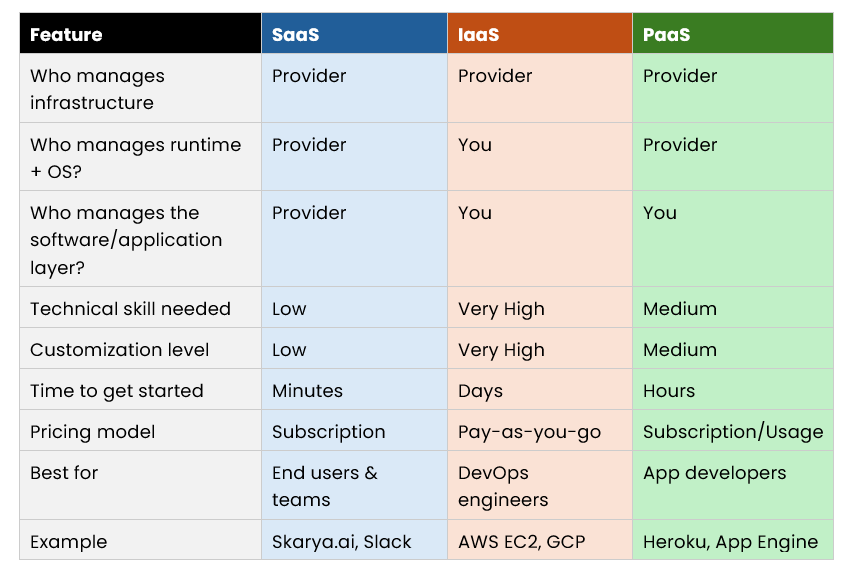
SaaS vs IaaS vs PaaS: Side-by-Side Comparison
How to Choose the Right Cloud Model
Choose SaaS if:
- You need software that works immediately with zero setup
- Your team is non-technical or has no dedicated IT staff
- You want predictable monthly costs and automatic updates
- You are managing communication, projects, CRM, or operations
Choose IaaS if:
- You have a skilled DevOps or infrastructure team in place
- You need full control over your environment and configurations
- You are running complex, high-performance or custom workloads
- You want to build and manage your own complete tech stack
Choose PaaS if:
- You are a developer or have an active development team
- You want to build and ship a custom application quickly
- You do not want to manage servers but need more control than SaaS offers
- You are working in an agile or continuous deployment environment
Pro Tip: Most scaling businesses use a combination of all three. SaaS for daily operations, PaaS for building internal tools, and IaaS for heavy data workloads. The key is knowing which model to apply where.
Why skarya.ai Fits the SaaS Model (Without the Complexity)
skarya.ai is a SaaS work management platform. You log in and start using it right away. No servers to manage, no infrastructure decisions, and no setup overhead.
It is a fit for teams who want a single place to run day-to-day work and reduce the constant follow-up of where is this at?
What teams typically use it for:
- Keeping tasks, projects, and updates in one place
- Turning repeatable work into simple, consistent workflows
- Improving visibility across the team without adding more meetings
Security features are designed for team access and control, including roles and permissions, so you can manage who sees and does what without needing an IT team to configure it.
It integrates with popular tools your team already uses, and helpful summaries and prompts are built in to speed up execution rather than slow it down.
If you want the speed and simplicity of SaaS for operations, skarya.ai shows what log in and get moving looks like, without heavy setup or admin.
Frequently Asked Questions
What is the simplest way to explain SaaS, IaaS, and PaaS?
Use the gym analogy. IaaS is buying an empty warehouse and setting up your own gym. PaaS is renting a fully equipped gym space and bringing your own workout plan. SaaS is joining a gym where everything is already handled for you.
Is skarya.ai a SaaS product?
Yes. skarya.ai is a cloud-based SaaS platform. There is nothing to install or configure. You subscribe, log in, and start managing work from any device right away.
Can small businesses use SaaS platforms like skarya.ai?
Absolutely. SaaS is especially well-suited for small businesses because it removes the need for in-house IT, offers predictable pricing, and scales as your team grows.
What is the biggest mistake businesses make when choosing a cloud model?
Choosing based on price alone. IaaS can look cheaper upfront but engineering time, security management, and ongoing maintenance often make SaaS the more cost-effective choice for most teams.
Can you use more than one cloud model at the same time?
Yes, and most scaling companies do. A common setup is SaaS for daily operations, PaaS for internal app development, and IaaS for large-scale data infrastructure.
Conclusion
SaaS, IaaS, and PaaS are not competing options. They are different tools built for different jobs. SaaS gives you ready-to-use software with zero setup overhead. IaaS gives technical teams full control over infrastructure. PaaS gives developers a managed environment to build and ship faster.
For most teams focused on operations and execution, SaaS is the fastest path to getting work done, and skarya.ai is a straightforward example of what a practical, no-overhead SaaS platform looks like in the real world.
Stop managing tools and start managing outcomes. Deploy skarya.ai today.
Leave a Reply