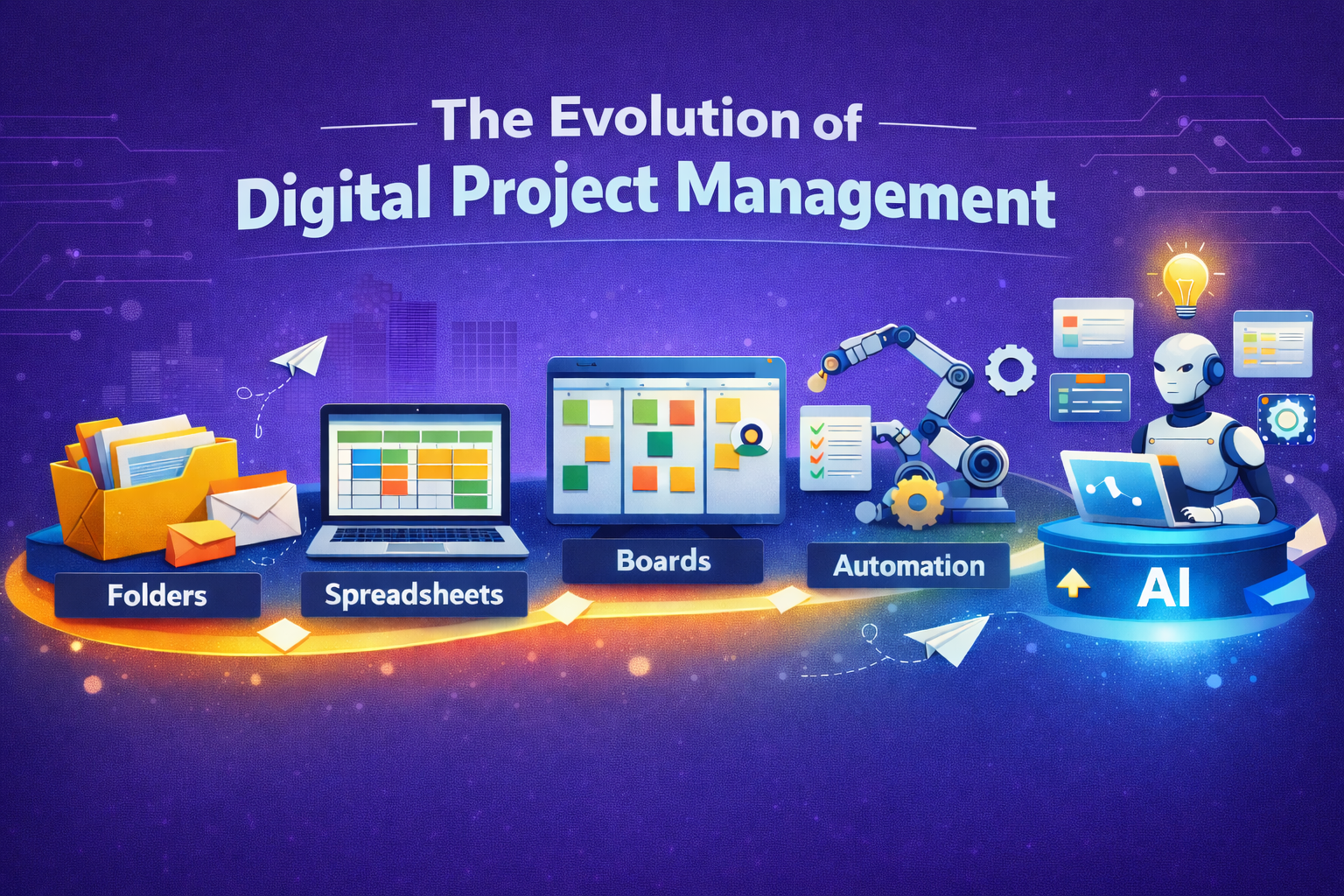
Project management did not start with software. It started with folders, email chains, and hoping someone remembers the next step. That setup worked when teams were small and work moved slowly. It breaks the moment you have multiple projects, multiple stakeholders, and requests coming from everywhere.
This guide explains the evolution of digital project management, from folders to AI. You will see what each era solved, what it broke, and what modern teams should look for now. If you are evaluating platforms, you will also see where Skarya.ai fits and why AI-native work management is becoming the new baseline.
Folders store work. Boards show work. AI-native systems run work.
The Folder Era, Storage Pretending to Be Management
Folders solved one job well, file storage. Teams could share documents, keep deliverables together, and build a simple archive.
The problem is that storage is not management. Management needs ownership, deadlines, handoffs, and visibility.
What worked
- Shared access to files
- Simple structure for deliverables
- Familiar workflow for everyone
What broke
- Version confusion, final, final2, final_final
- Updates buried in email or chat
- No clear next step when work changes
Example: A client request arrives by email, someone updates a doc, nobody assigns the follow up, the deadline slips quietly.
Tip: If your “project system” cannot answer “who owns this” in 5 seconds, it is not a project system.
The Spreadsheet Era, Tracking Plans Not Progress
Spreadsheets were the next step because teams wanted structure. Owners, due dates, priorities, status. It felt like control.
But spreadsheets rely on a fragile habit, manual updating. When work gets busy, the sheet becomes a record of intentions, not reality.
Why teams used it
- Fast to set up
- Flexible
- Easy to share and sort
Why it failed at scale
- Status is outdated the moment it is written
- Handoffs are not enforced, they are just rows
- Context lives elsewhere, in docs, DMs, meetings
- Time tracking and delivery reporting get bolted on later
Key takeaway: Spreadsheets list work. They do not move work.
The Board Era, Visibility Arrives
Boards changed project management because work became visible. Teams could see tasks, owners, and progress at a glance. This is where modern task management took off.
Then the second wave hits, boards multiply. One for each team, each project, each client. Soon the same work shows up in three places, and nobody knows which one is the truth.
The win
- Clear ownership and due dates
- Shared visibility
- Better collaboration around tasks
The new mess
- Board sprawl and duplicated tasks
- Work split across tools, docs in one place, time in another, updates in chat
- Managers spend time chasing status instead of removing blockers
Quick check: If you have to ask “which board is this in,” you already have tool fragmentation.
The Workflow Era, Process Beats Memory
Workflows and automation were the next leap. Teams stopped relying on reminders and started relying on systems. Intake, assign, approve, deliver. Repeat.
Automation reduces admin, but many teams still feel stuck because the workflow lives in one tool while the real work lives across five.
What automation fixed
- Routing new work to the right owner
- Triggering reminders and approvals
- Standardising recurring processes
- Reducing manual coordination
Why teams still feel stuck
- Tasks are separate from docs and decisions
- Time tracking is disconnected from tasks
- Reporting is still manual
- Visibility breaks when tools do not talk
Tip: Automation only works when the workflow and the work live together.
The AI Era, Less Admin More Momentum
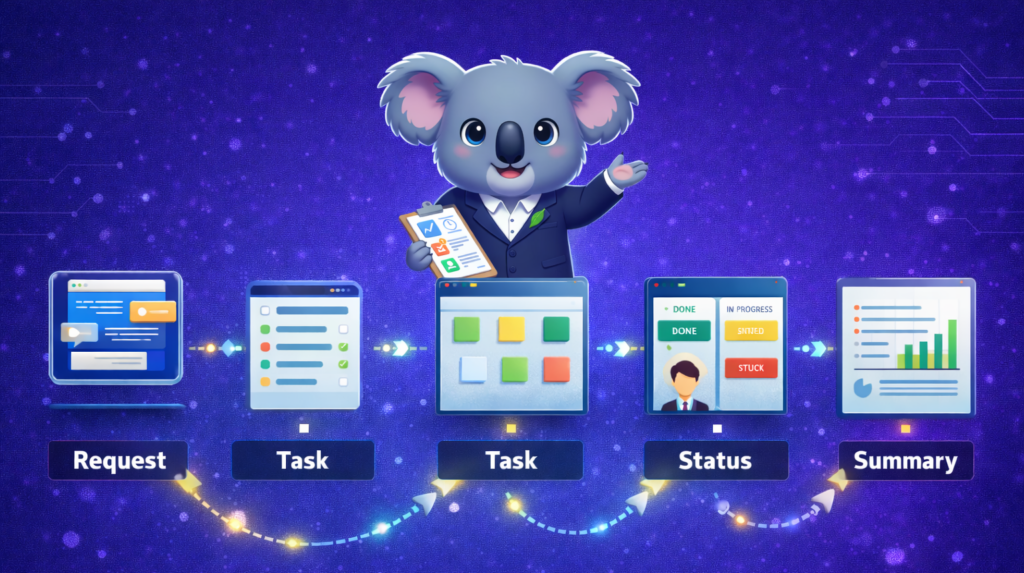
AI is not here to replace project management. It is here to remove the time-wasting parts. Chasing updates, rewriting summaries, turning messy requests into structured tasks, and finding what is blocked.
What AI project management actually does
- Turns notes, messages, and requests into tasks with owners
- Summarises progress without status meetings
- Surfaces blockers and overdue work faster
- Reduces reporting effort by pulling from real activity
What AI will not do
- Decide priorities for you
- Resolve stakeholder conflict
- Make trade-offs when timelines collide
- Replace accountability
Key takeaway: AI helps teams manage flow, not just tasks.
What Modern Teams Need, A Quick Checklist
If you relate to two or more of these, you have outgrown folders and boards alone.
- “What is the status” is asked daily
- Work stalls at handoffs, not effort
- Requests arrive in email, chat, calls, and notes
- Reporting takes hours and still feels wrong
- Time tracking happens later, and nobody trusts it
What to look for next
- One place where tasks, docs, and decisions connect
- Workflow automation that enforces handoffs
- Built-in time tracking tied to tasks and projects
- AI that summarises progress and structures work, without adding complexity
Where Skarya.ai Fits in the Evolution
Skarya.ai is built for the AI stage of work management. Not just visibility, but execution. The goal is simple, keep work clear, connected, and moving.
If you want the high level view, start here: Skarya product overview.
If you want to see the platform capabilities in detail, go here: Skarya features.
One place for work, not five tools
Skarya brings projects, documentation, workflows, collaboration, and time tracking into a single system, so context stays attached to execution.
Workflows, time tracking, and AI in one system
Skarya helps teams reduce admin with:
- structured intake, so requests do not disappear
- workflow automation, so handoffs do not stall
- time tracking where the work lives, so reporting is cleaner
- Kobi AI assistance, so summaries and task creation take minutes, not hours
If you want a concrete example for a service based team, see how it applies to agencies here: Skarya for creative agencies.
The best project management tool is the one your team actually uses, because it reduces effort, not adds steps.
FAQs
What is AI project management
AI project management uses AI to reduce manual admin, like turning messy inputs into tasks, summarising updates, and surfacing blockers.
Will AI replace project managers
No. It replaces busywork, not decisions. Humans still own priorities, trade-offs, and stakeholder alignment.
What should we automate first
Start with these three, in order:
- Work intake, so requests do not vanish
- Handoffs, so tasks do not stall
- Status updates, so meetings shrink
The evolution of digital project management follows a pattern. Teams moved from storing work, to listing work, to seeing work, to running work. AI is the next step because it cuts admin and keeps momentum without constant chasing.
If your team is stitching tools together to stay organised, explore Skarya.ai and see what it looks like when workflows, time tracking, and AI live in one system. Start with the product overview and then review the features to match it to your workflow
Leave a Reply