Author: Team Skarya

  • How to Save a Day Every Week at Work

    How to Save a Day Every Week at Work

    Most teams do not lose time because the work itself is too hard.

    They lose it in the gaps around the work. Chasing updates, searching for files, sitting in meetings that exist only because no one can see the real status, and repeating the same manual steps week after week.

    That drag adds up quickly. A few minutes here, half an hour there, another thread to clarify ownership, another call to reconnect the dots. By the end of the week, a team can easily lose a full day to coordination alone.

    The good news is that this is fixable. Saving time at work is rarely about asking people to move faster. It is about building a system where the right information, the next action, and the current status are already visible. When that happens, a surprising amount of wasted time disappears on its own.

    In this guide, we look at the three most common ways time gets lost, then walk through a practical workflow to reduce that friction across your team.

    Where Time Actually Gets Lost at Work
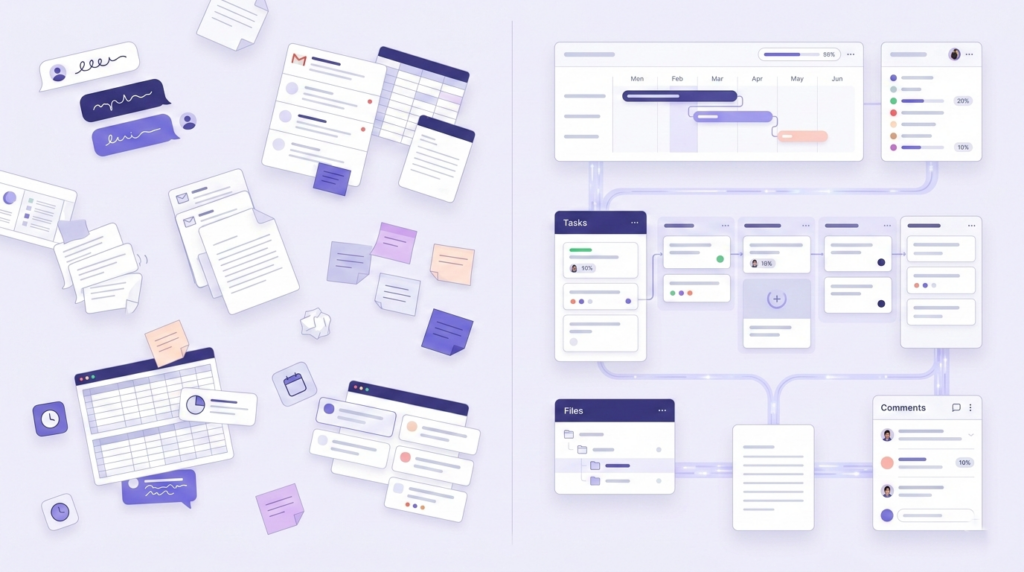
    Before a team can reclaim time, it needs to see where time is leaking. The causes are consistent across most teams and industries: disconnected communication, repetitive manual work, and lack of clarity.

    1. Communication Happens Away From the Work

    This is where most teams quietly lose hours, and it is rarely obvious until you stop to count it.

    A task lives in one tool. The brief lives in a document. Feedback arrives by email. A decision gets made in a chat thread. Then someone joins the project a week later, cannot find the full context, and the team spends more time reconstructing what happened than actually moving forward.

    The issue is not too much communication. It is disconnected communication. Conversations happen in one place while the work lives somewhere else entirely.

    Common signs:

    • Unclear task ownership, so simple questions need a meeting to resolve
    • Long email threads for approvals that should take two minutes
    • Status meetings that exist primarily to fill information gaps
    • Files and decisions scattered across four or five different tools

    When communication is separated from the work itself, teams spend their day translating, searching, and re-explaining instead of making progress.

    2. Manual Repetitive Work Eats Skilled Time

    Recurring reports. Task creation. Handoff notifications. Follow-up reminders. Progress summaries. These jobs are necessary, but they should not be consuming the attention of your best people.

    The problem is rarely one task. It is the same pattern of tasks repeating every day, every week, without anyone questioning whether a person actually needs to do them.

    When skilled people spend their days on work the system should be handling, the work that requires real judgment gets squeezed into whatever time is left.

    Most teams know this is happening. They just have not yet built the habit of questioning which parts of the week could run without them.
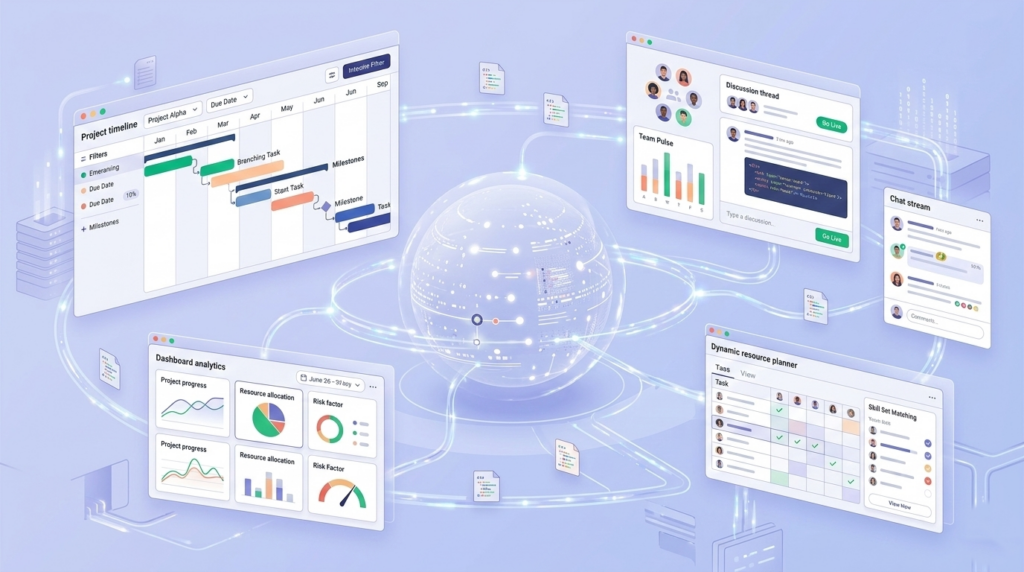
    3. Lack of Clarity Creates Invisible Waste

    When people do not know what matters most, what is blocked, or how their work connects to bigger goals, wasted time fills the gap.

    They check in more often than necessary. They duplicate effort. They wait longer than they should. They attend meetings that do not really need them. They spend energy staying aligned rather than moving things forward.

    This is one of the most expensive forms of inefficiency because it is easy to normalise. Teams adapt to the confusion and start calling it just how things are here. It is almost always a systems problem, and systems problems have systems solutions.

    What This Looks Like in Practice

    Here is a version of a workflow that most teams will recognise.

    A request comes in by message. Someone turns it into a task later. The brief is stored in a separate document. Feedback arrives by email. Progress gets discussed in a meeting because nobody fully trusts the board. At the end of the week, the manager asks for time spent and everyone estimates from memory.

    None of that sounds catastrophic on its own. But together, it creates friction at every step. Work gets rebuilt from fragments, constantly.

    Now compare that to a cleaner version of the same flow:

    • The request becomes a task immediately, with context attached from the start
    • The brief lives with the task, not in a separate document no one can find
    • Comments, feedback, and files stay tied to the work they belong to
    • Status is visible in real time, without requiring a meeting to surface it
    • Repetitive follow-ups run automatically
    • Time is tracked where the work happens, not estimated after the fact

    That is how teams reclaim hours. Not by working harder, but by removing the rebuild-work that lives in the gaps around the real work.

    A Practical Workflow to Save 1 Day Every Week

    The following steps reflect how teams are reducing coordination drag in 2026. The principles lead. Where a tool helps, it is mentioned once, not repeated.

    Step 1: Make Goals Visible Enough to Cut Alignment Meetings

    A lot of wasted time comes from one recurring question: what are we actually trying to move right now?

    When goals sit in a separate document that nobody reads regularly, people need more check-ins to stay oriented. When goals are tied directly to the tasks your team executes each week, many of those check-ins become unnecessary. Progress is visible while the work is happening, not summarised after the fact in a Friday email.

    In Skarya, teams connect goals to milestones and link those milestones to live tasks. Progress updates automatically as work is completed. That means the answer to what are we working toward is already visible, without a meeting to explain it.

    Step 2: Turn Vague Requests Into Structured Work Faster

    One of the most common sources of drag is the gap between something needs to happen and the task is ready to be worked on.

    That handoff is usually slower than it needs to be. Someone rewrites the brief. Subtasks get created manually. Ownership lands in a separate conversation. The same fields get filled out again and again across different projects.

    A smarter setup reduces that admin without adding complexity. The goal is that by the time a task reaches the person doing the work, it already has the context, priority, and structure it needs. Less setup time per task, multiplied across a week, adds up fast.

    Step 3: Replace Status-Chasing With Real-Time Visibility

    Status meetings are usually a symptom, not the root problem.

    Teams do not meet because they enjoy meetings. They meet because the system does not make progress visible enough to trust. Remove that blind spot, and many of those meetings stop being necessary.

    A shared board that people actually trust is worth more than three status calls a week.

    The key word is trust. A Kanban board or project timeline only reduces meetings if it reflects reality. That means statuses need to be updated where the work happens, not maintained separately as a reporting exercise. When the board is the source of truth, updates stop depending on memory or scheduled interruptions.

    Skarya’s boards, timeline views, and workload overviews are built to sit inside the actual workflow, not alongside it. That distinction matters more than it first sounds.

    Step 4: Keep Communication Inside the Work

    This is one of the fastest fixes available, and one of the most consistently skipped.

    When a decision gets made in Slack and the task lives in a project tool and the files are in a shared drive, context fractures almost immediately. Every time someone new joins the work, they have to piece together what happened from three different places. The team pays for that loss in follow-ups, delays, and repeated explanations.

    The fix is simple in principle: keep comments, files, approvals, and action items attached to the task they belong to. That one change reduces a surprising amount of daily friction, regardless of which tool you use to do it.

    Step 5: Document Once, Then Stop Explaining From Scratch

    If your team keeps explaining the same process, rewriting the same brief, or hunting for the same reference notes each time a project starts, that is not a people problem. It is missing documentation, and the cost of it compounds every week.

    The goal is not to document everything. It is to make repeat work easier the second time, and the tenth time. Process notes, onboarding guides, meeting records, and project briefs should be findable where the work happens. When they are, teams stop recreating context from scratch and start building on what already exists.

    Skarya keeps project knowledge alongside the project itself, searchable and accessible without depending on whoever happens to remember where that file was saved.

    Step 6: Automate the Parts That Do Not Need Judgment

    Not everything should be automated. But a surprising amount of what teams do manually every week does not actually require a human decision.

    Things like:

    • Notifying a reviewer when a task moves into review
    • Creating the next task in a sequence once the previous one closes
    • Assigning onboarding steps when a new person joins a project
    • Prompting the right person when a deadline is approaching

    These are system tasks. The more reliably your workflow handles them, the less your team relies on memory, nudges, and manual follow-through to keep things moving.

    Start with one or two automations on your most repetitive workflow. The compounding effect of small reductions in manual admin is usually larger than it looks on paper.

    Step 7: Measure Where the Time Is Actually Going

    Teams often say they want to save time at work, but they are not measuring where time is actually being spent. Without that visibility, improvement stays vague.

    Tracking time at the task level does more than help with billing or reporting. It helps teams spot patterns over weeks and months:

    • Which work types regularly run longer than estimated
    • Where admin is taking disproportionate space relative to its value
    • Who is consistently over capacity before it becomes a real problem
    • How accurate estimates are, and how to improve them next time

    The most useful time tracking happens where the work happens. Skarya includes native timesheets built into the workflow itself, synced with Google Calendar and Microsoft Calendar, so time data reflects what actually happened rather than what people can piece together at the end of the week.

    Why Getting This Right in 2026 Is Worth the Effort

    The case for fixing how teams work is not really about AI. It is about the fact that coordination overhead has quietly grown into one of the largest costs in knowledge work, and most teams have normalised it to the point where they no longer see it clearly.

    What is different in 2026 is that the tools available for reducing that overhead are genuinely better than they were two or three years ago. AI can now handle a meaningful share of the admin, summarisation, and structuring work that used to require a human. That is only useful, though, if it sits inside a connected workflow rather than functioning as a separate tool that still requires people to copy, paste, and manually distribute outputs.

    The teams getting the most out of these tools are not the ones using the most AI features. They are the ones that built a clear, connected workflow first, and then let automation and AI reduce the friction inside it.

    Gallup’s most recent workplace data suggests that the feeling of spending too much time on low-value admin is one of the clearest predictors of disengagement. Fixing that is not just a productivity question. It is a retention question, and in most industries, a meaningful competitive one.

    Conclusion

    Most teams do not need to work harder to get time back.

    They need fewer disconnected steps, fewer rebuild moments, and fewer manual actions between a request coming in and work being delivered.

    That is why the biggest time savings rarely come from one change. They come from fixing the workflow itself: making work visible, keeping context attached, reducing the tasks that should not need a person to complete them, and measuring what is actually happening rather than what everyone assumes is happening.

    Skarya combines projects, tasks, docs, automation, AI assistance, timesheets, and collaboration in one place. Not to add another tool to the stack, but to replace the friction that too many disconnected tools quietly create.

    If your current process feels heavier than it should, that is usually a sign the system needs work. Not the people.

    Start with one workflow and see where your time is really going.

    Explore Skarya and try it free  ·  Free to start, no credit card needed.
  • How to Use AI to Reduce Admin Work (Without Adding More Tools)

    How to Use AI to Reduce Admin Work (Without Adding More Tools)

    The Problem: AI Is Everywhere, But Admin Did Not Disappear

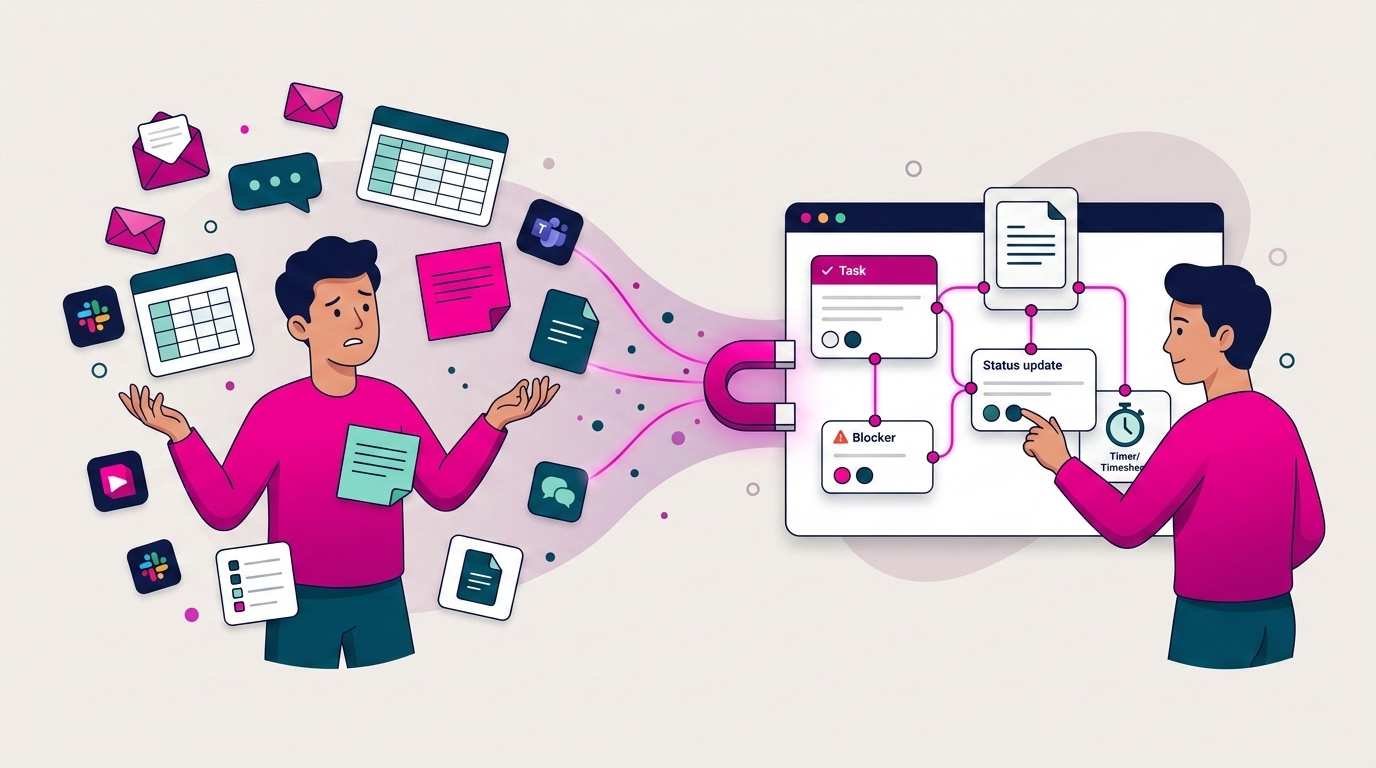
    Most teams adopt AI expecting fewer follow-ups, fewer “can you resend that?” messages, and fewer status meetings. Then reality hits. The AI tool becomes one more tab, one more workflow, one more place to paste context and the admin is still there, just with an extra step in the middle.

    AI does not reduce admin by itself. It reduces admin only when it is embedded inside where work happens. If your requests live in email, your tasks live in a project tool, your updates live in chat, and your time tracking lives in a spreadsheet, AI cannot fix the underlying mess. It will float between systems and create more noise.

    The uncomfortable truth: if your AI needs constant feeding, tagging, and prompting, it is not automation. It is admin with a glow-up.

    The 4 Admin Traps AI Creates (and How to Avoid Them)

    AI fails teams in predictable ways – not because the models are weak, but because teams place AI on top of a broken work system and expect magic.

    Trap 1: Summaries That Do Not Live Where Work Happens

    Meeting summaries are popular. The problem is where they go. Posted in a chat thread, they disappear by tomorrow. Emailed, they get buried. Living inside the AI tool, people forget they exist and the team ends up asking the same questions again next week.

    Fix it: Attach summaries directly to the project or task. Anyone opening the item should see what changed, what was decided, and what is next, without hunting through Slack history.

    Trap 2: Chatbots That Answer Questions but Create No Action

    A chatbot can tell you what was said, what a doc contains, or what the next steps should be. But unless it turns that output into a real task with an owner and a due date, nothing changes. Translating conversation into execution is one of the biggest admin drains in the first place.

    Fix it: Use AI to convert conversation into action. Requests become tasks. Decisions become checklist items. Next steps get assigned to real people with real deadlines.

    Trap 3: More Tools Instead of Fewer Steps

    This is the most common failure. Teams add an AI tool but do not remove any steps. They still copy requests into a task tool. They still chase status updates in chat. They still hunt for the latest document link. The AI becomes a helper, but the process stays scattered.

    Fix it: AI must operate inside a centralized work management setup, not beside it. If it sits outside your workflow, you are always switching tools – and switching tools is admin.

    Trap 4: Automation Without Ownership

    AI can create tasks quickly. But tasks with no owner, no deadline, and no next step create clutter, not clarity. Someone still has to clean up the mess.

    Fix it: Every AI-generated task must include a clear owner, a next step, and a due date. If those three things are missing, the output is not finished — it is a new problem.

    The Rule: AI Must Eliminate One of These 5 Admin Jobs

    Before adopting any AI feature, ask one blunt question: which admin job will this remove?

    1. Collecting work requests from multiple channels
    2. Converting those requests into tasks
    3. Writing and compiling status updates
    4. Chasing handoffs and clearing blockers
    5. Logging time and tracking effort

    If AI does not remove at least one of these, it is not a priority. Pick the one that costs your team the most time right now, and start there.

    Tip: Track it for seven days. How many times did someone ask “where is that file?” How many status pings happened? How long did timesheets take Friday afternoon? AI is only useful if it moves a metric you can feel.

    The Playbook: How to Use AI to Actually Reduce Admin

    This works only in the right order: centralize first, then automate.

    Step 1: Centralize Intake (Before AI Touches Anything)

    AI cannot bring order to chaos if work arrives through email, chat, WhatsApp, calls, and sticky notes simultaneously. It will miss things or create duplicates. The first move is simple: give work one front door.

    That can be a request form, a shared intake board, a client portal, or a dedicated channel with a strict rule. Whatever format, every request should become a trackable task — not a message that relies on someone’s memory.

    This is the foundation that makes everything else work. Without it, AI amplifies scattered inputs rather than organizing them. If your team currently loses hours to the “where is that file?” spiral, read more about the hidden cost of disconnected tools here: The Hidden Cost of “Where Is That File?”

    Tip: Start with one project. One intake rule. One week. Do not try to centralize everything at once.

    Step 2: Turn Messy Requests into Structured Tasks Automatically

    This is where AI delivers real value when connected properly. Most admin is not doing work — it is translating work from messy human language into structured execution.

    You already have the inputs: client emails, chat messages, meeting notes, quick “can you do this?” requests. The output you want is a task with a title, owner, deadline, and linked documents. When AI bridges that gap automatically, the team stops copy-pasting, ownership becomes clear instantly, and work becomes visible without a single extra meeting.

    AI should reduce translation work. Humans should spend time on decisions and delivery, not on formatting tasks that someone else described out loud.

    Step 3: Auto-Generate Weekly Updates People Actually Read

    Most teams do not hate updates. They hate writing updates that nobody reads, then getting asked for updates anyway.

    A good AI workflow here is not “post a long summary.” It is “draft a tight update based on what changed in the project,” then let the owner approve or adjust it in 30 seconds. The update should live on the project itself — not scattered across threads.

    A format that consistently works: what moved, what is blocked, what needs attention, what is next. Short. Structured. Easy to skim in 60 seconds. Done right, you eliminate two admin drains at once: writing updates and answering follow-up questions about updates.

    The key rule: if the update lives in chat, it becomes a scroll problem. If it lives on the project, it becomes visibility.

    Step 4: Surface Blockers Before They Become Meetings

    Meetings multiply when blockers are invisible. When leadership cannot see what is stuck, the default response is a call.

    AI can spot patterns that humans miss in the rush of the week: tasks with no owner, work that has not moved in days, approvals that are overdue, dependencies that are backing up. The goal is not micromanagement — it is surfacing what needs attention early and calmly, so teams are not scrambling on Friday afternoon.

    The best meetings are the ones that never happen because the system already showed what was true.

    Step 5: Track Time Where Work Lives

    Timesheets are not hard because people cannot count hours. They are hard because time lives in a separate world from tasks. People do the work in one place, reconstruct the hours later from memory and calendar history, and call that a timesheet.

    Track time inside the task. Start a timer where the work happens. Review weekly, not daily. The less reconstruction your team has to do at the end of the week, the less admin you create.

    For service teams and agencies where margin depends on accurate time data, this is not optional — if time tracking is disconnected from tasks, profitability becomes guesswork. See how Skarya approaches this for agencies and service teams: Creative Agency Use Cases

    Before vs. After: What This Actually Looks Like

    Before: A request arrives in email. Someone copies it into a task tool. The doc link is pasted into chat. The latest decision was made in a meeting. Time is logged in a spreadsheet on Friday afternoon from memory. Everyone is busy, but nobody feels in control.

    After: The request becomes a task automatically. The doc is attached to the task. The owner and deadline are clear from the start. Updates live on the project. AI drafts a weekly summary for the owner to approve in one click. Blockers surface early. Time is tracked where the work happens.

    That second state is not a different set of tools. It is the same work, connected differently with AI doing the translation and the admin, not adding to it.

    Where Skarya.ai Fits

    Skarya is built around this approach because it is not an AI add-on sitting outside your workflow. It is a centralized work management system where tasks, documents, updates, workflows, and timesheets live together, and AI works inside that structure, not alongside it.

    Skarya helps you centralize first, then remove the repetitive parts: creating tasks from plain-language requests, summarizing progress automatically, and surfacing what is blocked before it becomes a meeting.

    Next step that actually matters: Pick one live project this week. Centralize its tasks and documents in one place. Add one AI automation: turn incoming requests into structured tasks automatically. If your week gets quieter, you are doing AI the right way.


    Frequently Asked Questions

    What is the best way to use AI to reduce admin work?

    Use AI to convert messy inputs — emails, chat messages, meeting notes — into structured tasks with owners and deadlines. Then use it to generate short, accurate status updates from real project activity, and to flag blockers before they require a meeting. The key is that AI must live inside your workflow, not alongside it.

    Why does AI sometimes make admin worse?

    Because it becomes another tool to manage rather than a layer that removes work. When AI sits outside your tasks and documents, your team ends up copying, pasting, and switching tabs more than before. The tool adds steps instead of removing them.

    Do we need centralized work management before introducing AI?

    Yes. Without a single place where tasks, docs, and updates live together, AI amplifies chaos rather than organizing it. Centralize first, then automate. Skipping that order is why most AI rollouts disappoint.

    What is the single best AI automation for a small or mid-sized team?

    Task creation from natural-language requests. Email messages, Slack threads, and meeting notes should automatically become tasks with an owner and a due date. This removes the biggest single translation cost in most teams.

    How does AI reduce the number of meetings?

    By keeping work status visible and current without manual effort, and by surfacing blockers early enough to resolve them asynchronously. When the system already shows what is true, people do not need to call a meeting to find out.

    What is the connection between time tracking and admin reduction?

    When time tracking is separated from tasks, people reconstruct hours from memory at the end of the week — which is slow, inaccurate, and deeply frustrating. Tracking time inside the task eliminates that reconstruction step entirely, and gives service teams reliable margin data without extra effort.

  • The Hidden Cost of “Where Is That File?” How Disconnected Tools Kill Centralized Work Management

    The Hidden Cost of “Where Is That File?” How Disconnected Tools Kill Centralized Work Management

    The Monday Morning Scramble

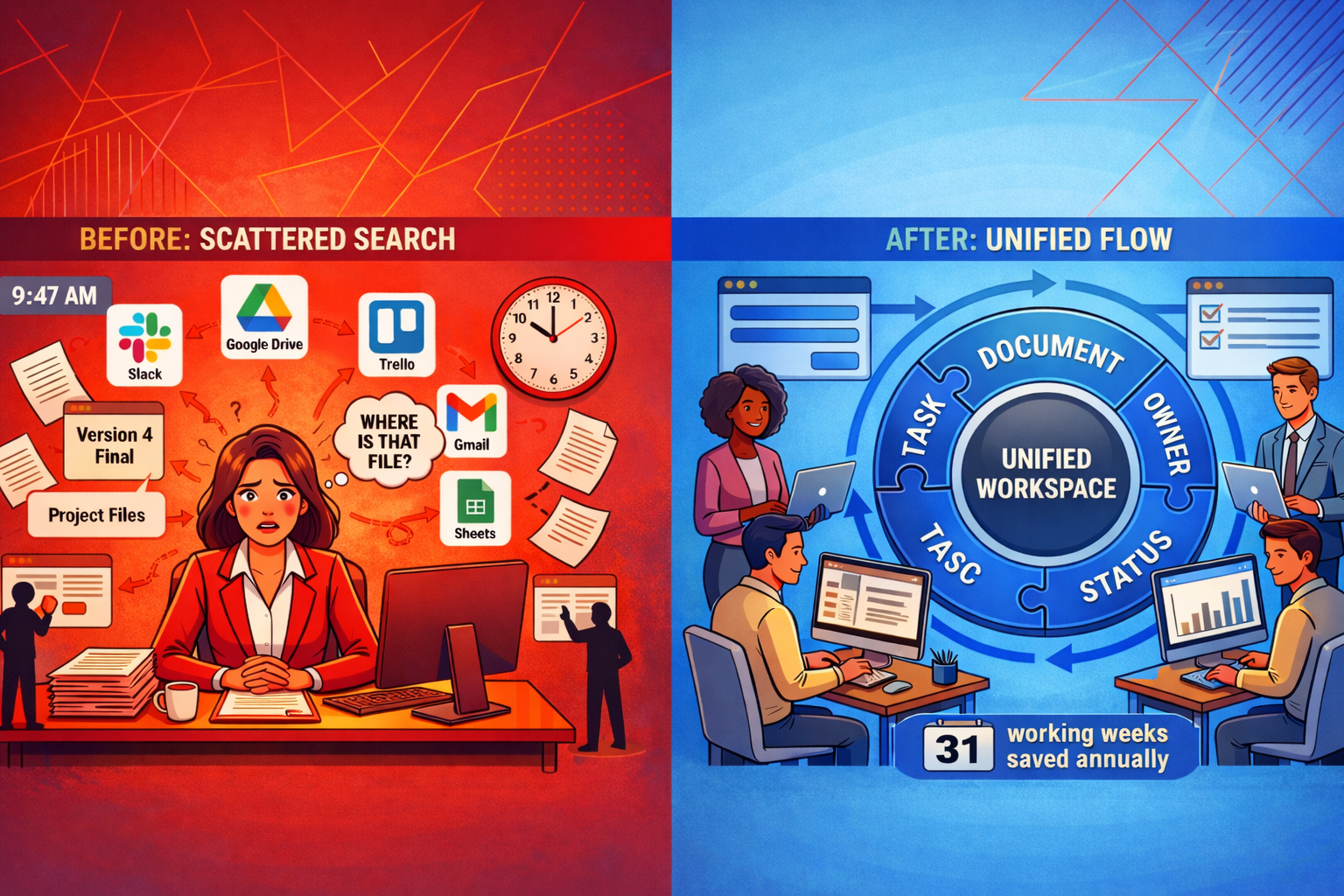
    It is 9:47 a.m. A client call is at 10:00. Sarah needs the latest proposal, the one with the updated scope and the new pricing table.

    She searches Slack. Three links show up. Two are old. One opens a Google Doc titled “Proposal_v4_FINAL_revised_ACTUAL.” She is not sure if this is the version the client approved or the one someone edited last Thursday.

    She pings Jake. No reply yet. She checks her email. Finds a PDF from three weeks ago. She opens Drive. Sees five folders that all look correct. The client is waiting. She sends what she has and hopes it is right.

    This is not a one-off. For most teams, the work is not hard. Finding the work is what slows everything down. That is the hidden cost of disconnected tools, and it is exactly why centralized work management matters.

    If “the latest version” lives in five places, your team will keep guessing, redoing, and meeting just to stay aligned.

    The Math Is Not Pretty

    Even if your team only loses a bit of time to searching, the numbers add up fast. It is not one big meltdown. It is dozens of tiny hunts: the link, the brief, the latest comment, the decision, the right attachment, the correct version.

    Keep it conservative. Even if it is only 30 minutes per person per day spent searching across tools, re-reading threads, and confirming which version is final:

    1. 30 minutes x 5 days = 2.5 hours per person per week
    2. 2.5 hours x 10 people = 25 hours per week for a 10-person team
    3. 25 hours x 50 weeks = 1,250 hours per year

    That is roughly 31 full working weeks lost every year. Not to delivery. To searching.

    Quick Check: The Tab Test Open your browser right now. Count how many tabs you need just to answer one question: what is the latest status on your biggest active project? If the answer is more than three, your team is living this reality every day.

    The Real Problem: Version Fog

    Disconnected tools do not just waste time. They create version fog, where nobody is fully sure what the truth is. It is not because people do not care. It is because the truth is split across chat, email, docs, drives, boards, and spreadsheets.

    Version fog looks like this:

    • Someone updated the doc, but never linked it to the task
    • A decision was made in a DM between Mike and the account lead, and the rest of the team has no idea
    • The spreadsheet Lisa has been updating all week says one thing, the project board says another
    • The owner is unclear, so the next step floats and nobody picks it up

    When updates live in conversations instead of the work itself, you do not have a workflow. You have a guessing game.

    Everyone has partial context. Everyone thinks someone else has the full picture. That is how things fall through the cracks, not because of bad intentions, but because of bad structure.

    The Business Cost Is Bigger Than Time

    The hours lost searching are just the visible part. The deeper damage shows up in delivery, trust, and team energy.

    Rework Becomes Normal

    When people cannot find the right version, they either guess or recreate. One team member builds what already exists. Another edits the wrong file. Suddenly you are spending Friday fixing work that should have shipped on Wednesday.

    Handoffs Break Silently

    A task gets done, but the next step does not start because the handoff note was buried, the dependency was not visible, or nobody answered the question: who owns this now? The project stalls and nobody knows why.

    Meetings Multiply to Replace Visibility

    When answers are not visible in the system, teams schedule meetings to manufacture clarity. That is how a simple project turns into a Monday status call, a mid-week check-in, and a Friday wrap. Three meetings, just to recreate what should have been obvious at a glance.

    Stress and Blame Creep In

    When something drops, someone gets blamed. Often it is the wrong person. Over time, people stop owning tasks confidently because ownership feels like risk, not responsibility. That is how you lose good people to avoidable friction.

    What Centralized Work Management Actually Means

    This is not about adding another tool. It is a different way of running work.

    Definition: Centralized work management means there is one place where the task lives, the correct doc is attached, the owner is clear, the deadline is visible, and the latest update is recorded. Anyone should be able to open the work item and understand exactly what is happening, without chasing a person.

    Here is what that shift looks like in real life:

    Before
    The doc link lives in Slack. The task lives in a PM tool. The latest decision is in someone’s inbox. Status only exists in a meeting.
     After
    The task contains the doc, the owner, the due date, and the latest update. Anyone can check progress without starting a scavenger hunt.

    A Practical 3-Layer System for Centralized Work Management

    You do not need to centralize everything at once. Start with one project and build these three layers.

    Layer 1: Intake (Where Work Enters)

    Work needs one front door. A form, a request board, a single intake channel, anything that stops tasks from being born in DMs and dying in inboxes. The goal is simple: every request becomes a visible, trackable task.

    • Client requests go into one shared form or channel, not into DMs or separate inboxes
    • Internal tasks are created in the same system, not scattered across personal to-do lists
    • Intake automatically triggers a task with an assigned owner and a due date
    Tip: Pick one rule and enforce it for one project: no new requests via DM. If it is real work, it goes through intake. Start there and do not make exceptions.

    Layer 2: Work (Where Execution Happens)

    This is where most teams fall apart, because tasks do not carry context. The fix is straightforward: the task must hold the information needed to complete it.

    Every task should include:

    • One owner (a person, not the team)
    • One clear next step (what happens right now)
    • The correct doc attached or linked directly
    • A due date, even a rough one
    • Any dependencies flagged so blockers are visible

    One task. One owner. One next step. If everyone owns it, no one owns it.

    Layer 3: Visibility (Where Updates Live)

    Visibility should not require a meeting. It should be readable at a glance. That means updates belong with the work, not scattered across chat threads.

    • Status fields: In Progress / Blocked / Done
    • A short update cadence: daily or twice a week, in the system
    • Blockers flagged on the task, not buried in a message nobody will find
    Tip: Kill the Status Meeting for One Project Replace it with a simple async rule: everyone updates their tasks by 4 p.m. If the system is accurate, the meeting becomes optional. Most teams find they never reschedule it.

    Your 7-Day Rollout Plan (Start Small, Win Fast)

    This works best when you centralize one active project first, not your entire company. Pick the one causing the most friction and start there.

    Days 1 and 2: Audit and Choose the Project

    • Pick the one project where the most friction lives right now
    • List every place its work currently lives: Slack, Drive, email, spreadsheet, PM tool
    • Identify the top three pain points: missing owners, lost files, unclear status

    Days 3 to 5: Build the Structure

    • Create the project space with tasks, owners, deadlines, and simple status fields
    • Attach or link the correct docs to the tasks they actually belong to
    • Set up one intake method for any new requests related to this project

    Days 6 and 7: Run It Live

    • Tell the team one clear rule: updates, files, and questions go in the system for this project
    • Shorten or cancel the standing status meeting for this project
    • At the end of day 7, check: how many messages were “where is that file?” compared to last week?

    The one rule that makes centralized work management stick: if it is not in the system, it does not exist.

    That sounds harsh. It is meant to. The moment you allow exceptions, the system collapses and you are back to hunting.

    Where Skarya.ai Fits In

    Skarya.ai is built for exactly this model. It brings tasks, docs, workflows, timesheets, and updates into one centralized workspace so your team stops switching between five tools just to find the basics.

    The built-in AI assistant helps by summarizing what is happening on a project, turning plain-language requests into tasks, and surfacing blockers before they stall delivery. Less admin, more actual work.

    Your Next Step: Pick one project this week. Centralize just that project’s tasks and docs in one place. Run it for 7 days. If Slack gets quieter and delivery gets smoother, you will know you are on the right track. Skarya makes that first step straightforward.

    Frequently Asked Questions

    1. What is centralized work management in simple terms?

    It is one place where the task, file, owner, deadline, and latest update live together, so your team does not have to hunt across tools just to find out what is happening.

    2. Do we need to replace Slack, Drive, and email?

    No. The goal is not to delete the tools you already use. It is to stop letting work split into silos and make sure the source of truth lives in one system, not five.

    3. What is the biggest mistake teams make when centralizing?

    Trying to migrate everything at once. Start with one project, get a small win, then expand. Wholesale migrations stall almost every time.

    4. How do we reduce “where is that file?” messages quickly?

    Attach the doc to the task, assign one owner, and record updates on the work item itself. Most of those messages disappear when context is stored with execution, not in a Slack thread from two weeks ago.

    5. How does Skarya help with centralized work management?

    Skarya unifies tasks, docs, workflows, timesheets, and updates in one workspace. Its AI assistant summarizes progress, creates tasks from plain-language input, and surfaces blockers so the system stays current without extra admin effort.

  • Stop Bleeding Money: The SMB Owner’s Guide to AI-Powered Operations

    Stop Bleeding Money: The SMB Owner’s Guide to AI-Powered Operations

    Here is a reality most SMBs feel but rarely measure: a meaningful chunk of your payroll disappears into searching for information, chasing updates, manual data entry, and fixing handoff misses.

    Not because your team is slow.
    Because your operational system is fragmented.

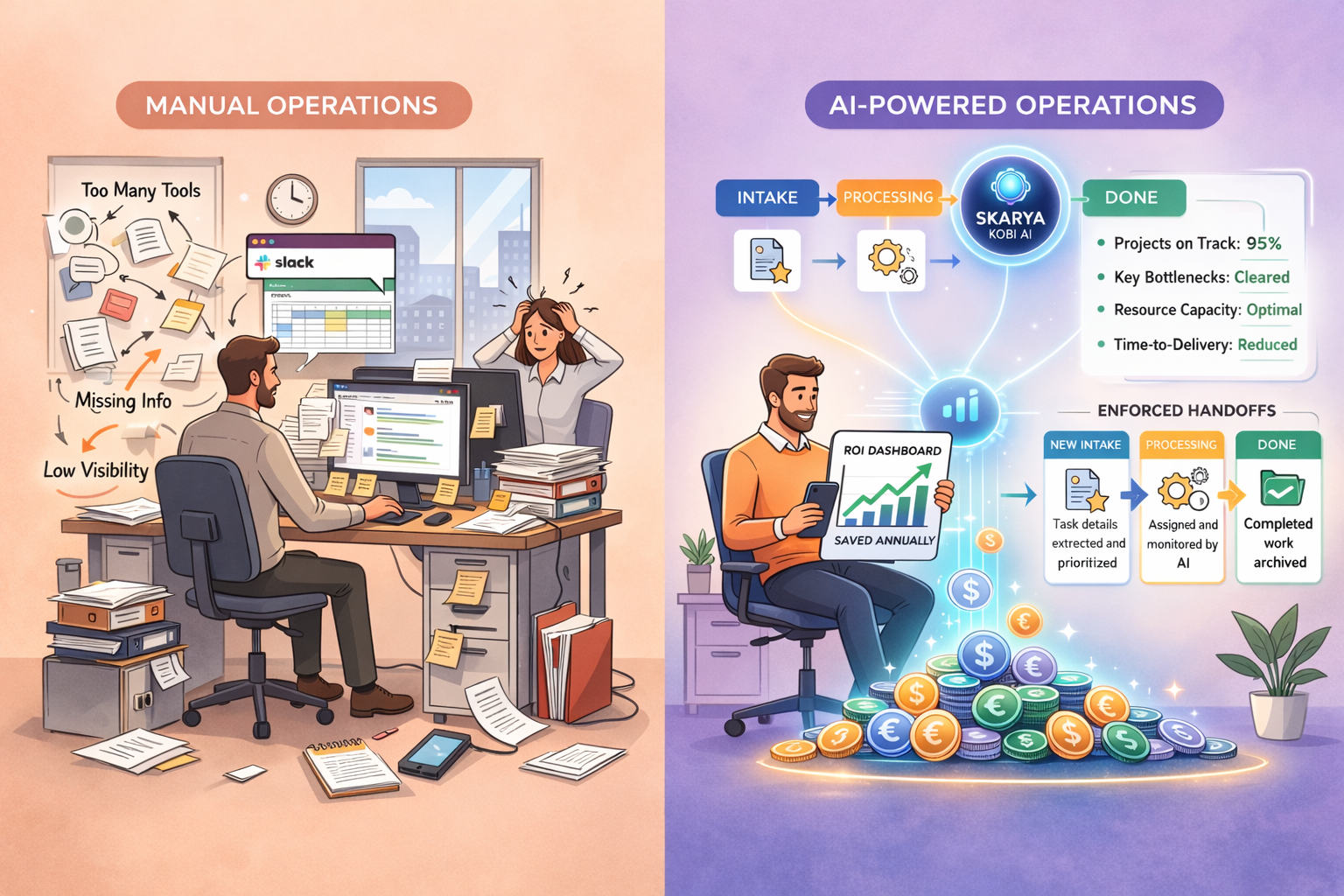
    The good news: AI-powered operations for SMBs changes the math fast, by automating the repetitive, information-heavy work that quietly drains margin every week.


    The SMB Growth Bottleneck: Why Your Current Model Has a Ceiling

    Growing a business should feel like momentum. For many SMB owners, it feels like pushing uphill while juggling tools.

    The culprits are familiar:

    • Tool sprawl: Slack, email, spreadsheets, a PM tool, a CRM, plus “whatever else works”
    • The memory tax: key knowledge lives in people’s heads, not in a shared system
    • The busywork trap: high-value staff spend time updating statuses, chasing approvals, rewriting notes
    • Data fragmentation: nobody can see the real state of work without asking five people

    The result is predictable: work slows down, margins compress, and burnout rises.
    This is not a people problem. It is a systems problem.

    What AI-Powered Operations Actually Means (No Buzzwords)

    AI-powered operations does not mean replacing your team.

    It means applying AI to the work that is:

    • repetitive
    • structured (or should be)
    • dependent on information being captured cleanly
    • responsible for handoffs, deadlines, and visibility

    In practical terms, AI helps you:

    • turn messy inputs (emails, notes, call summaries) into clean task records
    • generate status summaries without recurring meetings
    • enforce handoffs so nothing stalls between people
    • flag bottlenecks early, while there is still time to fix them

    Platforms like skarya.ai are built for this operational layer, so your team spends less time managing work and more time delivering it.

    4 Key Pillars of AI-Powered Efficiency

    Pillar 1: Converting Chaos Into Structured Intake

    Most SMBs do not have an “execution” problem. They have an “intake” problem.

    Requests arrive everywhere: email threads, DMs, notes, meeting scribbles. Then someone manually translates all that into tasks.

    What you automate

    • extract deliverables, owners, due dates, priorities from messy input
    • standardize what “good intake” looks like (no missing details)
    • route work into the right workflow automatically

    What you get

    • faster starts
    • fewer missed requirements
    • less time spent rewriting what already exists

    Pillar 2: The Death of the Status Meeting: Automated Summarization

    A 60-minute status meeting with six people is not one hour. It is six hours of capacity, plus context switching and prep.

    Most of what happens in those meetings is not decision-making. It is reporting.

    What you automate

    • generate a daily/weekly project digest from live work data
    • summarize what moved, what is blocked, what is overdue
    • highlight the few items that need decisions

    What you get

    • fewer meetings
    • faster decisions
    • clearer accountability without the constant “quick call?”

    Practical Tip: Audit every recurring meeting and ask: “Could an AI-generated 3-bullet summary replace this?” If yes, replace the meeting with a digest and keep a shorter decision-only check-in when needed.

    Pillar 3: Reducing Handoff Friction and Deadline Slips

    Handoffs are where revenue quietly leaks.

    Work does not fail because someone is lazy. It fails because handoffs rely on memory, nudges, and informal messaging.

    What you automate

    • notify the next owner the moment work is ready
    • escalate items before they become deadline misses
    • keep a clear trail of who owns what, right now

    What you get

    • fewer stalled tasks
    • less rework
    • smoother delivery without constant chasing

    Pillar 4: Proactive Intelligence: Catching Bottlenecks Before They Burn Cash

    Automation saves time. Prediction saves margin.

    The most valuable operational AI is the kind that tells you what is about to break while you can still prevent it.

    What you automate

    • track time-in-stage, overdue trends, recurring blockers
    • flag workload and resource conflicts early
    • surface risks in plain language

    What you get

    • fewer “surprise” delays
    • better client delivery
    • leaders who prevent fires instead of reacting to them

    Show Me the Money: A Simple ROI Framework You Can Actually Use

    Use this simple model to estimate your ROI:

    ROI = (hours saved × hourly cost) + rework avoided + delays avoided − tool cost

    Assumptions for the example below: 10-person team, blended cost $50/hr, conservative weekly time-loss estimates.

    Time SinkHours/Week (10-person team)Cost @ $50/hrAnnual Cost
    Admin and manual data entry10 hrs$500/wk$26,000
    Searching for information25 hrs$1,250/wk$65,000
    Status meetings and prep12 hrs$600/wk$31,200
    Rework from missed handoffs6 hrs$300/wk$15,600
    Total recoverable waste53 hrs$2,650/wk$137,800/yr

    Even if AI-powered operations recovers just 30% of that waste, that is ~$41,340/year back into your business.

    That is the real promise of AI cost savings for small business: reclaiming time you already pay for, and turning it into output.

    Practical Tip: For one week, have each person tag work blocks as either “Revenue work” or “Operational overhead.” If overhead lands above 50%, you have a clear, measurable ROI opportunity.

    Start Small: A 7-Day AI Ops Test (No Big Migration Required)

    You do not need a massive rollout to prove value. Run a tight test.

    • Days 1–2: list your top 3 intake channels (email, Slack, calls) and your top 10 recurring task types
    • Days 3–5: implement AI intake + a weekly digest summary for one workflow
    • Days 6–7: measure: meetings removed, handoffs missed, hours saved, turnaround time improved

    If the numbers move, scale it. If they do not, you learned cheaply.

    The Businesses That Adapt Now Will Define the Next Decade

    This is not a “maybe someday” shift. SMBs are already splitting into two groups:

    • businesses that run on manual coordination
    • businesses that run on operational systems that scale

    AI-powered operations helps you build the second kind.

    Start with your most painful workflow. Replace manual intake. Replace status meetings with summaries. Tighten handoffs. Then add proactive visibility.

    That is how you stop bleeding money and start scaling with control.

    And if you want a platform designed to do exactly this without enterprise complexity, skarya.ai is built to give SMBs structured intake, automated summaries, workflow handoffs, and operational visibility in one system.

  • The Evolution of Digital Project Management: From Folders to AI

    The Evolution of Digital Project Management: From Folders to AI

    Project management did not start with software. It started with folders, email chains, and hoping someone remembers the next step. That setup worked when teams were small and work moved slowly. It breaks the moment you have multiple projects, multiple stakeholders, and requests coming from everywhere.

    This guide explains the evolution of digital project management, from folders to AI. You will see what each era solved, what it broke, and what modern teams should look for now. If you are evaluating platforms, you will also see where Skarya.ai fits and why AI-native work management is becoming the new baseline.

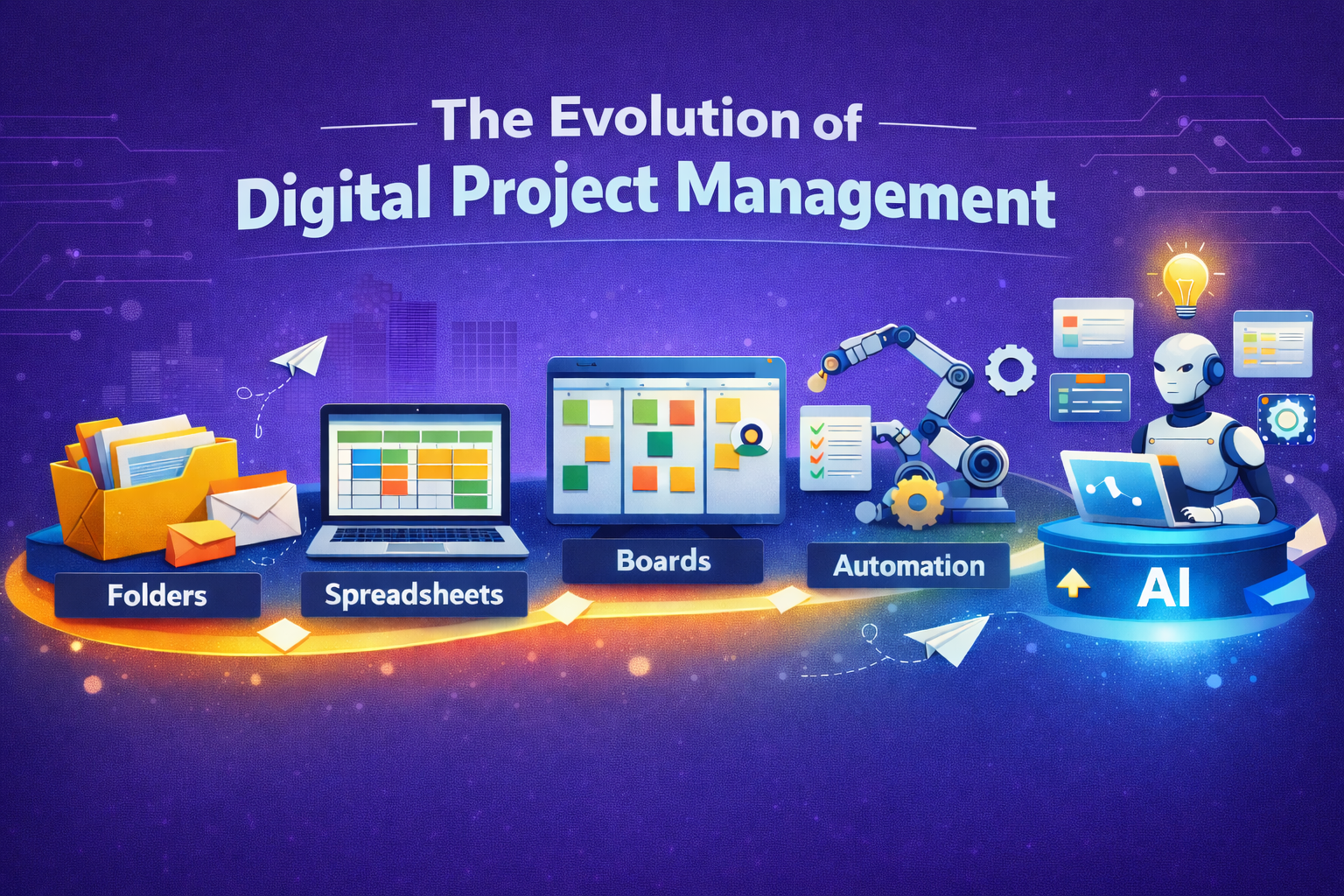
    Folders store work. Boards show work. AI-native systems run work.

    The Folder Era, Storage Pretending to Be Management

    Folders solved one job well, file storage. Teams could share documents, keep deliverables together, and build a simple archive.

    The problem is that storage is not management. Management needs ownership, deadlines, handoffs, and visibility.

    What worked

    • Shared access to files
    • Simple structure for deliverables
    • Familiar workflow for everyone

    What broke

    • Version confusion, final, final2, final_final
    • Updates buried in email or chat
    • No clear next step when work changes

    Example: A client request arrives by email, someone updates a doc, nobody assigns the follow up, the deadline slips quietly.

    Tip: If your “project system” cannot answer “who owns this” in 5 seconds, it is not a project system.

    The Spreadsheet Era, Tracking Plans Not Progress

    Spreadsheets were the next step because teams wanted structure. Owners, due dates, priorities, status. It felt like control.

    But spreadsheets rely on a fragile habit, manual updating. When work gets busy, the sheet becomes a record of intentions, not reality.

    Why teams used it

    • Fast to set up
    • Flexible
    • Easy to share and sort

    Why it failed at scale

    • Status is outdated the moment it is written
    • Handoffs are not enforced, they are just rows
    • Context lives elsewhere, in docs, DMs, meetings
    • Time tracking and delivery reporting get bolted on later

    Key takeaway: Spreadsheets list work. They do not move work.

    The Board Era, Visibility Arrives

    Boards changed project management because work became visible. Teams could see tasks, owners, and progress at a glance. This is where modern task management took off.

    Then the second wave hits, boards multiply. One for each team, each project, each client. Soon the same work shows up in three places, and nobody knows which one is the truth.

    The win

    • Clear ownership and due dates
    • Shared visibility
    • Better collaboration around tasks

    The new mess

    • Board sprawl and duplicated tasks
    • Work split across tools, docs in one place, time in another, updates in chat
    • Managers spend time chasing status instead of removing blockers

    Quick check: If you have to ask “which board is this in,” you already have tool fragmentation.

    The Workflow Era, Process Beats Memory

    Workflows and automation were the next leap. Teams stopped relying on reminders and started relying on systems. Intake, assign, approve, deliver. Repeat.

    Automation reduces admin, but many teams still feel stuck because the workflow lives in one tool while the real work lives across five.

    What automation fixed

    • Routing new work to the right owner
    • Triggering reminders and approvals
    • Standardising recurring processes
    • Reducing manual coordination

    Why teams still feel stuck

    • Tasks are separate from docs and decisions
    • Time tracking is disconnected from tasks
    • Reporting is still manual
    • Visibility breaks when tools do not talk

    Tip: Automation only works when the workflow and the work live together.

    The AI Era, Less Admin More Momentum

    AI is not here to replace project management. It is here to remove the time-wasting parts. Chasing updates, rewriting summaries, turning messy requests into structured tasks, and finding what is blocked.

    What AI project management actually does

    • Turns notes, messages, and requests into tasks with owners
    • Summarises progress without status meetings
    • Surfaces blockers and overdue work faster
    • Reduces reporting effort by pulling from real activity

    What AI will not do

    • Decide priorities for you
    • Resolve stakeholder conflict
    • Make trade-offs when timelines collide
    • Replace accountability

    Key takeaway: AI helps teams manage flow, not just tasks.

    What Modern Teams Need, A Quick Checklist

    If you relate to two or more of these, you have outgrown folders and boards alone.

    • “What is the status” is asked daily
    • Work stalls at handoffs, not effort
    • Requests arrive in email, chat, calls, and notes
    • Reporting takes hours and still feels wrong
    • Time tracking happens later, and nobody trusts it

    What to look for next

    • One place where tasks, docs, and decisions connect
    • Workflow automation that enforces handoffs
    • Built-in time tracking tied to tasks and projects
    • AI that summarises progress and structures work, without adding complexity

    Where Skarya.ai Fits in the Evolution

    Skarya.ai is built for the AI stage of work management. Not just visibility, but execution. The goal is simple, keep work clear, connected, and moving.

    If you want the high level view, start here: Skarya product overview.
    If you want to see the platform capabilities in detail, go here: Skarya features.

    One place for work, not five tools

    Skarya brings projects, documentation, workflows, collaboration, and time tracking into a single system, so context stays attached to execution.

    Workflows, time tracking, and AI in one system

    Skarya helps teams reduce admin with:

    • structured intake, so requests do not disappear
    • workflow automation, so handoffs do not stall
    • time tracking where the work lives, so reporting is cleaner
    • Kobi AI assistance, so summaries and task creation take minutes, not hours

    If you want a concrete example for a service based team, see how it applies to agencies here: Skarya for creative agencies.

    The best project management tool is the one your team actually uses, because it reduces effort, not adds steps.


    FAQs

    What is AI project management

    AI project management uses AI to reduce manual admin, like turning messy inputs into tasks, summarising updates, and surfacing blockers.

    Will AI replace project managers

    No. It replaces busywork, not decisions. Humans still own priorities, trade-offs, and stakeholder alignment.

    What should we automate first

    Start with these three, in order:

    1. Work intake, so requests do not vanish
    2. Handoffs, so tasks do not stall
    3. Status updates, so meetings shrink

    The evolution of digital project management follows a pattern. Teams moved from storing work, to listing work, to seeing work, to running work. AI is the next step because it cuts admin and keeps momentum without constant chasing.

    If your team is stitching tools together to stay organised, explore Skarya.ai and see what it looks like when workflows, time tracking, and AI live in one system. Start with the product overview and then review the features to match it to your workflow

  • SaaS vs IaaS vs PaaS: The Clear Guide for Scaling Teams.

    SaaS vs IaaS vs PaaS: The Clear Guide for Scaling Teams.

    SaaS, IaaS, and PaaS all run in the cloud, but they are not interchangeable. Pick the wrong model and you will either pay for control you do not need, or lose flexibility you actually require. This guide explains all three using one simple analogy, real examples, and a quick framework to choose what fits your business today.

    The Gym Membership Analogy: Understanding Cloud Models Simply

    Before diving into definitions, here is one clean way to think about all three cloud models. Imagine you want to get fit.

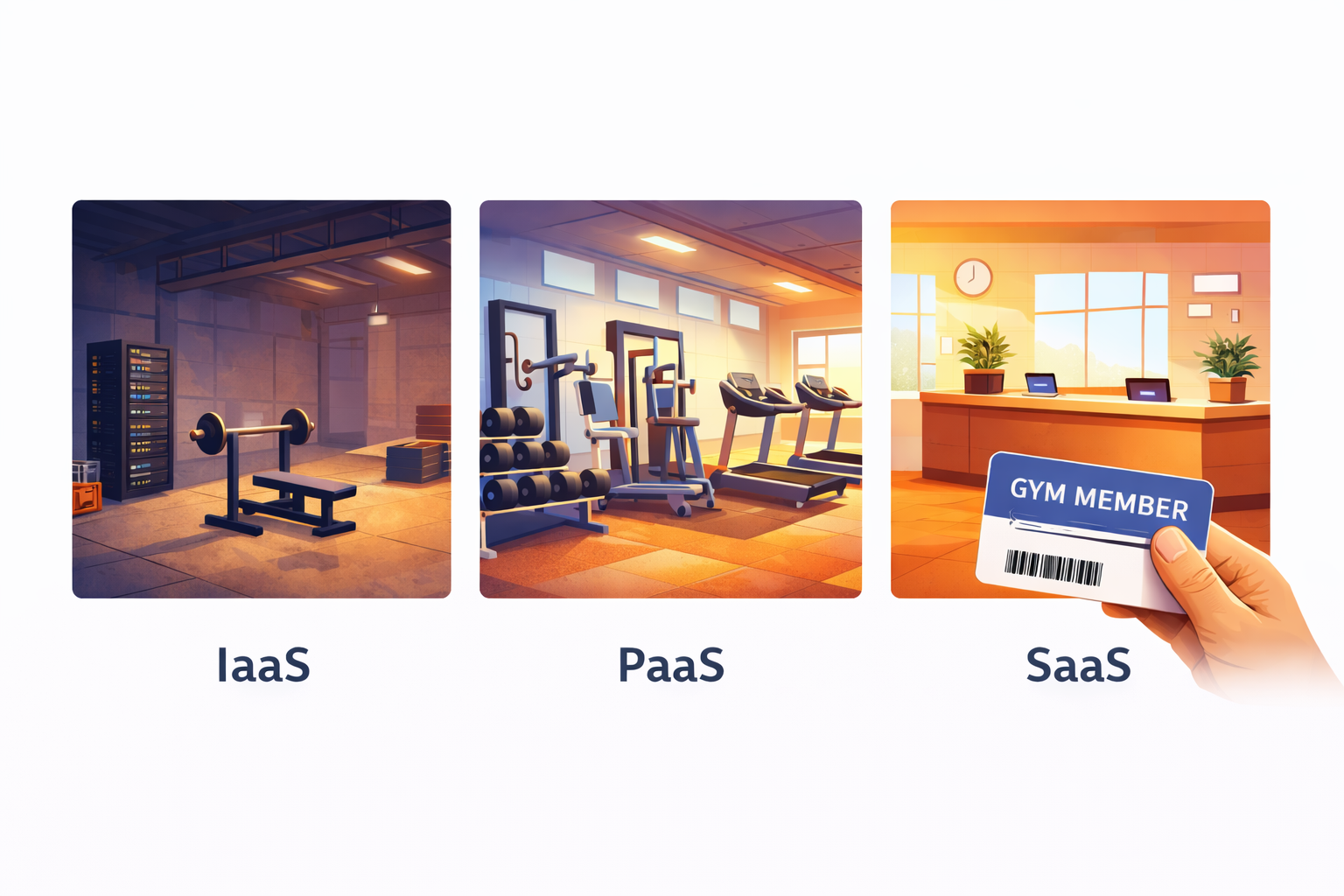
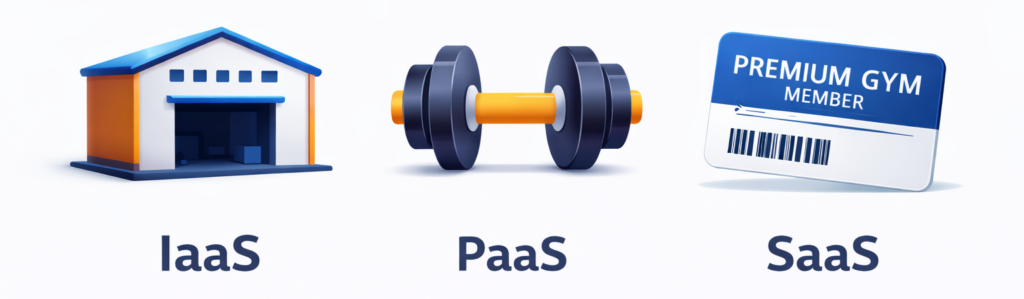
    • IaaS: You buy an empty warehouse. You install your own gym equipment, hire trainers, set your own hours, and manage everything yourself. Total control, but total responsibility.
    • PaaS: You rent a fully equipped gym space. The treadmills, weights, and showers are already there. You just bring your own workout plan and do the training.
    • SaaS: You join a premium gym. Everything is set up, maintained, and upgraded for you. You just show up, swipe your card, and work out.

    One analogy. Three models. Keep reading to go deeper on each.

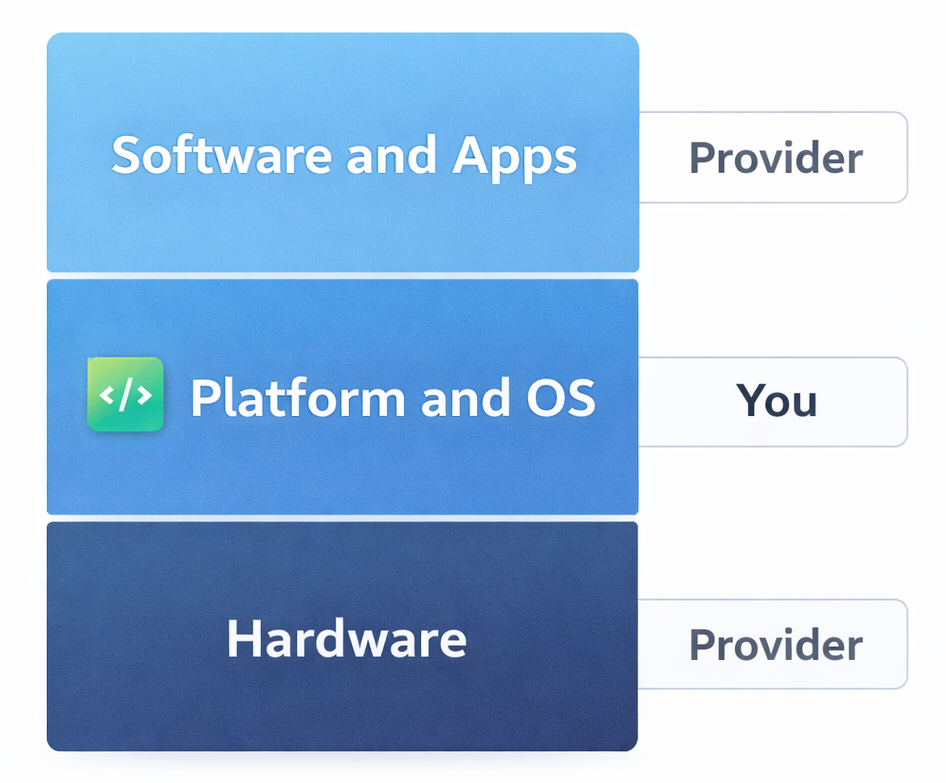
    Responsibility shortcut before we go deeper:

    • SaaS: Provider runs almost everything. You just use the software.
    • PaaS: Provider runs the platform. You write and ship the code.
    • IaaS: Provider runs the hardware. You manage most of the stack above it.

    Keep this in mind as you read each section. It is the fastest way to remember which model owns what.

    What Is SaaS (Software as a Service)?

    SaaS is cloud-delivered software that users access through a browser or app. No installation, no server management, no IT headaches. The provider handles everything under the hood while you focus on using the product.

    How SaaS Works

    Think of SaaS like a Netflix subscription. Netflix manages the servers, updates the platform, fixes bugs, and adds new content. You just log in and watch. SaaS software works the same way. The vendor runs the tech, you run your business. You typically pay a monthly or annual subscription fee, and the software is accessible from any device with an internet connection.

    Real-World SaaS Examples (Including skarya.ai)

    • Skarya.ai – Work management and workflow automation platform
    • Slack – Team communication and collaboration
    • Salesforce – Customer relationship management (CRM)
    • Google Workspace – Email, docs, and productivity suite
    • Zoom – Video conferencing and virtual meetings
    • HubSpot – Marketing, sales, and service automation

    Pros and Cons of SaaS

    • Ready to use in minutes with no setup required
    • Automatic updates, patches, and new features
    • Accessible from any device, anywhere in the world
    • Predictable, subscription-based pricing
    • No need for in-house IT or infrastructure teams
    • Limited ability to deeply customize the software
    • Data lives on the vendor’s servers
    • Ongoing subscription costs accumulate over time
    • Risk of vendor lock-in if you rely heavily on one platform

    Best for: Teams and businesses that want powerful software without the technical overhead, from solo founders to enterprise departments.

    What Is IaaS (Infrastructure as a Service)?

    IaaS gives you virtualized computing resources over the internet, including servers, storage, and networking, without owning physical hardware. You rent the foundation and build everything on top of it yourself.

    The provider manages the physical hardware and virtualization layer. Everything above that, including operating systems, databases, middleware, applications, and security, is your responsibility. That means maximum flexibility, but it also means your team carries the full management burden.

    Real-World IaaS Examples

    • Amazon Web Services (AWS EC2) – Virtual servers on demand
    • Microsoft Azure Virtual Machines – Cloud infrastructure for enterprise workloads
    • Google Cloud Platform (GCP) – Scalable compute and storage
    • IBM Cloud – Hybrid cloud infrastructure solutions

    Pros and Cons of IaaS

    • Virtually unlimited flexibility and control
    • Scale compute resources up or down instantly
    • Pay only for what you use
    • Supports any operating system, language, or stack
    • Requires a skilled DevOps or IT team to manage
    • Security, compliance, and maintenance fall on your shoulders
    • Costs can spiral without careful monitoring
    • High learning curve for non-technical teams

    Best for: Large enterprises, tech companies, and teams with dedicated infrastructure engineers who need full control over their environment.

    What Is PaaS (Platform as a Service)?

    PaaS provides a fully managed environment including operating system, runtime, databases, and development tools, so your team can build, test, and deploy applications without managing the underlying infrastructure.

    Developers write code and ship applications. The platform handles everything beneath that layer. The result is faster development cycles and less time spent on infrastructure decisions.

    Real-World PaaS Examples

    • Heroku – App deployment platform loved by developers
    • Google App Engine – Scalable app hosting with zero server management
    • Microsoft Azure App Service – Enterprise app development platform
    • AWS Elastic Beanstalk – Easy app deployment on AWS infrastructure
    • Red Hat OpenShift – Container-based PaaS for enterprise teams

    Pros and Cons of PaaS

    • Dramatically faster app development and deployment
    • No infrastructure management required
    • Built-in scalability as user demand grows
    • Ideal for agile development and DevOps workflows
    • Less control over underlying infrastructure
    • May not support every programming language or framework
    • Vendor lock-in risk if you build deep platform dependencies
    • Data security and compliance depend on the provider

    Best for: Software development teams, startups building custom applications, and enterprises modernizing legacy software.

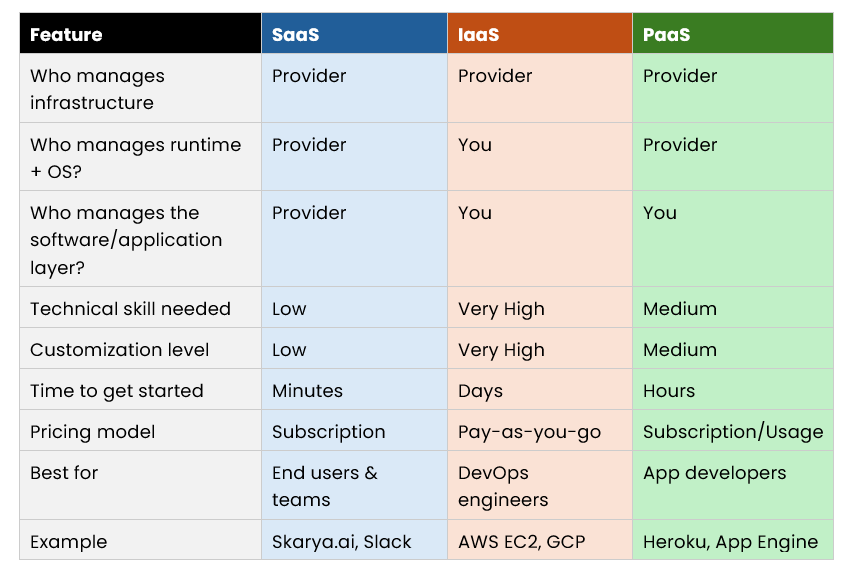
    SaaS vs IaaS vs PaaS: Side-by-Side Comparison

    How to Choose the Right Cloud Model

    Choose SaaS if:

    • You need software that works immediately with zero setup
    • Your team is non-technical or has no dedicated IT staff
    • You want predictable monthly costs and automatic updates
    • You are managing communication, projects, CRM, or operations

    Choose IaaS if:

    • You have a skilled DevOps or infrastructure team in place
    • You need full control over your environment and configurations
    • You are running complex, high-performance or custom workloads
    • You want to build and manage your own complete tech stack

    Choose PaaS if:

    • You are a developer or have an active development team
    • You want to build and ship a custom application quickly
    • You do not want to manage servers but need more control than SaaS offers
    • You are working in an agile or continuous deployment environment

    Pro Tip: Most scaling businesses use a combination of all three. SaaS for daily operations, PaaS for building internal tools, and IaaS for heavy data workloads. The key is knowing which model to apply where.

    Why skarya.ai Fits the SaaS Model (Without the Complexity)

    skarya.ai is a SaaS work management platform. You log in and start using it right away. No servers to manage, no infrastructure decisions, and no setup overhead.

    It is a fit for teams who want a single place to run day-to-day work and reduce the constant follow-up of where is this at?

    What teams typically use it for:

    • Keeping tasks, projects, and updates in one place
    • Turning repeatable work into simple, consistent workflows
    • Improving visibility across the team without adding more meetings

    Security features are designed for team access and control, including roles and permissions, so you can manage who sees and does what without needing an IT team to configure it.

    It integrates with popular tools your team already uses, and helpful summaries and prompts are built in to speed up execution rather than slow it down.

    If you want the speed and simplicity of SaaS for operations, skarya.ai shows what log in and get moving looks like, without heavy setup or admin.


    Frequently Asked Questions

    What is the simplest way to explain SaaS, IaaS, and PaaS?

    Use the gym analogy. IaaS is buying an empty warehouse and setting up your own gym. PaaS is renting a fully equipped gym space and bringing your own workout plan. SaaS is joining a gym where everything is already handled for you.

    Is skarya.ai a SaaS product?

    Yes. skarya.ai is a cloud-based SaaS platform. There is nothing to install or configure. You subscribe, log in, and start managing work from any device right away.

    Can small businesses use SaaS platforms like skarya.ai?

    Absolutely. SaaS is especially well-suited for small businesses because it removes the need for in-house IT, offers predictable pricing, and scales as your team grows.

    What is the biggest mistake businesses make when choosing a cloud model?

    Choosing based on price alone. IaaS can look cheaper upfront but engineering time, security management, and ongoing maintenance often make SaaS the more cost-effective choice for most teams.

    Can you use more than one cloud model at the same time?

    Yes, and most scaling companies do. A common setup is SaaS for daily operations, PaaS for internal app development, and IaaS for large-scale data infrastructure.

    Conclusion

    SaaS, IaaS, and PaaS are not competing options. They are different tools built for different jobs. SaaS gives you ready-to-use software with zero setup overhead. IaaS gives technical teams full control over infrastructure. PaaS gives developers a managed environment to build and ship faster.

    For most teams focused on operations and execution, SaaS is the fastest path to getting work done, and skarya.ai is a straightforward example of what a practical, no-overhead SaaS platform looks like in the real world.

    Stop managing tools and start managing outcomes. Deploy skarya.ai today.
  • AI Productivity in 2026: A Smarter Workflow System

    AI Productivity in 2026: A Smarter Workflow System

    What if you could get two hours back every day without working longer or hiring more staff? In 2026, AI productivity tools are helping teams cut busywork, reduce follow ups, and move work forward faster.
    This guide explains what AI productivity means, what actually drives results, and how Skarya.ai helps teams build workflows that save time every week.

    Quick takeaway: AI productivity improves when AI supports execution inside workflows, not when it lives in a separate chat tab.

    What Is AI Productivity? (And Why It Matters in 2026)

    AI productivity is using artificial intelligence to reduce repetitive work like drafting, summarising, organising, and routing, so you can spend more time on decisions, delivery, and customer outcomes.
    Teams lose huge time to “work about work” like updates, meetings, and chasing status. Asana’s research breaks this down clearly. Read it here.

    AI will not replace people. People who use AI well will outpace people who do not.

    The shift from task management to execution support

    Older tools helped you organise work. AI productivity tools help you execute work. That includes turning messy requests into structured tasks, summarising progress, drafting updates, and prompting follow ups when work stalls.

    The Four Key Pillars of AI Productivity

    AI productivity is not one feature. It is a set of capabilities that reduce friction across the full workflow.

    1) Intelligent task automation

    This is the fastest win. AI can reduce repeat tasks that drain time and attention.

    • Auto routing: send requests to the right person based on type and priority
    • Task drafting: create structured tasks from short inputs or messages
    • Follow ups: trigger reminders and escalation when deadlines slip
      Key takeaway: automate steps that are predictable, repeatable, and easy to validate.

    2) AI powered content and communication

    Writing is a hidden time sink. AI can produce strong first drafts for emails, proposals, reports, and internal updates. The best results happen when the AI has context from the task, the workflow stage, and the relevant documentation.

    3) Smart summarisation and research

    Instead of reading long threads or scanning transcripts, AI can surface what matters.

    • What changed
    • What is blocked
    • What needs a decision
    • What happens next

    4) Workflow orchestration

    The biggest productivity gains come when work flows end-to-end with fewer handoffs.
    Simple model: Intake → Triage → Assign → Execute → Approve → Report
    Key takeaway: AI productivity compounds when your tasks, docs, and updates live in one system.

    How Skarya.ai Supercharges AI Productivity

    Skarya.ai is built for teams that want execution to feel calm, visible, and controlled. It helps you centralise work and reduce admin without adding complexity.

    What makes Skarya.ai different

    • No code workflows: build automations without developers
    • Context aware assistance: AI support improves when it can see the work and the workflow stage
    • Connected work and documentation: keep SOPs and docs close to tasks
    • Visibility: reduce status chasing with clear ownership and progress

    Explore: Skarya.ai platform overview, Pricing

    Who Skarya.ai is built for

    • Freelancers and solopreneurs: keep delivery, tracking, and docs in one place
    • Small to mid size teams: reduce reporting overhead and coordination work
    • Operations led teams: standardise intake and execution across repeatable processes

    Real world use cases

    1. Sales: draft follow ups and keep pipeline tasks consistent
    2. Content: turn briefs into task plans and drafts faster
    3. Operations: generate weekly summaries from live work, not manual reporting
    4. Customer success: triage requests and speed up internal handoffs

    How to Build an AI Productivity System That Actually Works

    Using AI tools is easy. Getting repeatable results requires a simple system.

    Step 1: Audit your time for 48 hours

    Track what you do for two days. Label each task as strategic, relational, or repetitive. The repetitive list becomes your automation target list.

    Step 2: Pick one high leverage automation

    Start with the task that takes the most time and provides the least unique value. For many teams, that is status updates, meeting prep, routine emails, or request triage.

    Step 3: Build the workflow in Skarya.ai

    Define inputs, rules, and outputs.

    • Inputs: request type, priority, due date expectation, context
    • Rules: ownership, routing, approvals, escalation triggers
    • Outputs: tasks, summaries, drafts, reminders, dashboards

    If you want the bigger picture on where genAI creates productivity value across work, McKinsey’s overview is useful. Read it here.

    Step 4: Measure, iterate, expand

    Track cycle time, overdue work, and time spent on updates. Improve one workflow at a time. Once the first workflow is stable, expand to the next.

    Common Pitfalls to Avoid

    • Automating broken processes: fix the workflow first, then automate it
    • Skipping review: keep a human review step for external facing content
    • Tool sprawl: too many tools increases coordination work
    • Low buy in: position AI as removing busywork, not replacing people
    • Privacy blind spots: be clear about what data can be used where

    Frequently Asked Questions

    What is AI productivity?

    AI productivity is using AI to reduce repetitive tasks and coordination work so individuals and teams can deliver more outcomes in less time.

    How does Skarya.ai improve productivity?

    Skarya.ai helps by centralising tasks, workflows, and documentation so work stays visible, ownership is clear, and routine coordination can be automated. Learn more at Skarya.ai.

    Is AI productivity only about writing faster?

    No. Writing is one part of it. The bigger gains come from workflow execution like intake, routing, approvals, follow ups, and summaries.

    What is the difference between AI productivity and task management?

    Task management helps you track work. AI productivity helps you reduce admin and move work forward by supporting execution and automation inside workflows.

    Conclusion: Start Small, Then Compound the Gains

    In 2026, AI productivity is not about using more tools. It is about building workflows that reduce busywork and protect focus time. When intake is consistent and ownership is clear, AI can support execution safely and reliably.
    If you want a practical place to run those workflows, explore Skarya.ai and start with one workflow this week. The time savings compound fast once the system is in place.

    Try Skarya.ai free: Get started here

  • The Best AI Tool for Small Business Owners in Australia

    The Best AI Tool for Small Business Owners in Australia

    You did not start a business to chase status updates and rewrite the same brief three times. But if you run a small team in Australia, that is probably where a lot of your week goes.

    Finding the best AI tool for small business owner operations is not about adding another app. It is about removing the friction that eats your day. In this guide, you will learn exactly what to look for, why most tools fall short, and how the Skarya.ai work management tool helps Australian SMBs turn incoming work into clear tasks, connected documentation, and real visibility without hiring a project manager or running endless meetings.

    Why Australian SMBs Struggle with Work Management

    Work lives in too many places

    For most small businesses in Australia, work arrives from everywhere, a client email, a WhatsApp message, a Slack ping, a sticky note from a Friday meeting. Each channel has its own format, its own urgency, and its own risk of getting buried.

    When requests live in inboxes and DMs rather than a shared system, two things happen: work gets dropped, and the loudest person wins. Neither is good for your business or your team.

    The hidden cost of chasing updates

    Australian Bureau of Statistics data consistently shows that small businesses cite admin burden as one of their top growth barriers. And the biggest chunk of that admin is not invoicing or compliance, it is the invisible work of figuring out what is happening, who owns it, and whether it is on track.

    Every check-in message, every “just following up” email, and every unplanned stand-up is a symptom of a system that is not working. The right AI tool fixes the system, not just the symptom.

    What Is an AI Work Management Tool (And Why It Beats Regular AI)?

    Not all AI tools are the same. Here is a quick way to tell them apart:

    • Chat AI (like ChatGPT or Claude): Great for writing, brainstorming, and answering questions. It does not manage your work, it helps you think.
    • Automation tools (like Zapier): Move data between apps when a trigger fires. Useful, but not intelligent about context or ownership.
    • AI work management tools (like Skarya.ai): Live inside your workflow. They help you capture, organise, assign, and track work, and use AI to reduce the manual effort of doing all of that.

    If you want fewer dropped balls and less time spent on coordination, you need AI that operates inside the workflow, not beside it.

    How to Choose the Best AI Tool for Small Business Owner Workflows

    Use this checklist before you commit to any platform. It will save you from a tool that looks great in a demo and fails in week two.

    1. Capture work the moment it arrives

    Your intake will never come from one channel. The best AI tool for small business owner teams standardises how work enters the system, regardless of whether it comes from a client email, an internal request, or a compliance deadline. If every request has to be manually reformatted before it can become a task, you have already lost the efficiency gain.

    2. Turn vague requests into structured tasks

    Real-world work requests sound like: “Can you handle this today?” or “Client wants changes.” A strong AI tool helps shape those inputs into tasks your team can actually execute. The minimum a task needs:

    • A clear definition of done
    • An owner (and backup owner where relevant)
    • A due date and priority
    • Supporting context- links, files, client details, constraints

    3. Keep SOPs and docs connected to execution

    Most businesses have process documentation. Most teams cannot find it when they need it. When SOPs live in a shared drive and tasks live in a separate tool, the gap between intention and execution widens under pressure. Look for a tool that keeps your documented processes attached to the workflows they support.

    4. Visibility without weekly status meetings

    If you need a meeting to find out what is happening, your tool is not doing enough. Good visibility means:

    • A live view of what is in progress, blocked, and overdue
    • Workload distribution across your team
    • Summaries that do not require manual input

    5. Fast adoption for a small team

    Complex tools punish small teams. A practical rule: if a new staff member needs a training deck and a week of hand-holding to use the tool daily, it is too heavy. The best AI tools for small businesses are opinionated enough to guide good habits and simple enough that adoption is not a project in itself.

    Skarya.ai Work Management Tool: Built for How Small Businesses Actually Run

    Most platforms bolt AI onto an existing task manager and call it intelligent. Skarya.ai takes a different approach, it is built around how work actually flows in small teams, where context gets lost across handoffs and documentation is always three steps behind execution.

    One place for tasks, docs, and workflows

    Skarya brings tasks, documentation, workflows, and collaboration into a single system. That means context stays attached to execution. When someone picks up a task, they can see the relevant SOPs, prior decisions, and client notes without switching tools or asking a colleague who already left for the day.

    For Australian service businesses, agencies, consultants, bookkeepers, healthcare admin teams, this is the difference between consistent delivery and inconsistent delivery that depends on who is in the office.

    Kobi-AI That Works Inside Your Workflow

    Kobi is the AI assistant built into Skarya. It is not a chatbot you query separately. It operates inside the workflow to:

    • Draft structured tasks from rough, incomplete inputs
    • Summarise progress and updates without manual reporting
    • Keep workflows and documentation aligned with what is actually happening
    • Suggest next steps and flag when something looks blocked

    That is the practical difference between AI that saves you time every week and AI that impresses you once in a demo.

    Real Use Cases for Australian Service Businesses

    Client work and approvals: Client requests arrive with missing details and moving deadlines. Skarya helps you capture every request consistently, assign it with clear ownership, and keep approvals visible so nothing stalls mid-project.

    Internal operations: IT access, onboarding, equipment, policy questions, all the internal requests that normally land in someone’s inbox and disappear. Standardise intake, route to the right person, track to completion.

    Weekly delivery planning: Many small teams run informal weekly sprints without calling them that. Skarya makes planning clean, assign the week, see the load, spot blockers before they become fires.

    Billable time tracking: If you sell time, time tracking needs to connect to tasks. Skarya helps you see what is billable and what is internal overhead, protecting your margin without end-of-month chaos.

    How to Roll Out Skarya in 7 Days (Without Overthinking It

    You do not need a six-week implementation. You need one workflow running end to end. Here is how to get there in a week.

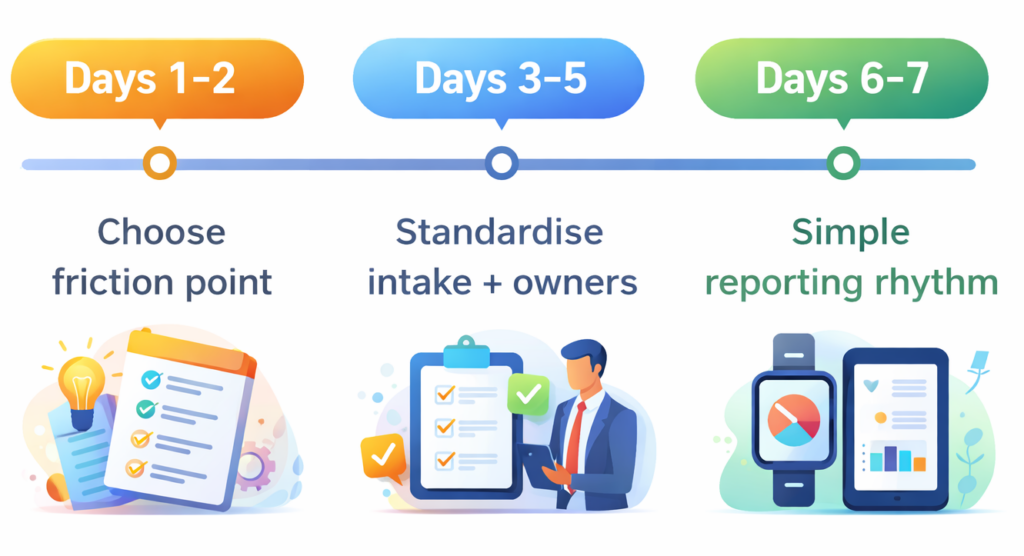
    Days 1–2: Choose one friction point

    Pick the workflow that causes the most daily pain. Client requests? Onboarding? Weekly delivery? Internal approvals? Start with exactly one. Getting one workflow working well is worth more than having five workflows set up badly.

    Days 3–5: Standardise intake and ownership

    Define the minimum information required to start work on that workflow. Set default owners. Add simple priority rules. Keep it lightweight, you will improve it based on real use, not imagined scenarios.

    Days 6–7: Create a simple reporting rhythm

    Run a short weekly review focused on three questions: What is blocked? What is overdue? What needs a decision? Use Skarya’s views and summaries to answer those questions without pulling people into a meeting. Once the rhythm is consistent, expand to the next workflow.

    Frequently Asked Questions

    What is the best AI tool for a small business owner in Australia?

    The best AI tool depends on your biggest operational pain point. If your problem is work falling through the cracks, unclear ownership, and too much time chasing updates, an AI work management tool like Skarya.ai is the right category. It is purpose-built for small teams that need clarity without complexity.

    Is Skarya.ai suitable for non-technical teams?

    Yes. Skarya is designed for fast adoption by small, non-technical teams. You do not need a system administrator or a long onboarding process to get value from it.

    How is Skarya different from tools like Asana or Monday?

    Asana and Monday are task management platforms that have added some AI features. Skarya is built with AI at the core and specifically integrates tasks, documentation, and workflows into a single system, reducing tool switching and keeping context attached to execution.

    Can I use Skarya.ai for client-facing work?

    Yes. Skarya supports client delivery workflows, including task assignment, approvals, and status visibility. It is well-suited for agencies, consultants, and professional service firms.

    How long does it take to get started?

    Most small teams can have a core workflow running in one to two days. The 7-day rollout framework above gives you a practical path to getting started without overthinking the setup.

    Stop Chasing Updates. Start Running a Better System.

    The best AI tool for small business owners in Australia is not the one with the most features , it is the one your team actually uses every day. It captures work before it disappears, turns vague requests into clear tasks, keeps documentation connected to execution, and gives you visibility without constant meetings.

    The Skarya.ai work management tool is built around that reality. It is practical, fast to adopt, and designed for small Australian teams that need to deliver consistently without adding complexity.

    Ready to cut the admin and run a tighter operation? Start your free trial on Skarya.ai and get your first workflow running this week.

  • Meetings vs. Async Updates: The Time Sink Draining Your Team

    Meetings vs. Async Updates: The Time Sink Draining Your Team

    Most teams don’t have a meeting problem.

    They have a clarity problem and meetings are what they reach for when clarity is missing.

    If you’ve ever sat through a 45-minute status call that could have been a two-line update, you know exactly what this costs. Not just the time on the calendar. The broken focus, the interrupted deep work, the three follow-up Slack messages that happen after the meeting because nothing was actually decided.

    This is the quiet drain behind low output and high frustration. And it almost always starts with one mistake: treating meetings and async updates like they’re interchangeable.

    They’re not. For ops leads and team managers, knowing which to use and when is the line between a team that moves fast and a team that just feels busy.

    The “Default to Meeting” Trap: Why Visibility Isn’t the Same as Progress

    When teams default to meetings for everything, three predictable things happen:

    1. Focus time disappears: Deep work gets carved into 30-minute windows between calls. Nothing substantial gets finished.
    2. The meeting becomes the work: People prepare for the meeting instead of doing the actual job. Updates are performed, not shared.
    3. Decisions don’t stick: Without a written record, what was “decided” in the room becomes three different things by Thursday.

    The fix isn’t fewer meetings for the sake of it. The fix is using the right communication mode for the right situation.

    Meetings vs. Async: The Fire Alarm vs. The Bulletin Board

    Here’s the clearest way to think about the difference without starting a passive-aggressive calendar war.

    Meeting = The Fire Alarm (Real-Time Response)

    A meeting is a synchronous tool for situations that genuinely require immediate, collaborative thinking.

    • It works when: The problem is ambiguous, emotionally charged, or requires rapid back-and-forth to resolve.
    • It answers: What do we do right now, together?

    Async Update = The Bulletin Board (Documented Progress)

    An async update is a structured, time-independent communication that keeps work visible without demanding everyone’s attention at once.

    • It works when: The information is factual, the decision is already made, or the recipient needs context, not a conversation.
    • It answers: Here’s where things stand. No response needed unless something’s wrong.

    The Bottom Line: A fire alarm makes sense when there’s a fire. If you’re pulling it to share the weekly sales numbers, you’re training people to ignore it.

    Comparison Table: Real-Time vs. Documented

    CategoryMeeting (Synchronous)Async Update (Documented)
    Best ForAmbiguity, conflict, ideationStatus, decisions, FYIs
    FormatLive call, video, in-personWritten update, recorded loom, task comment
    Answers“What do we decide together?”“What happened and what’s next?”
    Success MetricDecision qualityClarity & time saved
    In Skarya.aiTagged discussion threadsTask updates & status routing

    The Before/After: Calendar Chaos vs. A System That Runs

    Before: The Meeting-Heavy “Workflow”

    Monday kicks off with a 9am all-hands. Tuesday has three syncs back to back. By Wednesday, everyone is behind on actual work and scheduling a Thursday meeting to talk about why. Updates live in someone’s memory. Decisions get re-litigated because no one wrote them down. The person who missed the call asks for a recap, which takes another 20 minutes.

    Every meeting without a clear outcome is a tax on the next one.

    After: A Skarya System That Defaults to Async

    A project update gets posted directly to the task in Skarya. The relevant stakeholders are notified automatically. Status is visible on the board without anyone asking. If a blocker is flagged, it routes to the right person with context already attached. Meetings happen when a decision genuinely needs a room, not because it’s Tuesday.

    This is the shift: Communication becomes documented, searchable, and attached to the work, not floating in someone’s calendar history.

    3 Mistakes That Keep Teams Stuck in Meeting Culture

    1. Using Meetings as a Comfort Blanket

    When teams lack a reliable system for tracking work, meetings become the only way to feel informed. The meeting isn’t the problem, the missing system is.

    The Fix: Build a visible work system first. When everyone can see status in real-time, the “quick sync” becomes unnecessary.

    2. Async Without Structure

    Async fails when updates are vague, inconsistent, or buried in Slack threads no one can find later. “Just send a message” is not an async strategy.

    The Fix: Standardize what an update looks like: owner, status, blockers, next step. Templates remove the thinking so people actually use them.

    3. No Record of Decisions

    Meetings make decisions. Async updates document them. When neither is written down, the decision doesn’t exist, it just gets made again next week.

    The Fix: Every meeting that produces a decision should produce a written record attached to the relevant task. Not in a separate doc. Not in Slack. On the work itself.

    Solution: Build a Communication System with Skarya.ai

    Skarya was built for the moment teams realize their communication is everywhere and their work is nowhere.

    1. Attach updates to tasks, not channels: Every status change, comment, and decision lives on the task it belongs to. Context doesn’t get lost between tools.
    2. Standardize updates with Smart Forms: Ensure every status update arrives with the right fields, owner, progress, blockers, next step, automatically.
    3. Make status visible without asking: Skarya boards show real-time progress. No one needs to call a meeting to find out where things stand.
    4. Flag blockers automatically: If a task hits a blockers stage, Skarya routes the alert to the right person with full context already attached.

    A Fast Reality Check

    Ask these five questions:

    • Could this meeting have been a written update?
    • Do decisions made in meetings get documented anywhere?
    • Can your team see project status without asking someone?
    • Do async updates in your team have a consistent format?
    • Is your calendar a reflection of your priorities or your gaps?

    If you answered “no” more than once, you don’t need another meeting to talk about it. You need a system that makes the meeting optional.

    Stop defaulting to the calendar. Start free on Skarya.ai and build a communication system your team can actually trust.

  • Client Portal Best Practices: What to Show Clients, What to Keep Internal

    Client Portal Best Practices: What to Show Clients, What to Keep Internal

    Client Portal Best Practices: What to Show Clients, What to Keep Internal

    Transparency Without the Noise

    A client portal that creates questions has already failed.

    A project client portal should reduce check-ins, speed up approvals, and make delivery feel steady. Not become “just another place to check” that clients forget until something feels late.

    The best client portal software does one job well: it gives clients confidence that work is moving, without exposing the messy middle of internal brainstorming, micro-tasks, and half-formed notes.

    Why Client Portals Often Fail

    Most portals fail because of the Goldilocks problem.

    They show too little, so clients can’t tell what’s happening and email becomes the real source of truth again.

    Or they show too much, and clients start scanning every detail, misreading internal signals, and unintentionally turning your workflow into a group chat.

    Here’s what that looks like.

    Too little: the portal that still triggers “just checking in”

    The portal shows one vague label like “In progress.” Files live in email. Dates are fuzzy. There’s no clear next step.

    So the client does the only thing that makes sense. They message you.

    “Hey, quick update?”

    Your team replies in email, then forgets to update the portal because the real work is already happening somewhere else. Now you’re maintaining two realities, and neither stays clean.

    Too much: the portal that turns clients into managers

    The portal shows every internal task and every internal comment.

    The client sees 147 tasks and assumes progress is slow. They see “Blocked” on a subtask and assume delivery is at risk. They read a rough internal note and treat it like a decision.

    Then the micromanagement starts.

    “Why is this still open?”
    “Do we really need this task?”
    “Can you reprioritise these three items today?”

    That’s not a “difficult client” problem. It’s a portal design problem. The fix isn’t more transparency. It’s better curation.

    A portal should pass the One-Minute Test: can a client understand what’s happening in under sixty seconds?

    What Clients Need to See in a Project Client Portal

    If you want client portal best practices in one line, it’s this.

    Give the client clarity, not raw activity.

    Status in human language

    Avoid internal labels like “In QA” or “Sprint 4.” To a client, those sound like system errors.

    Use plain language that communicates outcome and timing.

    Instead of: Drafting v2 (70%)
    Write: Draft ready for your review on Friday

    Instead of: Waiting on dependency
    Write: Paused until brand assets arrive. Next update Monday

    A good status line reads like a calm message from a competent team lead.

    The next action (and who owns it)

    Every project needs one obvious next step.

    If the next step is on the client, say it clearly and make it easy.

    If it’s on your team, tell them what happens next and when they’ll hear from you.

    When clients can see the next action instantly, you cut the two most common portal messages: “Any update?” and “What do you need from me?”

    Real dates only

    A portal with stale dates is worse than no portal at all. It signals drift.

    Only show dates you intend to maintain. If the timeline shifts, update the portal first, then notify the client. That order trains everyone to trust the portal as the source of truth, not the latest email.

    If a date is tentative, label it as Estimated. Once a date appears in an agency client portal, many clients treat it like a contract.

    One clean home for files

    Clients should never have to hunt through threads for Final_V3_REALLY_FINAL.pdf.

    Your portal should contain:

    • the latest file, clearly labelled
    • a simple archive of previous versions
    • a short “what changed” note

    That last part is underrated. Even one sentence like “Updated the hero copy and adjusted the pricing layout” prevents confusion and speeds review.

    Approvals that record themselves

    Approvals are where projects stall.

    Make approvals lightweight and traceable. When a client approves, the portal should automatically record who approved, when they approved, and what exactly they approved.

    This isn’t just a workflow detail. It prevents later disagreement about what was signed off, and it makes scope conversations cleaner because there’s a visible decision trail.

    What to Keep Internal

    Transparency is not the same as exposure.

    A portal is client-facing. Your internal workspace is where the messy middle belongs.

    Internal brainstorming and rough drafts

    Clients don’t need the ugly first pass or internal debate.

    They hired you for the outcome. Share options when options are ready. Share decisions when decisions are made. Keep the struggle private.

    Micro-tasks and kitchen prep

    A long list of tiny tasks makes progress feel slow, even when momentum is strong.

    Clients should see milestones, not the prep work. Milestones communicate progress. Micro-tasks communicate friction.

    Sensitive operations

    Avoid exposing internal workload, staffing notes, utilisation, or anything margin-adjacent.

    Even when harmless, it invites interpretation and tension. A project client portal should communicate delivery, not capacity.

    Unverified timelines

    If you’re not sure, don’t publish it as a hard date.

    Use Estimated, Pending approval, or Dependent on input so expectations stay realistic without being vague.

    The Portal-First Communication Shift

    A portal won’t work if your team still sends 500-word updates by email.

    Clients follow the path of least resistance, and email is familiar. Retraining doesn’t require a big announcement. It requires consistency.

    Use one simple rule.

    Send short messages that point back to the portal.

    Example:
    “Hey [Name], the latest draft is ready. Review and approve it in the portal here: [Link].”

    Email becomes the notification layer. The portal becomes the place the project lives.

    The 5-Minute Weekly Rhythm That Makes Portals Stick

    “Five minutes a week” is not a nice-to-have. It’s the difference between a portal that builds trust and a portal that becomes a ghost town.

    Pick a consistent day and time. Friday is ideal because it prevents weekend uncertainty and resets expectations for Monday.

    Here’s what a real Friday update looks like.

    Friday update template

    Status (one sentence): Where things are, in plain language.
    This week (two bullets): What moved that the client cares about.
    Next (two bullets): What happens next and when.
    Client action (one line): If you need something, make it explicit.
    Risks (one line): If there are none, write “No risks this week.”

    Mock example

    Status: Draft landing page is ready for your review.

    This week:

    • Finalised page structure and rewrote the headline section
    • Added pricing layout and updated CTA copy

    Next:

    • Apply your feedback Monday and share v2 by Wednesday
    • Prepare the final assets pack for handoff Friday

    Client action: Please approve the headline and pricing section by Tuesday 3pm.

    Risks: No risks this week.

    That’s short, specific, and calming. It tells the truth without dumping internal noise, and it makes the portal worth opening.

    Common Client Portal Mistakes to Avoid

    1. Treating the portal like a dump of everything
    2. Leaving dates stale and hoping nobody notices
    3. Storing files in email while claiming the portal is the source of truth
    4. Hiding the next action so clients have to ask
    5. Writing updates that sound like internal status codes

    Fix those five, and most portal issues disappear.

    Where Skarya Fits

    Skarya is built for the split reality most service teams live in.

    Your team gets a private workspace for tasks, notes, and internal coordination. Clients get a clean portal view with only what they need: status, next actions, key dates, files, and approvals.

    Because the portal connects to the actual work, updates don’t require duplication. The portal stays current without becoming another admin job.

    Quick checklist

    Before inviting a client into your portal, make sure:

    • Status is written in client language
    • The next action is visible and owned
    • Dates are real and maintained
    • Files live in one place with version clarity
    • Approvals are tracked automatically
    • Internal noise stays internal