Author: Team Skarya

  • What Is Work Management Software? The Complete Guide

    What Is Work Management Software? The Complete Guide

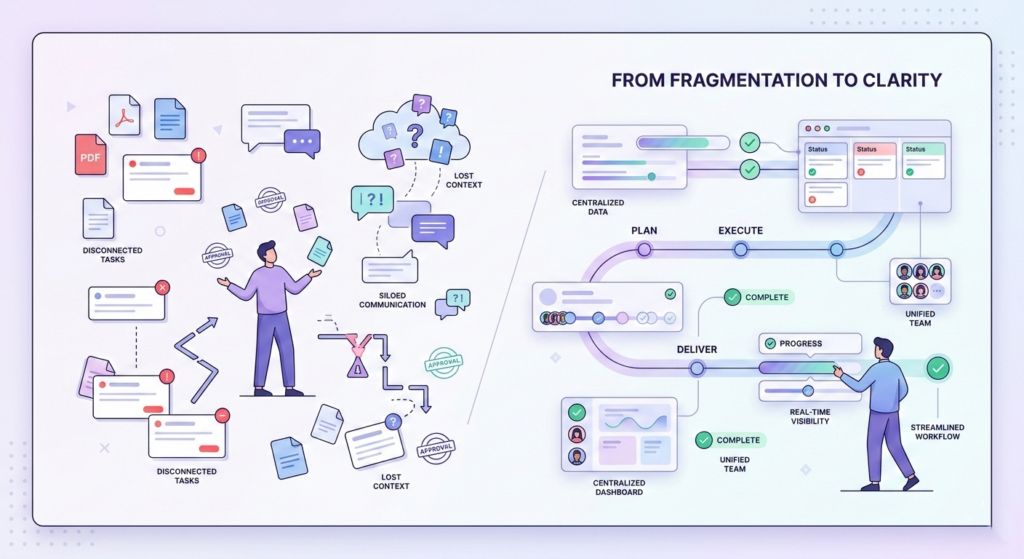
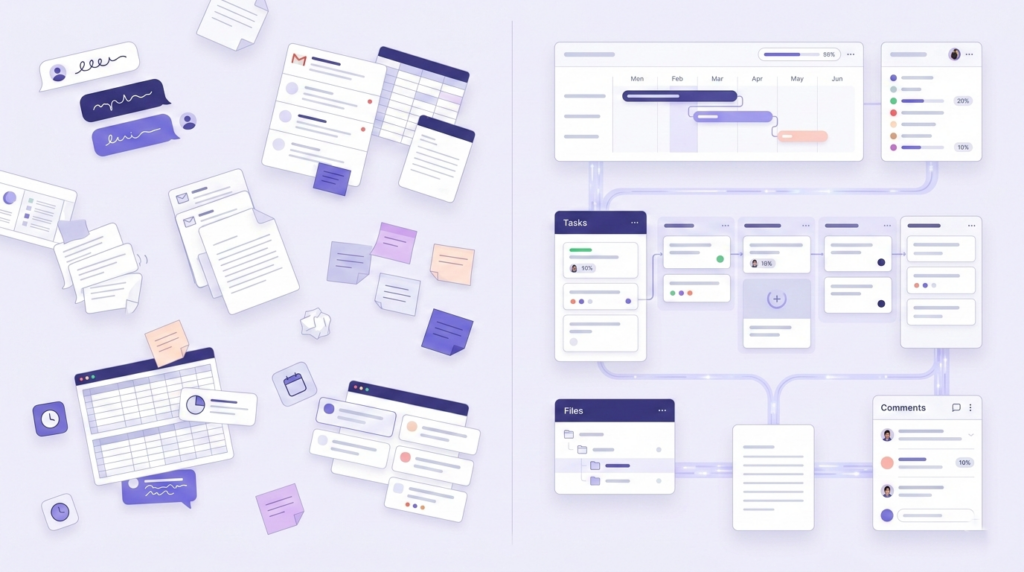
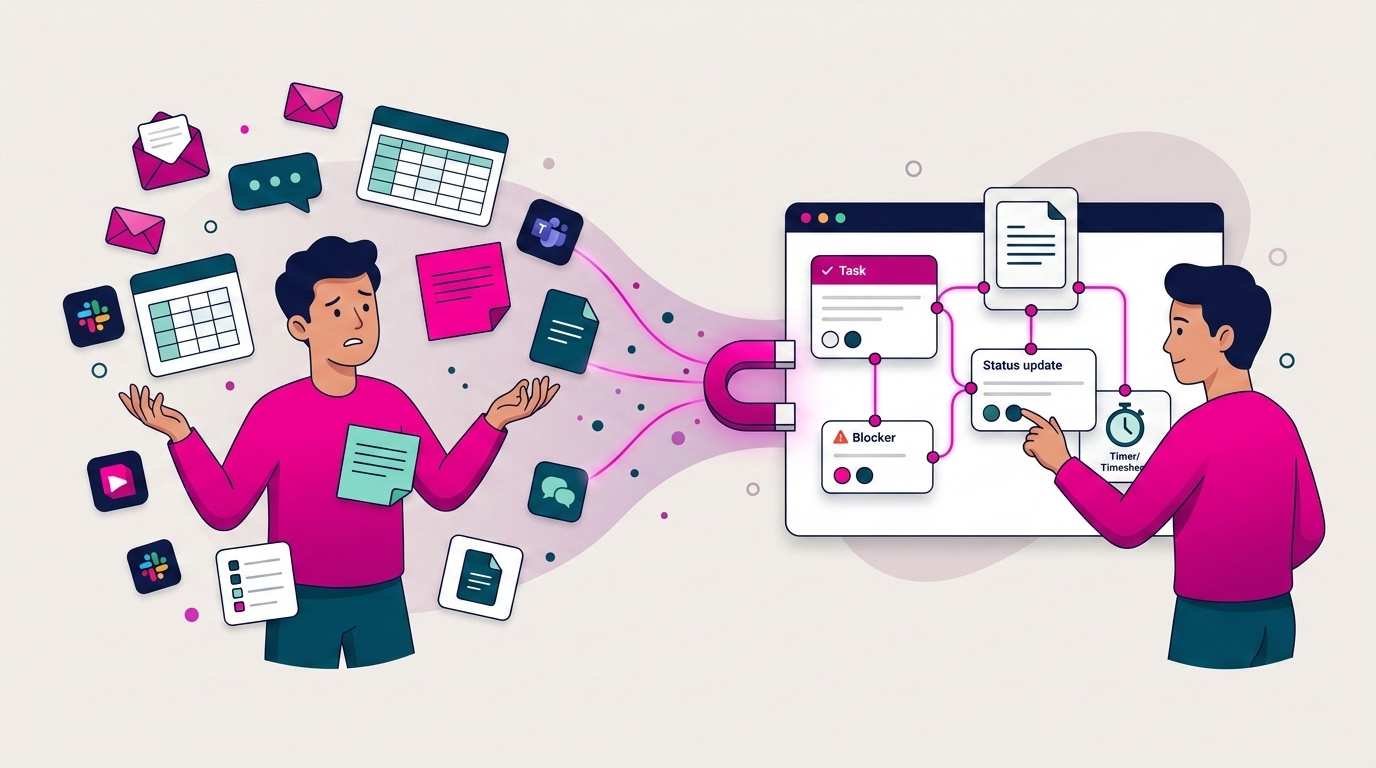
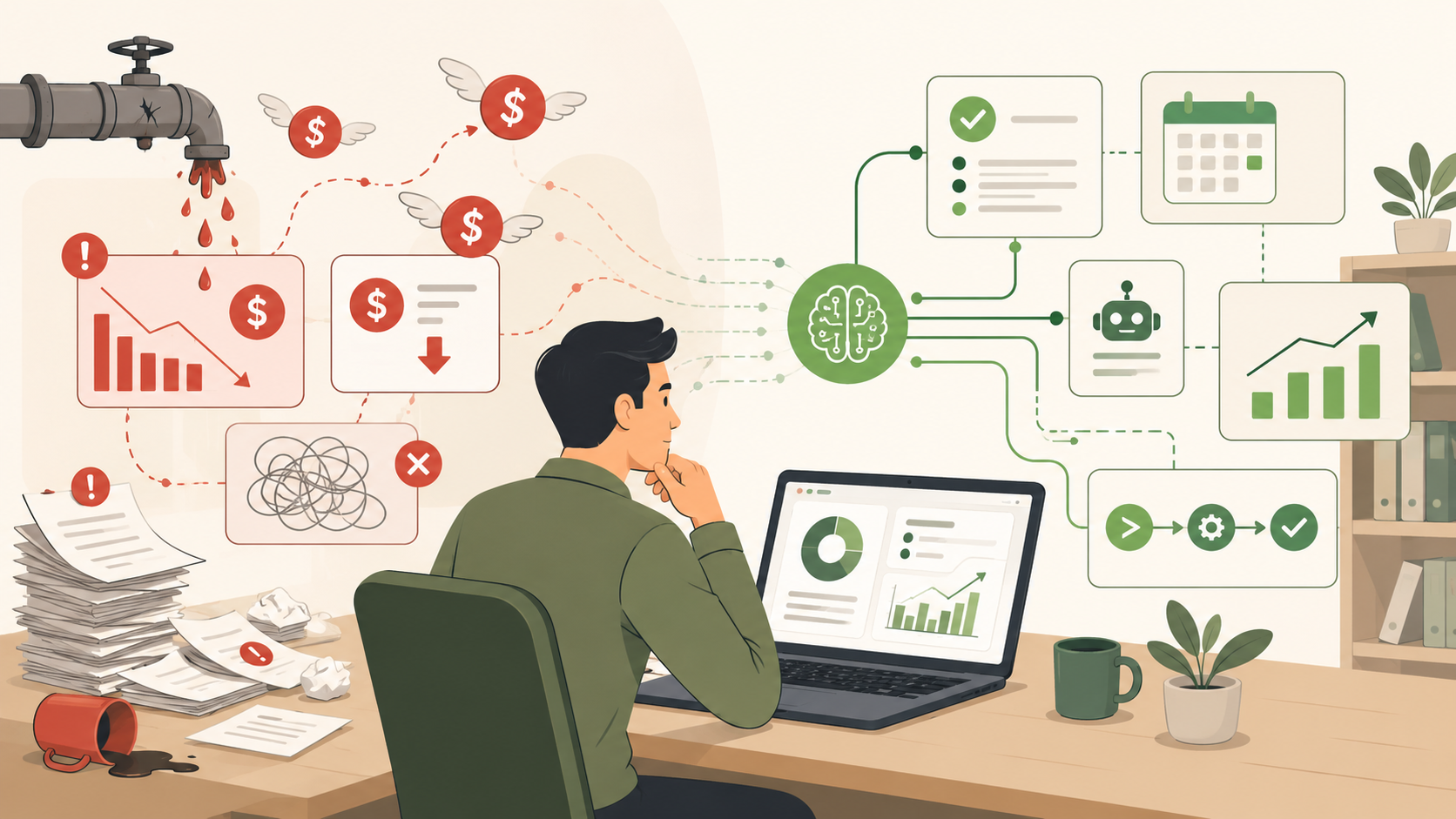
    Here is a scenario most teams know well. The brief is in a Google Doc. The task is in a project board. The time log is in a spreadsheet. The client update went out by email. And somewhere between those four places, the actual status of the work got lost.

    Nobody made a bad decision. The tools just were never designed to talk to each other, and the cost of that fragmentation is not always obvious until it compounds. A team member spends twenty minutes finding the latest version of a document. A project slips because the dependency was tracked in one tool and the assignee was working out of another. A client asks a simple progress question and the answer requires opening four different tabs.

    Work management software exists to close that gap. Research from Breeze.pm puts the global task and work management software market at around $4.1 billion in 2024, on track to nearly triple by 2033. That growth is not a coincidence. It reflects how profoundly teams have changed: more distributed, running mixes of project-based and operational work simultaneously, increasingly reliant on async coordination, and now expecting AI to reduce the manual overhead that used to be unavoidable.

    Most teams do not need more project planning depth. What they need is less context loss between the moment a request arrives and the moment the work gets done. That is the specific problem work management software is designed to solve, and it is a meaningfully different goal from what a simple task list or a dedicated project tool can achieve.

    What is work management software?

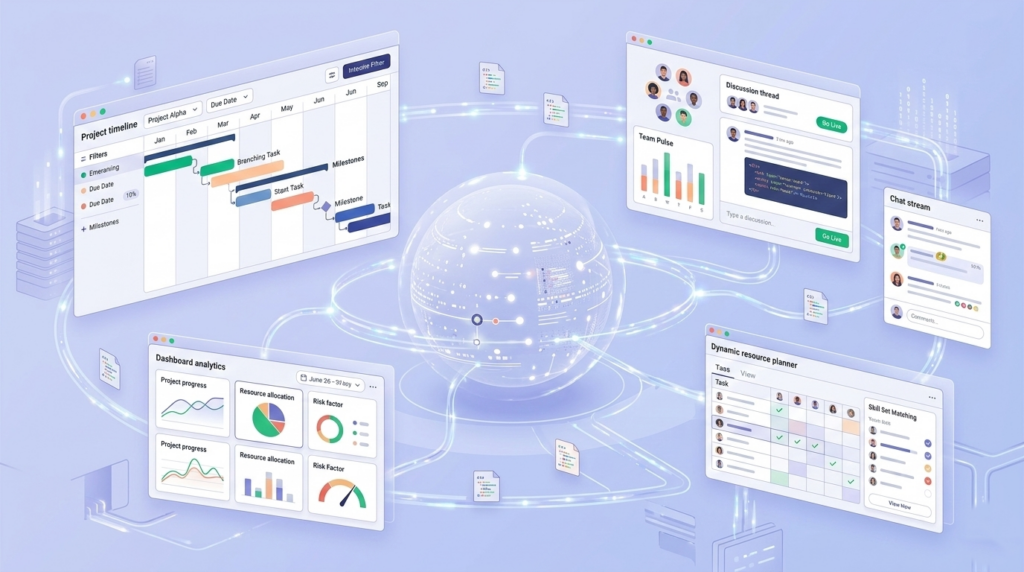
    Work management software is a platform that helps teams plan, execute, track, and report on their work inside one connected workspace. It brings together task management, workflow tracking, documentation, time logging, resource planning, and business reporting so teams can answer not just what is being done, but who owns it, how much effort it requires, and what it means for delivery and business performance.

    In plain English:  Work management software helps teams run their work in one place instead of across separate tools.

    The practical difference shows up in the five questions every team needs to answer on any given day. What work needs to happen right now? Where does it live? Who owns it and when is it due? How much time is actually being spent on it? And what do those answers mean for the business, the client, or the project? A fragmented tool stack forces teams to answer each question in a different place. A good work management platform answers all five in one.

    Work management vs project management vs task management

    These three terms get used interchangeably, but they describe distinct things with different scopes. Getting the distinction right matters because choosing the wrong category of tool is the most common reason teams end up back where they started.

    Task management

    Task management tools are built around individual actions. You create a to-do, assign it to someone, set a deadline, and track whether it gets done. Apps like Todoist or Microsoft To Do work this way. They are well-designed for personal productivity but they break down fast once you need visibility across a team, want to understand how tasks connect to a larger body of work, or need to see where time and effort are actually going.

    Project management

    Project management tools are built around scoped, time-bound initiatives. You plan a project, define deliverables, assign resources, track progress against milestones, and close it out. The confusion happens in practice: most teams do not only run projects. They also run continuous operational workflows, a content pipeline, a support queue, a sales process that never really starts or ends. Project tools handle the former well but were not designed for the latter.

    Work management

    Work management software covers both. It handles scoped projects and the ongoing operational layer a team runs continuously. The goal is to give everyone in the organisation one surface for execution rather than a project board for the formal work and something else for everything in between.

     Task ManagementProject ManagementWork Management
    FocusIndividual actionsScoped, time-bound initiativesOngoing team operations + projects
    DurationAs neededDefined start and end dateContinuous and recurring
    Primary userAnyone with a to-doProject managers, stakeholdersThe whole team, every day
    Key viewsList or inboxGantt, milestones, resourcesBoards, daily plans, dashboards, reports
    Business linkNone by defaultDelivery vs scope and deadlineClient, billing, cost, and margin visibility
    Breaks whenTeam grows past ~5 peopleWork is ongoing, not a projectRarely designed to scale both

    Who actually needs work management software?

    Not everyone. The honest answer is that some teams are better served by a simple tool, at least for now. If you have two or three people working on clearly defined, low-overlap tasks, the overhead of a full platform is probably not worth it.

    Teams that benefit most

    • You have more than five or six people and work visibility is starting to break down.
    • You run a mix of project-based and ongoing operational work at the same time.
    • Clients or external stakeholders need to be connected to the work in some way.
    • You need to understand not just what is being done but how much time it costs and what that means for margin.
    • You are currently stitching together more than two or three separate tools and losing context in the gaps between them.
    • Your team is distributed or remote and relies on async coordination to function.

    Service businesses, agencies, consulting teams, and project-led SMBs tend to hit this threshold earliest. Remote teams often feel the pain faster because there are no hallway conversations to fill the gaps when information is scattered.

    Teams that probably do not need it yet

    A solo founder or a two-person team with simple recurring tasks will likely find a full work management platform more overhead than it is worth. If your work fits cleanly in a shared spreadsheet and everyone can see what is happening without a dedicated system, that is fine. The right time to move is when the current approach starts costing you something: missed handoffs, duplicated effort, or hours spent searching for context that should be obvious.

    Core features of work management software

    The features that matter most depend on your team, but most platforms worth considering will cover the following areas. The column on the right matters as much as the feature itself.

    FeatureWhat it doesEspecially matters for
    Task and workflow boardsCreate tasks, move them through stages, track ownership and statusAny team with more than a handful of recurring workflows
    Multiple work viewsKanban, list, table, calendar, and Gantt on the same underlying dataTeams where different roles need different visual context
    Built-in docs and filesKeep briefs, notes, files, and links attached to the work itselfRemote teams that rebuild context every time someone joins a project
    Time tracking and timesheetsLog hours by project and task, flag billable vs non-billable, run approval workflowsAgencies and consulting teams billing clients by time
    Resource planningSee allocation, utilization, and capacity across your teamTeams where over-commitment is a recurring delivery risk
    Intake formsCapture structured requests and route them into the right workflowAny team receiving work from outside the platform
    Reporting and dashboardsVisualize project progress, team performance, and business healthManagers and leaders who need to report to stakeholders
    Client managementLink boards and projects to client accounts with contract and billing contextService businesses managing multiple accounts simultaneously
    AI assistanceCreate projects and tasks by describing them, generate summaries and reports, build forms automaticallyTeams with high setup overhead or frequent status reporting needs

    Why the docs and time tracking features matter more than they look

    These two often get treated as secondary. They should not be. For remote teams, documentation that lives inside the work rather than beside it is the difference between a new team member spinning up in a day and taking a week. The brief, the decision trail, the reference links if those live in the platform rather than in a separate folder no one knows exists, the team moves faster and rebuilds context less often.

    For agencies and consulting businesses, time tracking attached to project work is what makes margin visible. Without it, you are estimating profitability. With it, you are measuring it. Those are very different situations when a client asks you to extend a project or when you are pricing the next one.

    What this looks like in practice: a 12-person agency

    Consider a twelve-person agency running five client accounts simultaneously. Without a unified platform, here is what their Monday morning typically looks like. The account lead checks email for client updates. The project manager opens a project tool to see task status. The designers look at a shared Google Drive for the latest brief. The finance lead exports a timesheet CSV to check billable hours. Nobody has the same picture, and the first thirty minutes of the day go to reassembly rather than work.

    With a work management platform, that same team starts from a single daily view. Each person sees their tasks for the day alongside their schedule. The brief is attached to the relevant board. Comments on tasks replace most of the status emails. Time is logged against specific project work with a billable flag. The account lead can see project progress and hours without asking anyone. And at the end of the month, the report is pulled directly from the platform rather than assembled from four different sources.

    The ROI of a work management platform is rarely dramatic on day one. It accumulates in the time that stops getting spent on context rebuilding, version confusion, status chasing, and manual reporting. For a twelve-person team, that often adds up to several hours per person per week.

    What separates a good platform from a mediocre one

    Almost every tool in this category will show you a task board and a dashboard. The differences that actually matter in day-to-day use come down to a smaller set of things, and they are worth being direct about.

    The modules actually connect to each other

    This sounds obvious but it is surprisingly rare. If time tracking is a separate module that does not feed into project reporting, you have not solved fragmentation — you have just reorganised it. A platform worth using shows you the connection between the work being done, the time being spent, the clients being served, and the business health that results. When those things live in silos inside the platform itself, the core promise breaks down.

    It supports daily execution, not just planning

    Some platforms are genuinely good at setting up a project plan on day one and feel clunky from day two onward. A strong work management platform has a daily work layer that real team members actually want to use. Not just a project manager’s overview, but a view that tells each person what they are supposed to be doing today, what is overdue, and what is coming this week. That daily execution surface is often what determines whether a platform gets adopted or quietly abandoned.

    Setup time is low and templates exist

    The cost of configuring a new workflow is a real barrier. Pre-built templates for common use cases, sales pipelines, agile sprints, client onboarding, support queues, HR recruiting flows mean a team can have a working system in place in minutes. For small teams where no one has the bandwidth to be a full-time system admin, this matters significantly more than it might appear.

    Financial visibility is built in, not bolted on

    For service businesses especially, the ability to connect work execution to revenue, cost, and margin is what separates a useful platform from an essential one. Most task and project tools tell you whether work is done. A strong work management platform also tells you whether it was profitable. Research from the Project Management Institute consistently shows that organisations with mature project and work management practices complete significantly more work on time and on budget. Having that visibility in the platform rather than in a separate spreadsheet is a prerequisite for acting on it.

    Red flags to watch for when evaluating a tool

    • Setup takes days before you can do any real work. A good platform should be usable with a real workflow inside an hour.
    • Reporting is disconnected from execution. If you have to export data to another tool to understand project health, the platform is not doing its job.
    • AI features feel like a separate product. If the AI lives in a sidebar that has no relationship to the actual work, it will not get used.
    • Clients are managed outside the workflow. If account management requires a separate CRM, the connection between work and client context gets lost again.
    • Time tracking is an afterthought. If logging time feels like a separate chore rather than a natural part of closing out work, it will not be consistent, and inconsistent time data is worse than no data.

    How to choose the right work management software for your team

    With dozens of platforms on the market, the decision can feel larger than it needs to be. A few targeted questions will narrow the field quickly.

    Start with team size and structure. A ten-person agency has fundamentally different needs from a two-hundred-person enterprise. Most platforms built for the latter carry the overhead to match: complex permission structures, long onboarding, and customisation that requires dedicated administrators. Smaller teams should look for platforms that are opinionated enough to provide structure without requiring someone to manage the system full-time.

    Think about what types of work you run. If you are mostly doing scoped project delivery, you need strong Gantt views, milestone tracking, and project-level reporting. If you are also running continuous operational workflows alongside projects, you need boards that work for ongoing processes. Most service businesses need both. Choosing a platform that handles one well and treats the other as an add-on means you will be back to stitching tools together within six months.

    Consider whether clients are part of your workflow. If they are, you need a platform with client management, intake forms, and visibility controls that let you link work to specific accounts without exposing your whole workspace. Treating client management as a separate CRM problem means losing the connection between what you promised and what you are actually delivering.

    Look at the reporting layer honestly. Most platforms have dashboards. Few give you the financial visibility to understand margin, utilisation, and revenue by client without exporting to a spreadsheet first. If your business depends on that kind of oversight and most service businesses do it needs to be a native feature of the platform you choose.

    Run a real test before committing. Set up one actual workflow, log some real time against it, generate a report, and see how the daily experience feels. A platform that looks impressive in a demo but creates friction every day will get abandoned, usually quietly, and then you are back to where you started.

    How Skarya is built for this specific problem

    Most work management tools were built as either task managers that grew upward, or project tools that expanded sideways. The gap they consistently leave is the connection between daily execution and business performance. A team can track every task perfectly and still have no idea whether the work is profitable or which clients are at risk.

    Skarya is built for service teams, agencies, consulting businesses, and project-led SMBs that need execution and business visibility in the same workspace. Rather than adding financial reporting as an afterthought, it is structured so that the work you do feeds directly into how the business is performing.

    The execution layer

    Boards handle workflow-based operations — sales pipelines, content production, support queues, onboarding flows — with Kanban, List, Table, Calendar, and Timeline views on the same underlying data. Projects handle scoped delivery with Gantt views, milestone tracking, and a project analytics dashboard showing status distribution, priority breakdown, and team workload. My Day gives each team member a personal daily planning surface so the platform is useful at the individual level, not just the management level.

    The context layer

    Docs, Files, Canvas, and Links live inside boards and projects rather than alongside them. The brief for a campaign board lives in that board. The process map for a client onboarding flow lives in that project. Nothing has to be relocated or cross-referenced; context stays with the work.

    The time and people layer

    Timesheets connect directly to project and board work. Hours are logged against specific tasks, flagged as billable or non-billable, submitted for manager approval, and aggregated into timesheet reports that show total hours, billable hours, and total value by user and project. The Resources module adds allocation planning, capacity timelines, and utilisation tracking so you can see not just who is working but whether they have the capacity to absorb more work.

    The business visibility layer

    The CFO Dashboard connects all of that data into a financial view: signed revenue, earned revenue, total cost, margin percentage, and utilisation across the team. A Revenue vs Cost Trend chart, a client summary with per-account margin, and risk alerts make the business health of the work visible without requiring a separate reporting tool or a manual pull from five data sources. For a service business, that is not a nice-to-have. It is the layer that tells you whether you can take on the next client.

    The AI layer

    Kobi, Skarya’s built-in AI assistant, handles the setup and reporting overhead that teams consistently cite as a time drain. Describe a project in plain language and Kobi creates it. Ask for a board summary and it generates one. Need a project report? Kobi pulls the relevant data and drafts it. The AI is embedded in the workflow rather than treated as a separate product, which means it actually gets used.

    Frequently asked questions

    What is work management software, in simple terms?

    It is a platform where teams plan and track their work in one place instead of splitting tasks, docs, time logs, and updates across multiple separate tools. The goal is to reduce the friction that comes from context living in too many places at once.

    How is work management software different from project management software?

    Project management tools are designed for scoped, time-bound initiatives with a clear start and end. Work management software covers both projects and the ongoing operational work a team runs continuously. It also typically includes daily planning, time tracking, resource management, and business reporting that project tools do not.

    Is work management software the same as a task manager?

    No. Task managers handle individual to-dos. Work management software handles how an entire team operates: planning, execution, documentation, time, people, clients, and business performance. The scope is fundamentally broader.

    What features does work management software typically include?

    Most full platforms include workflow boards, multiple work views, built-in documentation, time tracking, resource planning, intake forms, reporting dashboards, and client management. Stronger platforms also include financial visibility margin tracking, revenue vs cost, utilisation, and AI assistance for setup and reporting tasks.

    Who is work management software designed for?

    It is most valuable for teams running a mix of project-based and operational work, coordinating across more than five or six people, working with clients or external stakeholders, and needing to understand the business performance of their work. Service businesses, agencies, consulting firms, and project-led SMBs tend to benefit most.

    When should a team not use work management software?

    If you have two or three people, clearly defined tasks with minimal overlap, and no client-facing reporting requirements, a simpler tool will serve you better. The right signal to move up is when your current setup starts costing you something: missed handoffs, hours spent locating context, or inability to answer basic questions about project health without assembling data manually.

    If your team has outgrown disconnected tools, this is exactly the kind of problem Skarya is built for. One workspace for execution, context, time, people, clients, and business visibility. 

    Start your free Skarya workspace at skarya.ai – no credit card required.

  • How to Dominate Your Monday

    How to Dominate Your Monday

    How to Have a Productive Monday (Without Burning Out by Tuesday)

    It’s 8:07am. You haven’t opened a single work app yet, and you’re already tired.

    Not physically tired. Mentally tired. There’s a low-level dread sitting somewhere between your chest and your shoulders, and you know exactly where it comes from. Somewhere in the last 72 hours, the week got heavy before it even started. There are things you didn’t finish. Things you said you’d follow up on. Things that were unclear on Friday and are still unclear now. The week hasn’t officially begun, and you’re already behind it.

    Most people call this ‘Monday feeling’ and assume it’s just how Mondays are. It isn’t. It’s not a character flaw, not a motivation problem, and it has nothing to do with how much you slept or whether you went to the gym. It’s a signal. It’s telling you that the way the week starts needs to change.

    The founders, team leads, and operators who’ve figured out how to have a productive Monday didn’t find a better morning routine or a smarter to-do app. They fixed something upstream. They changed how the week actually begins.

    Why Your Monday Loses Momentum Before 10am

    Picture Maddie. She leads product at a 16-person SaaS company. Monday morning, 8:45am. She opens Slack and has 23 unread messages across four channels. She checks the project board to see where last week’s sprint landed, but two tasks are still marked in progress with no update. She opens a shared doc to pull context on a decision that needs to happen today. The doc hasn’t been touched since Thursday.

    By 9:30am, Maddie hasn’t moved a single piece of work forward. She’s spent 45 minutes locating work that already existed, not doing it. Before the first meeting of the week, she’s already running on a deficit.

    That’s not a time management problem. It’s what happens when work is stored in too many places at once.

    Workplace researchers who study distributed teams consistently find that a significant portion of the working day gets absorbed not by actual tasks but by the overhead surrounding them: finding the latest version of something, checking who owns what, chasing an update that should have been visible. On Monday, with no established rhythm yet, that reconstruction cost hits hardest. The week starts with scattered context and the team spends the first hours catching up to where they already were.

    The result is a kind of attention drain that sits underneath the whole day. You look busy. You respond. You move from app to app. But underneath all that motion is one quiet frustration: you’re active, but nothing is actually moving.

    The 3-Outcome Rule: How High-Performing Teams Plan Their Monday

    One of the fastest ways to lose Monday is to begin with a giant task list. Long lists create a low hum of anxiety. They make everything feel equally urgent and pull you toward small, reactive work because checking off easy items gives the illusion of progress, even when the things that actually matter stay untouched.

    A better Monday starts with outcomes, not activity. Before you open every tab, before messages shape your day, ask yourself one question:

    The Monday reset question “What three things would make this Monday feel like a real win?”   Not a perfect week. Not everything on the backlog. Just three outcomes that would make today feel meaningful.

    For most founders, operators, and team leads, the answer usually breaks down the same way. One strategic priority: a decision made, a direction set, a blocker removed. One operational priority: a delivery moved forward, a handoff completed, a team aligned. One open loop closed: a follow-up sent, a stalled approval nudged, a question answered that removes someone else’s roadblock.

    Three outcomes. Not 14. Not a color-coded calendar built over the weekend.

    This works because clear outcomes reduce decision fatigue, the mental depletion that builds when you’re constantly re-evaluating what to do next. Instead of carrying twenty open threads into Monday morning, you start with a smaller, sharper frame. The week begins with direction instead of drift. That’s where real momentum comes from.

    Protect the First 90 Minutes Before the Week Gets Loud

    The first stretch of Monday morning has unusual leverage. It’s often the last quiet window before the week fully opens up. Once meetings begin and messages pick up, your attention gets fragmented fast.

    If those first 90 minutes disappear into inbox triage and notification checks, the day is already being shaped by everyone else’s urgency. You’re in reactive mode before you’ve made a single intentional decision.

    A lot of business owners make this harder on themselves by becoming too available too early. They open everything, respond to everything, and step into everyone else’s workflow before grounding their own. It feels responsible in the moment. It quietly creates a week built around reaction instead of direction.

    The rhythm that works is straightforward: review, decide, focus, then respond. That order makes a real difference.

    What to do in your first 90 minutes

    • 10 minutes: close last week. Review what’s unfinished, what still matters, what can be dropped.
    • 5 minutes: set your three outcomes for today, not the whole week.
    • 45 to 60 minutes: one deep-focus block on your most important outcome before any meetings.
    • Then open messages. Respond from a clear position, not from whatever landed in your inbox first.

    Your Team Loses Time Every Monday to Scattered Work

    Here’s what often goes unspoken in conversations about Monday productivity: for growing teams, the problem isn’t personal habits. It’s structural.

    When a conversation happens in Slack, a task lives in a project tool, a decision sits in a Notion doc, and a follow-up is remembered by one person and invisible to everyone else, Monday becomes a reconstruction exercise. Someone has to spend time locating information, chasing updates, and reconnecting pieces of work that were never properly linked in the first place. The misalignment doesn’t feel dramatic. It just quietly absorbs an hour that should have been spent on actual work.

    Teams that have solved this don’t necessarily use fewer tools. They use tools that reduce the distance between planning something and seeing it move. When the week’s priorities are visible from one place, the reconstruction phase disappears. You walk in and work starts.

    Where Skarya fits This is the gap Skarya was built around. When tasks, docs, workflows, and team updates live in the same place, Monday stops starting with a scavenger hunt. The week is already visible before the first meeting. That one shift changes the texture of the whole day.

    Make the Week Visible Before the Noise Takes Over

    If Monday doesn’t clearly answer the question ‘what matters now?’, your team will answer it for themselves. Some will work on what feels urgent. Some will respond to what’s newest. Some will keep things in their heads because the system around them doesn’t feel complete enough to rely on.

    That’s how weeks end up full but not particularly effective.

    One of the most useful habits any team can build is creating a visible starting point for the week. Priorities clear. Owners clear. Deadlines visible. Blockers surfacing early instead of on Thursday afternoon when it’s too late to adjust.

    When that structure exists, the mental overhead drops significantly. People stop carrying the week in memory. They stop asking the same questions in different places. They spend more time moving work forward instead of managing the confusion around it.

    The teams that handle Monday best aren’t necessarily the most disciplined. They’ve just made the work easier to see.

    A Simple Monday Planning System That Actually Sticks

    The strongest Monday systems are usually the simplest ones. Here’s what the routine looks like in practice:

    Step 1: Close last week before you open this one (10 minutes)

    Scan what’s unfinished. Decide what still matters, what can move to next week, and what can be quietly dropped. This one habit removes more Monday anxiety than any morning routine ever will. You’re not starting fresh. You’re starting clean.

    Step 2: Define your three Monday outcomes (5 minutes)

    Write them down. Not a task list. Three actual outcomes. ‘Finalize the pricing decision’ is an outcome. ‘Work on pricing’ is not. The specificity matters because vague intentions don’t survive contact with a busy inbox.

    Step 3: Protect one focused block (45 to 90 minutes)

    Block it in your calendar. Treat it as a meeting you can’t cancel. Move at least one of your three outcomes forward before the week gets loud. This single habit has the highest return of anything on this list.

    Step 4: Make the week visible to your team (10 minutes)

    Before the first team conversation, make sure priorities, owners, and any blockers are visible in one place. When people start from different understandings of what matters this week, that misalignment compounds across every conversation that follows.

    Step 5: Then respond

    Open Skarya. Open email. Respond. But you’re doing it from a grounded position, with a clear sense of what the day is actually for. That distinction is small in the moment and enormous across a week.

    The Simplest Way to Think About This

    You don’t have a productive Monday by becoming more intense. You have one by becoming more intentional.

    The Sunday dread that so many founders and operators feel isn’t about the work itself. It’s about unresolved questions. What’s still open? Who’s waiting on what? What actually matters this week? When those questions don’t have answers at the start of Monday, the day becomes one long attempt to find them.

    A better Monday comes from resolving those questions before the noise arrives. Knowing what matters. Seeing where the work stands. Protecting enough quiet at the start of the day to actually move something forward.

    If your Mondays still start with too many tabs, too many follow-ups, and too much scattered context, the issue probably isn’t discipline. Your team has likely outgrown a way of operating that made sense when you were smaller.

    A calmer Monday usually starts with a clearer system behind it. If you want to see what that looks like for a growing team, Skarya is worth exploring. It brings the pieces together so the week starts visible, not scattered.

    Start your first better Monday at skarya.ai

    Frequently Asked Questions

    What is the best way to start a productive Monday?

    The most effective approach is to close last week before you open the new one. Spend 10 minutes reviewing unfinished work, then define three clear outcomes for the day rather than a long task list. Protect a focused block of time before messages and meetings begin. That sequence alone changes how the day feels.

    Why do I feel so unproductive on Mondays?

    Monday unproductivity is usually a clarity problem, not a motivation problem. When work is stored across multiple disconnected tools and priorities aren’t explicitly set, the first hours of the week get consumed by reconstruction rather than actual progress. Fixing the system tends to matter more than pushing harder.

    How should a founder or team lead plan their Monday?

    Start by reviewing what carried over from last week. Set three specific outcomes for Monday, not the whole week. Make those priorities visible to your team before the first meeting. When everyone starts from the same picture of what matters, the conversations that follow are faster and the misalignment that quietly wastes hours simply doesn’t build up.

    What is a good Monday morning routine for remote teams?

    For remote teams, the most valuable Monday habit is a brief async check-in where priorities and blockers are shared before the first synchronous meeting. When work is visible in a shared space rather than scattered across individual tools, nobody starts the day rebuilding context. A shared Monday priority board often replaces long Monday kick-off meetings and gives the whole team a cleaner, faster start.

    How do I stop context switching from draining my Monday?

    Context switching on Mondays usually traces back to work being stored in too many places. The practical fix is consolidation: fewer apps that do more, or a platform that keeps tasks, notes, and team updates in one view. Setting a firm no-messages policy during your morning focus block also significantly reduces forced interruptions before you’ve moved anything meaningful forward.

    Is it better to plan the week on Friday or Monday?

    Both have real value, and many effective operators do a light version of each. A brief Friday close-out removes the mental weight that causes Sunday anxiety. A Monday morning reset sets direction before the noise arrives. Together they’re more powerful than either alone. If you can only do one, Friday close-outs tend to make Monday mornings noticeably lighter.

  • 10 Workplace Time Traps and How to Close Every One of Them

    10 Workplace Time Traps and How to Close Every One of Them

    The Problem Is Not Your People

    Work in 2026 is faster, more connected, and still surprisingly fragmented. Microsoft Work Trend data shows that employees now spend more time communicating and coordinating than actually creating. 62% say they spend too much time searching for information. 68% say they do not have enough uninterrupted focus time during the workday.

    The problem is not a shortage of tools. It is too many tools, too many pings, and too little clarity.

    The modern workplace does not have a talent problem. It has a design problem.

    Below are the 10 time traps quietly draining your team , each backed by real research, each with a concrete fix.

    Technology Traps

    01  The Toggle Tax

    Every extra app adds a hidden cost to the workday. Chat lives in one place, tasks in another, docs somewhere else, and decisions disappear into email threads. That constant switching looks harmless until you see the cumulative bill.

    HBR reported that digital workers toggle between apps roughly 1,200 times a day, adding up to just under four hours a week spent reorienting. That is two full workdays every month lost to navigation, not work.

    Fix:  Reduce tool sprawl. Centralize work so tasks, docs, updates, and decisions live in one system instead of five. Skarya.ai was built around exactly this problem, one unified workspace that removes the toggle tax entirely.

    02  Unstructured AI Adoption

    AI is useful until it starts generating more reading, more review, and more noise. In 2026, one of the newest workplace drains is not AI itself but messy AI usage: bloated summaries, over-produced emails, and content created simply because it is easy to create.

    HBR warned that AI can intensify work when companies layer it onto existing habits instead of redesigning the workflow itself. The tool is not the problem. Unstructured adoption is.

    Fix:  Give teams clear rules: use AI to shorten decisions, structure work, and remove admin overhead, not to inflate output. Skarya.ai’s AI layer is built around brevity and action, not word count.

    Meeting and Communication Traps

    03  Ghost Meetings and Calendar Inflation

    Meetings are still one of the biggest drains on productive work. Atlassian found that meetings are the number one barrier to getting work done for knowledge workers, and that they are ineffective 72% of the time. Microsoft also found that after-hours meetings are rising, with 30% now spanning multiple time zones.

    Beyond the wasted hour itself, unnecessary meetings destroy the deep-work blocks on either side of them. A 30-minute meeting in the middle of the afternoon can effectively erase an entire afternoon of focused output.

    Fix:  Cut recurring meetings aggressively. Require a written agenda before anything gets booked. Replace status meetings with async updates wherever possible. If the outcome can be a short video update, cancel the meeting.

    04  The Always-On Communication Trap

    When every message feels urgent, nobody gets real focus time. The expectation of an instant reply on Slack or Teams is structurally incompatible with deep work.

    MetricReality
    Employees without enough focus time68%  (Microsoft Work Trend)
    Time to regain focus after an interruption20 plus minutes  (Gloria Mark, UC Irvine)
    Net effectSustained deep work is impossible in a hyper-reactive chat culture
    Fix:  Normalize async-first communication. Protect 2-hour deep-work blocks where Do Not Disturb is the default. Set internal response SLAs that do not require instant replies. Most questions can wait 90 minutes.

    Management and Culture Traps

    05  Productivity Theater

    A lot of work in 2026 looks productive without actually moving anything forward. Status updates, late-night messages, and online presence signals create the illusion of momentum while real progress stalls.

    When the metric is hours visible, the behavior optimized is visibility, not output.

    Fix:  Manage by outcomes, not optics. When teams are measured by delivery and decisions made rather than activity signals, the pressure to perform work instead of doing work disappears.

    06  Remote Micromanagement

    Micromanagement did not disappear with remote work. It moved into chat. Constant check-in messages, end-of-day status reports, and unnecessary syncs quietly signal that the team is not trusted, and each interruption costs the employee 20 or more minutes of recovery time.

    Multiply that across a team of ten and micromanagement is destroying thousands of hours of productive capacity every single month.

    Fix:  Build visibility into the system, not the schedule. When work is tracked clearly in one shared space, managers can check status themselves without interrupting anyone. Skarya.ai’s real-time project boards are designed for exactly this.

    07  Lack of Clear Deadlines

    Nothing burns time faster than vague priorities. When people are unsure what matters most, they delay, overthink, or default to the easiest task instead of the right one.

    This is more common than most leaders realize. Unclear ownership and invisible due dates create a decision tax that compounds silently across every working day.

    Fix:  Make priorities visible: what is due, who owns it, what depends on it, and what should happen next. Clarity removes hesitation. Skarya.ai maps dependencies and deadlines so every person always knows where to focus.

    Attention and Information Traps

    08  Information Silos

    Modern teams do not usually lack information. They lack findable information.

    Microsoft found that 62% of employees spend too much time searching for what they need. Atlassian reported that knowledge workers spend around a quarter of their time simply searching for answers. Every one of those searches is also an interruption to someone else.

    Fix:  Connected documentation fixes this, not more documentation. One place for decisions, docs, tasks, and searchable context. Skarya.ai’s AI-powered search surfaces exactly what someone needs in seconds, without breaking a colleague’s focus.

    09  Digital Doomscrolling

    Not every lost hour comes from meetings or tool sprawl. Sometimes it comes from small escapes: checking a social feed, opening another tab, scanning notifications, and then forgetting entirely what you were doing.

    The fix is not policing people. Boredom and burnout drive doomscrolling, not weak willpower.

    Fix:  Design a workday that is less fragmented and easier to stay engaged in. When work is well-paced and connected to outcomes people care about, the pull of the feed naturally weakens.

    10  Multitasking and Context Switching

    Multitasking still sounds efficient. Psychology research has shown for decades that it is not. In practice, multitasking is rapid refocusing, which means more mental drag, more mistakes, and weaker output across every task being juggled at once.

    The worst part is that the damage is invisible. You feel busy. The output tells a different story.

    Fix:  Champion single-tasking. Encourage focus sprints: 25 minutes on one task, then a genuine break. Fewer overlapping demands on the same hour means better results from every hour worked.

    So What Does a Fixed Workday Actually Look Like?

    The biggest time traps in 2026 are not dramatic. They are small, repeated frictions: switching apps, chasing updates, searching for context, and reacting all day instead of moving work forward.

    These are not character flaws in your team. They are design flaws in how modern work is structured. And every single one of them is fixable with the right system in place.

    Skarya.ai brings tasks, docs, updates, and AI-powered clarity into one connected workspace, built for how focused work actually happens in 2026. When work is centralized, teams spend less time managing chaos and more time delivering results.

    Explore Skarya.ai and reclaim your team’s time.

  • What are the Best Practices for Building Remote Teams

    What are the Best Practices for Building Remote Teams

    10 Best Practices for Building Remote Teams That Actually Work

    You can hire great people smart, motivated, experienced and still end up with a remote team that feels strangely disconnected.

    Not because your people are bad at their jobs.
    Not because time zones make collaboration impossible.
    And not always because you chose the wrong tools.

    Most remote teams struggle for a simpler reason: the work is happening, but the structure around the work is unclear. Decisions get made but not captured. Context lives in scattered conversations. New hires take longer to feel confident. Managers assume everything is fine because nothing looks obviously broken.

    That’s how remote teams lose shape.

    They rarely collapse overnight. They drift.

    Strong remote teams don’t happen by accident. They grow from clear habits, shared expectations, and systems that keep everyone aligned even when people are working from different places.

    If you’re building a distributed team or trying to make one work better, these practices will help.

    Why Do Most Remote Teams Struggle?

    Remote work itself isn’t the problem. Weak operational structure is.

    In an office, context spreads naturally. People overhear discussions, ask quick questions, and notice when something is unclear.

    Remote teams don’t get that advantage.

    If communication is scattered, goals are vague, and decisions live across too many tools, small gaps start appearing. People miss context. Work gets duplicated. Team members hesitate to ask questions. Over time, productivity and morale drop.

    This is also why teams start looking for more structured ways to manage work. For example, many teams explore platforms like Skarya.ai to centralize how tasks, updates, and collaboration happen across distributed teams.

    1. Communicate More Intentionally

    In an office, communication often happens accidentally. In remote teams, it must be deliberate.

    If information isn’t clearly shared, it often disappears.

    High-performing remote teams define where different types of information live.

    For example:

    • weekly updates in one channel
    • deadlines in the project workspace
    • decisions documented in shared notes

    Without this clarity, people start guessing where things are and that slows everyone down.

    Teams should also define response expectations so people don’t feel pressured to reply instantly to everything.

    Clear communication patterns remove a huge amount of friction.

    2. Build Culture Before Problems Appear

    Many companies only think about culture after something goes wrong.

    A conflict drags on. A new hire still feels unsure after weeks. Communication becomes awkward.

    In remote teams, culture isn’t office energy or team lunches. It’s the set of behaviors people rely on when work becomes messy.

    Strong remote teams make those expectations clear:

    • how decisions are made
    • how feedback works
    • what good collaboration looks like
    • what behaviors the team values

    Even small rituals help create rhythm — such as a weekly kickoff message or a Friday wins thread.

    Remote culture doesn’t need to be flashy. It just needs to be clear.

    3. Treat Onboarding as a System

    The first few weeks of a remote hire’s experience shape how confident they feel.

    Weak onboarding doesn’t always cause immediate turnover. Instead, it leads to people who still feel unsure months later.

    Good remote onboarding should include:

    • a welcome message before day one
    • a peer buddy who isn’t their manager
    • scheduled introductions with key team members
    • a clear 30-60-90 day plan
    • regular check-ins during the first month

    The goal isn’t only sharing information. It’s helping people feel like they belong quickly.

    4. Set Clear, Visible Goals

    Accountability without clarity just creates stress.

    When goals are vague, people start optimizing for appearing busy rather than making meaningful progress.

    Effective remote teams define:

    • a clear team objective
    • measurable outcomes
    • visible progress tracking
    • regular blocker discussions

    Many teams use frameworks like OKRs (Objectives and Key Results) to structure this process.

    The key idea is simple: everyone should know what matters most and how success will be measured.

    5. Reduce Tool Chaos

    Use fewer tools, more clearly

    Most remote teams do not have a lack-of-tools problem. They have too many places where work, communication, and decisions can live.

    That creates a hidden tax. People stop trusting any one system, so they ask around instead. The same update gets repeated in multiple places. Important context disappears because nobody is fully sure where the final version lives.

    The answer is usually not another tool. It is more discipline around the ones you already use.

    For most teams, the basics should be simple:

    • one main communication tool
    • one video platform
    • one place to manage work
    • one place for shared knowledge and documentation

    The exact stack matters less than the clarity behind it.

    This is where some teams start looking at options like Skarya.ai not to add more complexity, but to rethink whether their current setup is helping remote work feel clearer or more scattered.

    6. Build Trust Deliberately

    Trust works differently in remote environments.

    In offices, trust builds through proximity. In remote teams, most interactions happen through messages and calls.

    Trust grows through consistency:

    • following through on commitments
    • sharing progress early
    • admitting mistakes openly
    • communicating blockers quickly

    Small moments of genuine conversation also help strengthen team relationships.

    Remote trust is built through reliability.

    7. Prevent Burnout Early

    Remote burnout often appears quietly.

    Instead of obvious exhaustion, it may look like slower responses, less engagement, or reduced initiative.

    The cause is often blurred boundaries between work and personal life.

    Teams can reduce burnout by:

    • respecting time zones
    • protecting focus hours
    • encouraging real time off
    • checking in on people, not just performance

    Good managers ask both:

    “How is the work going?”
    and
    “How are you doing?”

    8. Run Fewer Meetings

    Many remote meetings exist out of habit rather than necessity.

    Some meetings could be replaced by asynchronous updates. Others happen without clear agendas.

    Better meetings follow simple rules:

    • agenda shared beforehand
    • shorter default meeting lengths
    • clear outcomes and action items
    • documented decisions afterward

    Strong remote teams treat meetings as tools — not default solutions.

    9. Hire for Remote Work Skills

    Technical ability alone isn’t enough for remote success.

    Remote work requires additional strengths:

    • strong written communication
    • self-management
    • comfort working independently
    • willingness to ask questions

    During hiring, look for candidates who clearly explain their workflow and communication habits.

    You’re not just hiring for a role.
    You’re hiring for a remote operating environment.

    10. Measure Outcomes, Not Activity

    One of the fastest ways to damage remote team trust is tracking online activity instead of real progress.

    Message counts and online status don’t reflect meaningful contribution.

    What matters is progress:

    • what shipped
    • what decisions were made
    • what problems were solved
    • what moved forward

    Remote performance management works best when expectations are clear and outcomes are visible.

    The Bottom Line

    Remote teams don’t fail because people work from different places.

    They struggle when the way work runs becomes unclear.

    The strongest remote teams focus on clarity: clear communication, clear goals, clear expectations, and systems that keep work visible.

    You don’t need to implement everything at once.

    Start with the two areas where your team is losing the most energy communication, onboarding, meetings, or visibility.

    Fix those first.

    And if improving how work is organized becomes part of that journey, exploring tools like Skarya.ai can help teams rethink how remote collaboration actually works.

    Because great remote teams aren’t accidental.

    They’re built with clarity.


    Frequently Asked Questions

    What are the best practices for building remote teams?

    The most effective practices include clear communication systems, structured onboarding, visible goals, fewer tools, strong culture, and measuring outcomes instead of activity.

    How do you manage remote teams effectively?

    Effective remote management relies on clear expectations, consistent communication, transparent work tracking, and regular check-ins that focus on progress and blockers.

    How do remote teams maintain visibility across work?

    Teams maintain visibility by centralizing tasks, documenting decisions, and using shared workspaces where updates and progress are visible to everyone.

    What tools help remote teams collaborate better?

    Most high-performing remote teams use a small, focused stack that includes communication tools, project management platforms, documentation systems, and video meeting software.

  • SMART Goals: How to Turn a Wish Into a Plan

    SMART Goals: How to Turn a Wish Into a Plan

    Most goals fail before they even start. Not because of a lack of ambition, but because the goal was never clear enough to act on.

    “Improve team performance.” “Grow revenue.” “Get more organized.” These sound like goals. They feel like goals. But they are wishes, not plans.

    SMART goals are goals designed to be Specific, Measurable, Achievable, Relevant, and Time-bound, so they are easier to plan, track, and complete.

    The SMART framework exists to close the gap between intention and execution. Whether you are a manager setting quarterly targets, a team lead aligning your squad around shared outcomes, or an individual trying to move a project forward, SMART goals turn ambiguity into action.

    What Are SMART Goals?

    SMART is an acronym. Each letter defines a quality that a well-written goal should have. Together, the five criteria turn a vague direction into something concrete you can assign, schedule, and track.

    SSpecificWhat exactly needs to happen? Name it clearly.
    MMeasurableHow will you know you’ve hit it? Attach a number.
    AAchievableIs this realistic given your current capacity and constraints?
    RRelevantDoes this goal connect to what actually matters right now?
    TTime-boundWhen does it need to be done? Open-ended goals rarely get done.

    Why SMART Goals Work

    In practice, clear goals tend to outperform vague ones because people know what they are trying to achieve and exactly how progress will be measured. There is less room for misinterpretation, less wasted effort on the wrong things, and fewer conversations that end with everyone nodding but no one knowing what happens next.

    For teams specifically, this matters more. When goals are clear, ownership is easier to assign. When ownership is clear, accountability follows naturally. And when everyone can see the same target, alignment stops being a management problem and starts being a natural byproduct of the work.

    How to Write SMART Goals: Letter by Letter

    Here is how to apply each criterion in practice, including what a weak goal looks like and what a sharper version looks like instead.

    S: Make it Specific

    Specific means naming what will change, who is involved, and what action produces the result. If the goal could apply to ten different projects, it is not specific enough.

    Before Improve customer support.
    After Reduce average support ticket response time from 24 hours to 6 hours by end of Q2.

    M: Make it Measurable

    A measurable goal has a number attached. A percentage, a revenue figure, a count, a score. Without a metric, you cannot track progress or confirm completion.

    Before Get more leads.
    After Increase qualified inbound leads by 25% in Q3, tracked through the CRM.

    A: Make it Achievable

    Achievable does not mean easy. It means grounded. A goal that is wildly disconnected from your team’s current capacity does not motivate action. It creates paralysis. Use your recent baseline as your anchor point.

    Before Triple revenue this quarter.
    After Grow monthly recurring revenue by 15% this quarter through three targeted upsell campaigns to existing accounts.

    R: Make it Relevant

    Relevant goals serve a real priority. Before writing the goal, ask: why does this matter right now? If the answer is vague, the goal probably is too.

    Before Build a new internal dashboard.
    After Build a pipeline visibility dashboard for the sales team, reducing time spent on manual weekly reporting by 3 hours per person.

    T: Make it Time-bound

    Deadlines are not stressors. They are commitment devices. Without a timeframe, goals exist in a state of permanent deferral.

    Before Launch the new onboarding flow.
    After Launch the redesigned onboarding flow by March 31, targeting a 65% activation rate within the first 7 days.

    SMART Goals Examples Across Common Work Scenarios

    Here is how the framework looks across different teams and functions. Each example shows a vague starting point and a SMART version that is actually usable.

    Employee Performance

    Vague: Get better at presenting to stakeholders.

    SMART Deliver three internal presentations by June 30, with peer feedback scores averaging 4/5 or above, after completing a business communication workshop in May.

    Marketing

    Vague: Grow blog traffic.

    SMART Increase organic blog traffic by 25% in Q2 by publishing four high-intent articles and updating older posts already ranking on page two.

    Sales

    Vague: Close more deals.

    SMART Increase win rate from 22% to 27% by end of Q3 by enforcing same-day lead follow-up and reviewing stalled deals every Friday.

    Project Management

    Vague: Deliver the product update on time.

    SMART Ship version 2.4 by April 15, covering the three features in the current sprint, with fewer than 5 post-launch critical bugs in the first two weeks.

    HR and Recruitment

    Vague: Reduce time to hire.

    SMART Cut average time-to-hire for engineering roles from 42 days to 28 days by Q4 by reducing internal approval stages from five to three.

    Personal Development

    Vague: Get better at data analysis.

    SMART Complete a SQL fundamentals course and produce two internal reports using live data by end of July, signed off by the analytics lead.

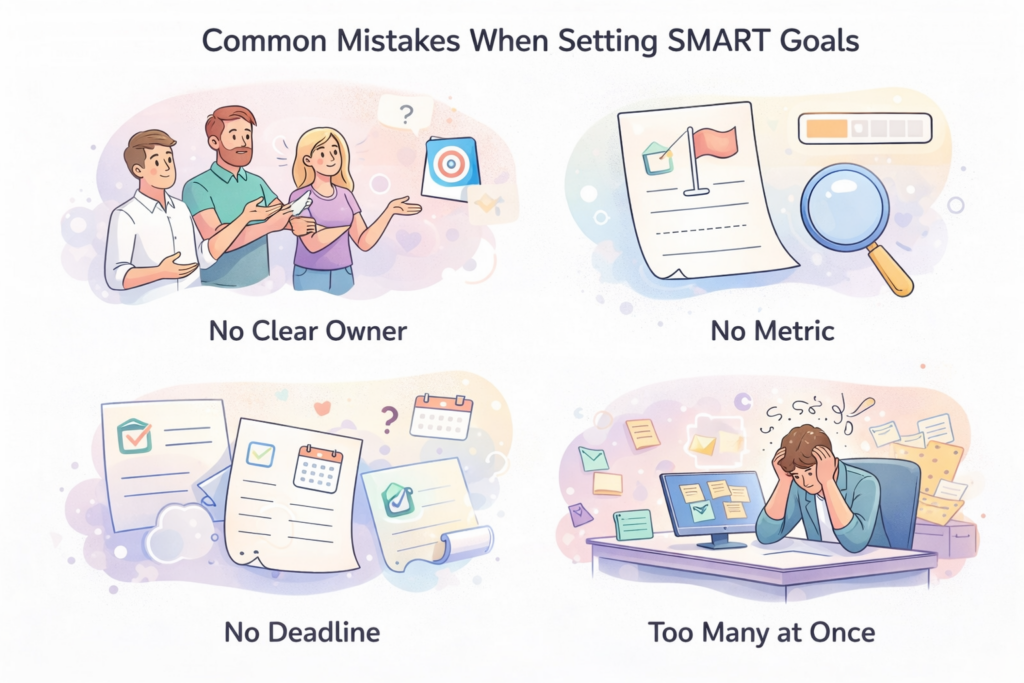
    Common Mistakes When Setting SMART Goals

    The framework helps, but it does not automatically prevent bad goal writing. Here are the patterns that undermine otherwise well-intentioned work.

    • Goals that are too broad to act on. If the goal could apply to ten different projects, it is not a goal yet. Pick one specific dimension and define it clearly.
    • No metric attached. A direction is not a target. If you cannot measure it, you cannot track it.
    • Stretch numbers with no baseline. Ambitious targets need an anchor. Without knowing where you currently stand, planning is guesswork.
    • Goals disconnected from current priorities. A well-written goal that serves no real team or business need is still a distraction.
    • No deadline. Open-ended goals drift indefinitely. Set a date, even if it gets adjusted later.
    • Written once, never reviewed. A goal without a tracking process is just a document. If no one is checking in on it, it will not get done.

    Why SMART Goals Still Fail Even When Written Well

    Here is the part most goal-setting articles skip over. Writing a well-formed SMART goal is not enough. A goal can pass every letter of the framework and still go nowhere.

    The most common reasons are operational, not structural.

    • No named owner. When a goal belongs to the team without a specific lead attached, accountability evaporates. Someone needs to be responsible for it.
    • No review rhythm. A 90-day goal checked on day 89 is not being tracked. Build in a 30 and 60-day check-in before the deadline arrives.
    • Not connected to tasks. Goals that live in a separate doc from the actual work get forgotten. The goal needs to exist inside the workflow, not parallel to it.
    • Too many goals at once. When everything is a priority, nothing is. Three focused goals will move faster than ten scattered ones.
    • No shared visibility. When goals are siloed, alignment breaks down. People optimize for their own piece without seeing how it connects to the whole.

    Writing the goal is step one. Building the system around it is what determines whether it actually gets done.

    SMART Goal Template

    Use this as a starting point. Adjust the language to match your team’s voice, but make sure all five criteria are present.

    “[Who] will [specific action or outcome] by [deadline], measured by [metric], because it supports [team or business objective].”

    Example: The content team will publish 8 SEO-focused articles by March 31, measured by monthly organic sessions, in order to reduce paid acquisition costs and grow top-of-funnel reach.

    For performance reviews and individual goals, the same structure works: “I will [action] by [date], tracked by [metric], in support of [team priority].”

    Vague Goals vs. SMART Goals

    Here is the difference in plain terms. The vague version tells you what you care about. The SMART version tells you what you will do, when, and how you will know it worked.

    Vague Get more customersSMART Acquire 40 new paying customers in Q2 through outbound and referral campaigns, tracked weekly in the CRM.
    Vague Improve the websiteSMART Increase homepage conversion rate from 1.8% to 2.4% by May 31 by redesigning the hero section and adding two customer case studies.
    Vague Make the team more efficientSMART Reduce time spent in recurring meetings by 20% by April 15 by auditing current meetings and cutting or shortening those with no defined output.
    Vague Onboard new hires betterSMART Reach a 30-day onboarding satisfaction score of 4.5/5 in Q3 by redesigning the onboarding checklist and pairing each new hire with a buddy for their first month.

    Keeping SMART Goals Alive in Real Work

    Once the goal is written, the operational side begins. This is where most goals either stick or quietly disappear.

    Goals work when they are embedded in the workflow, not stored separately from it. That means:

    • Break the goal into tasks with owners and due dates.
    • Set a mid-point review. Do not wait until the deadline to find out you are off track.
    • Document updates as the work happens. Context shared in real time is far more useful than a retrospective summary.
    • Keep goals visible across the team. When everyone can see what others are working toward, coordination improves and dependencies surface earlier.

    The goals that get completed are almost always the ones tied directly to the work, not the ones sitting in a separate planning doc. If goal-setting and task management live in different places, that gap is where follow-through breaks.

    Close the gap between goal and execution When goals live in one doc, updates live in Slack, and tasks live somewhere else entirely, follow-through breaks down. Skarya.ai keeps goals, tasks, owners, and progress in one visible workflow, so nothing gets lost between planning and delivery.

    Frequently Asked Questions

    What are SMART goals?

    SMART goals are goals that are Specific, Measurable, Achievable, Relevant, and Time-bound. The framework turns broad intentions into trackable work with a clear metric, owner, and deadline.

    What is an example of a SMART goal?

    “Increase win rate from 22% to 27% by end of Q3 by enforcing same-day lead follow-up and reviewing stalled deals every Friday.” It names the metric, the method, and the deadline.

    Why do SMART goals work better than regular goals?

    They remove ambiguity. When a goal is specific and measurable, everyone knows what success looks like. When it is time-bound, there is a date to plan backward from. Vague goals invite different interpretations, which is where misalignment starts.

    How do teams use SMART goals?

    Teams write goals at the team level, break them into tasks with individual owners, and review progress at set intervals rather than waiting for the deadline. It gives managers and employees a shared, unambiguous definition of success.

    What is the SMART goal template?

    [Who] will [specific action] by [deadline], measured by [metric], because it supports [objective]. All five criteria should be present.

    Can SMART goals be used for performance reviews?

    Yes. They work well in performance management because both manager and employee agree upfront on the criteria. When the review arrives, there is no debate about whether the goal was met.

    The Takeaway

    Vague goals are not a motivation problem. They are a design problem.

    The SMART framework gives you a repeatable structure for writing goals that can be planned, owned, and finished. Use it for performance reviews, team objectives, project milestones, or anything you want to actually get done.

    Write the goal. Name an owner. Break it into tasks. Check in before the deadline.

    Most goals fail because no one built a system around them. Now you have one.

  • The 5 Stages of Project Management: A Complete Guide for Modern Teams

    The 5 Stages of Project Management: A Complete Guide for Modern Teams

    Most projects don’t die from lack of effort. They die from lack of clarity.

    A request lands in Slack. The brief lives in Google Docs. Tasks are tracked in one tool, feedback arrives in another, and approvals happen somewhere over email. By the time the team tries to figure out where the project actually stands, they’re not managing work — they’re managing confusion.

    That fragmentation is exactly what the five stages of project management are built to prevent. These phases don’t just organize tasks — they give every person on the team a shared understanding of where the work is, who owns what, and what needs to happen next.

    In this guide, we’ll break down each stage, walk through a single real-world example from start to finish, and show how teams using Skarya move through the entire lifecycle with less friction and fewer unnecessary meetings.

    What Are the 5 Stages of Project Management?

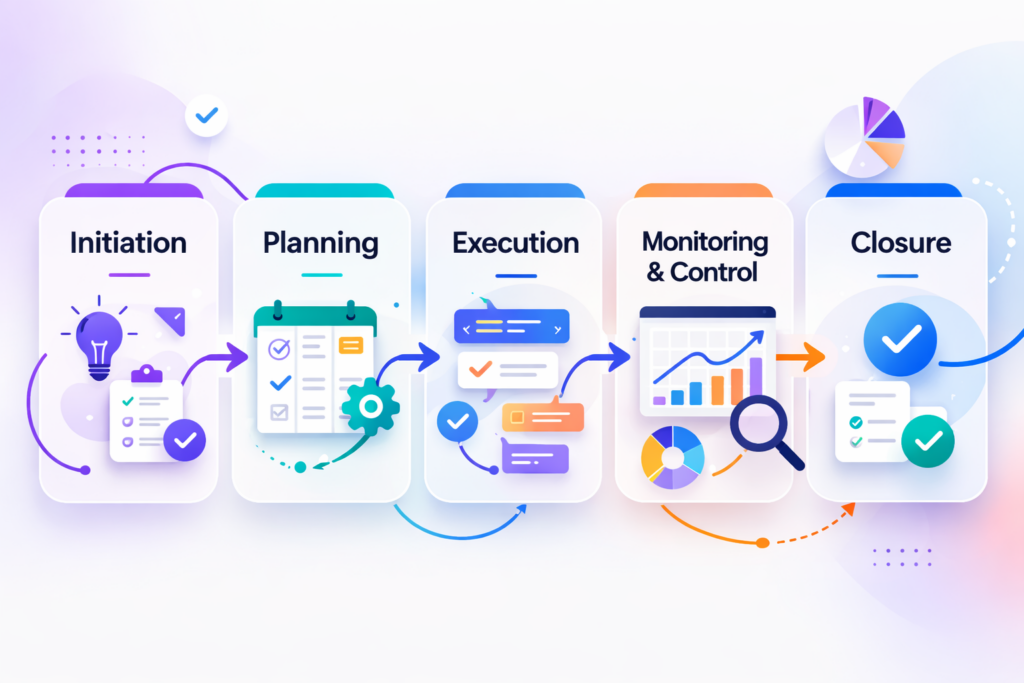
    The five stages of project management drawn from the Project Management Institute (PMI) framework are:

    1. Initiation – define the goal and confirm the project should proceed
    2. Planning- build the roadmap: tasks, owners, timelines, and dependencies
    3. Execution — do the work, collaborate, and create deliverables
    4. Monitoring & Control track progress, spot issues early, and adjust
    5. Closure – confirm completion, hand over outputs, and capture learnings

    Together, these phases form the full project management lifecycle. Teams that follow them deliver more predictably, waste less effort on rework, and spend less time asking each other for status updates.

    Quick Reference: The 5 Stages at a Glance

    StagePurposeKey Output
    1. InitiationDefine the goal; confirm the project should proceedProject brief, stakeholder alignment
    2. PlanningBuild the roadmap with tasks, owners, timelines, and dependenciesProject plan, milestones, RACI
    3. ExecutionDo the work, collaborate, create deliverablesCompleted deliverables, live collaboration
    4. Monitoring & ControlTrack progress, manage risk, keep stakeholders informedStatus reports, updated plan
    5. ClosureConfirm completion, hand over, document learningsSign-off, lessons learned, archived assets

    Why Project Management Stages Matter More Than Most Teams Realize

    A project is not a task list. It is a sequence of decisions, handoffs, approvals, and outcomes and when teams skip the structure, they encounter the same problems on every project:

    • Scope that keeps expanding because nobody locked it down at the start
    • Deadlines missed because dependencies were never mapped in planning
    • Duplicated effort because ownership was never clearly assigned
    • Approvals that stall execution because nobody defined the review process upfront
    • Status meetings that exist only because progress is invisible

    According to PMI’s Pulse of the Profession, organizations that undervalue project management report 67% more project failures than those with mature practices.

    The stages don’t eliminate these problems — but they reduce how often they happen, and dramatically cut the cost when they do.

    Following One Project Through All Five Stages

    To make each stage concrete, we’ll follow the same example throughout this guide: a B2B SaaS company preparing to launch a new feature an AI-powered reporting dashboard. The project involves product marketing, design, content, and a dev team managing the release.

    Watch how the stages shape every decision from kickoff to post-launch wrap.

    Stage 1: Initiation Start with a Question, Not a Task

    Most project failures are born here, in the initiation stage not in execution. This is the phase where the team defines the project’s purpose and determines whether to proceed. The goal isn’t to start building yet. The goal is to establish direction.

    What Happens in the Initiation Stage

    • Define the project goal and the business need it addresses
    • Identify key stakeholders and understand their expectations
    • Establish high-level success criteria
    • Assess feasibility and surface early risks
    • Decide whether to proceed, pause, or descope

    The Most Expensive Mistake Happens Before Work Starts

    The most common initiation failure is rushing through this phase to “start fast.” Teams skip alignment, assume a shared understanding that doesn’t exist, and pay for it throughout every stage that follows. Vague goals don’t become clear later they become arguments.

    Running Example: Initiation

    The product team requests a launch campaign for the new AI reporting dashboard. Without a proper initiation, marketing assumes the goal is awareness, while leadership expects qualified pipeline. Design starts creating social assets, content starts writing blog posts, and nobody is building the conversion-focused landing page that actually matters. That misalignment is born in initiation.

    A strong initiation would surface this immediately: align on the goal (pipeline, not awareness), define the target audience (mid-market ops teams), and set the primary success metric (demo requests) before a single asset is created.

    Stage 2: Planning — Build the Map Before You Start Moving

    Planning is where direction becomes a deliverable roadmap. Once the team agrees on the goal, this stage defines how the work will happen, who owns it, and when it needs to be done.

    This is also where most of the friction in execution gets either created or prevented.

    What Happens in the Planning Stage

    • Break the project into specific tasks and milestones
    • Assign one clear owner for every workstream
    • Set realistic deadlines and map dependencies
    • Allocate resources and flag capacity constraints
    • Define the review and approval workflow
    • Document the communication plan – who needs what, and when

    Good Planning Doesn’t Predict the Future, It Reduces Surprises

    Teams that invest in planning spend less time in execution recovering from avoidable problems. But planning isn’t about perfect prediction — it’s about reducing uncertainty enough that the team can move with confidence instead of guesswork.

    In Skarya, planning happens in the same place where work gets done, so briefs, tasks, owners, and timelines stay connected from the start rather than drifting into separate tools the moment execution begins.

    Running Example: Planning

    With the goal aligned, the team builds the launch plan: landing page copy (owned by content, due Week 1), page design (owned by design, depends on copy), dev handoff (depends on design approval), paid ads (owned by growth, due Week 2), and a launch blog post (owned by content, due Week 3). Approval checkpoints are mapped for each asset. Dependencies are visible. Everyone knows their lane.

    Stage 3: Execution Where Plans Meet Reality

    Execution is the most visible stage because it’s where things actually get made. Tasks move. Files get created. Teams collaborate. Deliverables take shape. It’s also where the quality of initiation and planning becomes immediately obvious, well scoped projects execute with momentum, poorly scoped ones execute in constant recovery mode.

    What Happens in the Execution Stage

    • Team members work on assigned tasks and update progress in real time
    • Cross-functional collaboration happens across design, content, and dev
    • Deliverables are created, reviewed, and revised based on feedback
    • Blockers are flagged and escalated before they compound
    • Decisions and context are captured alongside the work

    The Biggest Execution Killer: Context Separated from Work

    Execution breaks down when work and context live in different places. When the brief is in a doc, tasks are in a board, and feedback arrives in a thread, the team spends more time reconstructing the picture than actually moving the project forward.

    Research from the Asana Work Index found that knowledge workers spend nearly 60% of their time on work about work status updates, searching for information, chasing approvals rather than the skilled work they were hired to do. That’s not a people problem. It’s a structural one.

    Skarya keeps brief, tasks, comments, and status in one place so the team can work without constantly context-switching between tools.

    Running Example: Execution

    Content ships the landing page copy on time. Design picks it up and starts the layout. Growth begins building the ad sets in parallel. The dev team, however, is waiting on design approval before building the page in staging and that dependency isn’t visible to the project lead. Execution is moving, but a silent blocker is forming.

    Stage 4: Monitoring and Control See Problems Before They Become Crises

    Monitoring and control doesn’t start after execution — it runs alongside it. This is the stage where the team tracks what’s actually happening versus what was planned, and makes adjustments before a small slip becomes a missed launch date.

    It is also the stage most teams do worst, not because they don’t care, but because their tools make genuine visibility hard.

    What Happens in Monitoring and Control

    • Track task and milestone completion against the original plan
    • Review team workload and surface capacity risks early
    • Identify blockers and escalate before they compound
    • Communicate project status to stakeholders without relying on meetings
    • Update the plan when reality diverges from the original roadmap

    Visibility Delayed Is a Problem Doubled

    The most common monitoring failure isn’t missed metrics, it’s stale information. When project status lives in a spreadsheet updated weekly, or surfaces only in a Friday standup, the team is always operating on yesterday’s reality. By the time an issue becomes visible, it’s already an emergency.

    Real-time visibility tasks updating as work moves, blockers surfacing as they’re flagged is what separates teams that manage projects from teams that just react to them.

    Running Example: Monitoring

    With proper monitoring, the project lead sees that design approval is now two days late — which means the dev build is at risk, which means the launch date is at risk. Caught early, the lead can pull in a second designer or push the launch by three days. Caught on launch week, the options are much worse.

    Without visibility, the team would only discover this at the Friday standup five days too late.

    Stage 5: Closure- The Stage That Makes Every Future Project Better

    Closure is the most skipped stage in project management, and the most consequential. Most teams mark the last task done and move on. But a project isn’t finished when work stops, it’s finished when outputs are handed over, learnings are captured, and the team has documented what they’d do differently next time.

    Skipping closure means carrying the same inefficiencies, bottlenecks, and misalignments into every future project. Doing it well means each project makes the next one smarter.

    What Happens in the Closure Stage

    • Finalize all deliverables and obtain formal stakeholder sign-off
    • Hand over project outputs to the relevant team or system
    • Document lessons learned — what worked, what didn’t, what to change
    • Archive project assets so they’re findable for future reference
    • Confirm all open items are resolved or formally deferred

    Closure Converts Delivery into Institutional Knowledge

    Teams that close projects properly don’t just ship they compound. The approval workflow that caused this launch to stall gets fixed before the next one. The dependency that was discovered too late gets mapped earlier. The onboarding friction for the new designer gets documented and removed.

    Running Example: Closure

    The dashboard feature launches. Demo requests hit 140% of the target. In the closure review, the team notes three things: the design approval step was the critical bottleneck, ad copy should be written before design starts next time, and the dev handoff needs a staging QA checklist. All three go into the next launch plan. The second launch takes three days less than the first.

    Real Projects Don’t Move in a Straight Line and That’s Fine

    On paper, the five stages look sequential. In practice, they’re fluid. A project enters execution, then returns to planning because scope shifts. A deliverable reaches review, then goes back to execution after feedback. Monitoring surfaces a risk that rewrites the timeline.

    This is not a failure of the framework. The value of project stages is not that they make work perfectly linear. It’s that they give every person on the team a shared mental model — so when things change, the team has a common language to discuss what’s happening and what needs to happen next.

    Structure doesn’t limit how teams work. It defines how they recover.

    Why Smart Teams Still Struggle with Project Stages

    Even experienced teams know the stages. The failure usually isn’t knowledge — it’s tooling and habit. Here are the patterns that consistently break project execution across every industry:

    Unclear project intake creates downstream chaos

    When projects arrive without enough context, every downstream stage inherits that ambiguity. A structured intake process is one of the highest-leverage investments a team can make.

    Scattered communication kills momentum

    When updates, files, approvals, and decisions live in different tools, the team loses coherence fast. Clarity is replaced by constant status chasing.

    Shared ownership is no ownership

    If everyone is responsible, no one is. Every task, milestone, and stage gate needs one accountable owner.

    Approval workflows defined too late

    Most projects don’t stall in execution — they stall in review. Defining the approval process in planning, not after a bottleneck forms, keeps work moving.

    Visibility that only appears in meetings

    When project status is only known because someone reported it in a standup, teams are reactive by design. Monitoring should surface issues continuously, not weekly.

    Five Habits That Make Project Stages Actually Work

    Knowing the stages is table stakes. Here’s what separates teams that consistently deliver from teams that consistently scramble:

    • Keep context close to the work. Brief, tasks, decisions, and files should live together. Context fragmentation is the root cause of most execution slowdowns.
    • Make ownership unambiguous. One owner per task, milestone, and stage gate. Ambiguous ownership is where accountability goes to die.
    • Standardize project intake. Build a repeatable process for how projects begin. Better inputs at initiation produce better outputs at every stage that follows.
    • Review progress continuously, not just weekly. Real-time visibility lets the team address blockers before they compound. Waiting for Friday to discover a Thursday problem is a pattern worth breaking.
    • Close projects with intention. A project is done when deliverables are handed over, stakeholders have signed off, and lessons are documented for next time.

    Why the Stages Break Down in Practice (And What Skarya Does About It)

    Most teams don’t struggle with project management because they don’t understand the stages. They struggle because each stage happens in a different place.

    The request comes in through Slack. The brief lives in Google Docs. Tasks sit in a board. Feedback arrives in a thread. Approval comes in email. And every time someone asks ‘where are we on this?’ the team has to rebuild the picture from scratch.

    That isn’t a workflow problem. It’s a structural problem — and it gets worse as teams grow, projects multiply, and the gap between ‘what was planned’ and ‘what’s actually happening’ becomes harder to close.

    Skarya is built around a different premise: work, context, ownership, and progress should live together, not across six different tools. In practice, that means:

    • Structured project intake so every project starts with a clear brief, not a vague message
    • Task management with single-owner assignment, deadlines, and visual dependency tracking
    • Real-time progress visibility so monitoring doesn’t require a meeting to discover
    • Approval workflows built directly into the project, not bolted on over email
    • Project closure templates that make documentation the path of least resistance

    Teams using Skarya spend less time chasing status and more time doing the work that actually moves projects forward.

    The Problem Isn’t Knowing the Stages. It’s Following Them.

    If you asked any team whether they do initiation, planning, execution, monitoring, and closure, most would say yes. But ask them whether every project has a documented goal before work starts, whether every task has a single clear owner, whether blockers are visible in real time, and whether lessons get captured before the next project begins and the answer is usually more complicated.

    The gap between knowing the stages and consistently executing them isn’t a training problem. It’s a tooling and visibility problem. When each stage happens in a different system, following the process requires constant discipline to override the chaos. When each stage happens in the same connected workspace, the process becomes the path of least resistance.

    That’s the shift Skarya enables — not just a smarter way to manage tasks, but a connected environment where the full project lifecycle is visible, trackable, and repeatable from initiation to closure.

    Ready to bring all five stages into one connected workspace? Start your free trial of Skarya today — no setup fees, no credit card required.
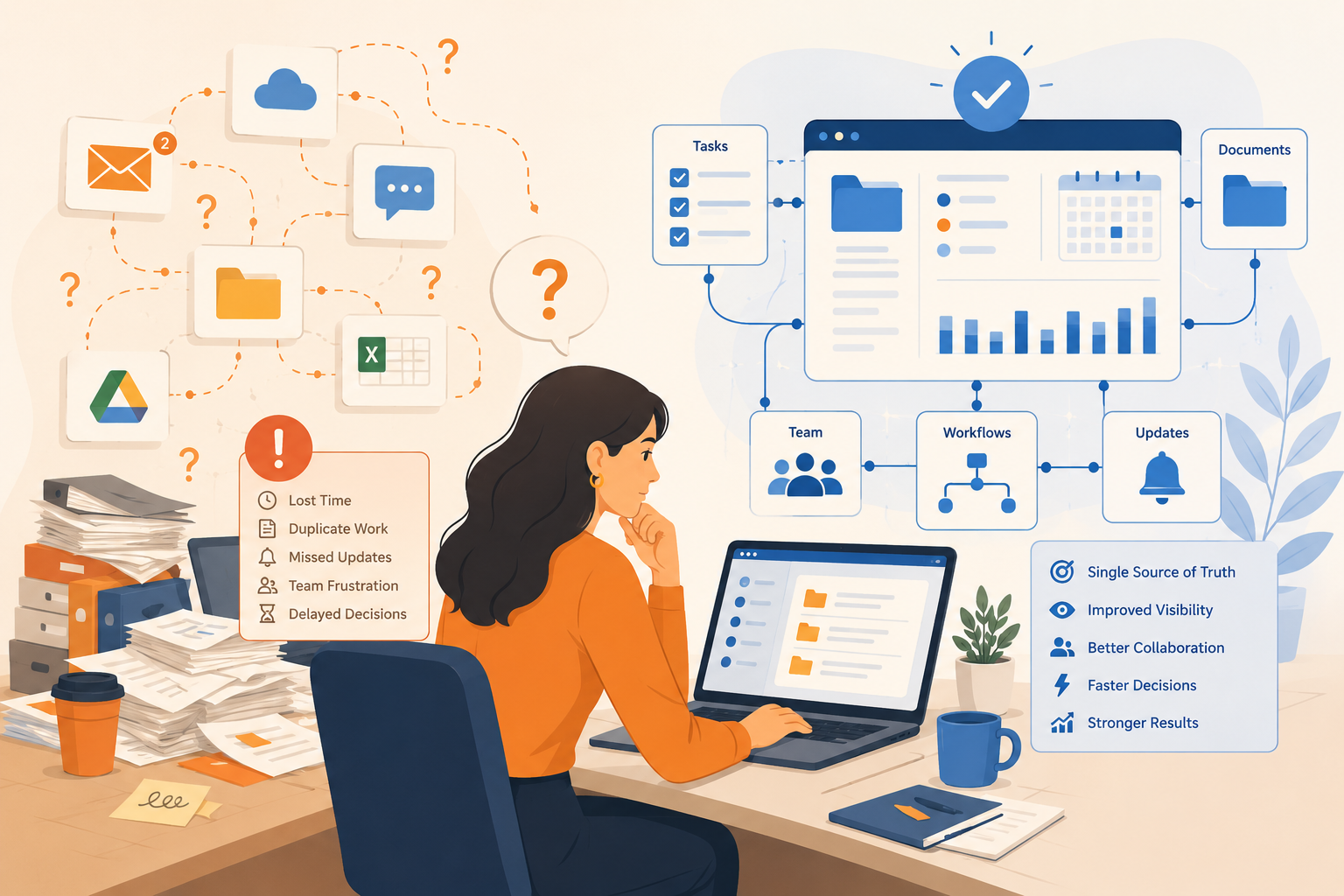
    Final Thoughts: Structure Is the Competitive Advantage

    The five stages of project management aren’t a bureaucratic checklist. They’re the operating model that separates teams who consistently deliver from teams who consistently scramble.

    Initiation gives your project purpose. Planning gives it structure. Execution brings it to life. Monitoring keeps it honest. Closure makes it reusable.

    But here’s what most project management guides leave out: the stages only work when they’re connected. When initiation happens in one tool, planning in another, and execution somewhere else entirely, the framework exists in theory but breaks down in practice.

    The teams that deliver the best work aren’t the ones working the hardest — they’re the ones who never have to ask ‘wait, where are we on this?’ because the answer is always visible.

    That’s what Skarya is built for. Not just better task management but a workspace where every stage of the project lifecycle is connected, visible, and built to scale with your team.

    Frequently Asked Questions

    What are the 5 stages of project management?

    The five stages are: Initiation, Planning, Execution, Monitoring and Control, and Closure. These phases come from the PMI Project Management Body of Knowledge (PMBOK) and are used across industries and team sizes.

    What is the most important stage of project management?

    Each stage is critical, but initiation is often the most impactful because a poorly defined goal creates problems that compound through every phase that follows. A clear initiation saves hours at every subsequent stage.

    Can project stages overlap?

    Yes. Monitoring runs simultaneously with execution. Planning sometimes restarts mid-project when scope changes. The stages are a framework for clarity, not a rigid sequence real projects move between them fluidly.

    What is the difference between monitoring and control in project management?

    Monitoring is the act of tracking what’s happening progress, timelines, blockers. Control is the act of responding to that information, adjusting plans, reassigning resources, escalating risks. The two happen together and continuously throughout execution.

    What tools help manage all five project stages?

    The most effective tools keep work, context, ownership, and progress in one connected place rather than scattering each stage across separate apps. Skarya is purpose-built to support the full project lifecycle — from structured intake through closure.

  • How to Save a Day Every Week at Work

    How to Save a Day Every Week at Work

    Most teams do not lose time because the work itself is too hard.

    They lose it in the gaps around the work. Chasing updates, searching for files, sitting in meetings that exist only because no one can see the real status, and repeating the same manual steps week after week.

    That drag adds up quickly. A few minutes here, half an hour there, another thread to clarify ownership, another call to reconnect the dots. By the end of the week, a team can easily lose a full day to coordination alone.

    The good news is that this is fixable. Saving time at work is rarely about asking people to move faster. It is about building a system where the right information, the next action, and the current status are already visible. When that happens, a surprising amount of wasted time disappears on its own.

    In this guide, we look at the three most common ways time gets lost, then walk through a practical workflow to reduce that friction across your team.

    Where Time Actually Gets Lost at Work

    Before a team can reclaim time, it needs to see where time is leaking. The causes are consistent across most teams and industries: disconnected communication, repetitive manual work, and lack of clarity.

    1. Communication Happens Away From the Work

    This is where most teams quietly lose hours, and it is rarely obvious until you stop to count it.

    A task lives in one tool. The brief lives in a document. Feedback arrives by email. A decision gets made in a chat thread. Then someone joins the project a week later, cannot find the full context, and the team spends more time reconstructing what happened than actually moving forward.

    The issue is not too much communication. It is disconnected communication. Conversations happen in one place while the work lives somewhere else entirely.

    Common signs:

    • Unclear task ownership, so simple questions need a meeting to resolve
    • Long email threads for approvals that should take two minutes
    • Status meetings that exist primarily to fill information gaps
    • Files and decisions scattered across four or five different tools

    When communication is separated from the work itself, teams spend their day translating, searching, and re-explaining instead of making progress.

    2. Manual Repetitive Work Eats Skilled Time

    Recurring reports. Task creation. Handoff notifications. Follow-up reminders. Progress summaries. These jobs are necessary, but they should not be consuming the attention of your best people.

    The problem is rarely one task. It is the same pattern of tasks repeating every day, every week, without anyone questioning whether a person actually needs to do them.

    When skilled people spend their days on work the system should be handling, the work that requires real judgment gets squeezed into whatever time is left.

    Most teams know this is happening. They just have not yet built the habit of questioning which parts of the week could run without them.

    3. Lack of Clarity Creates Invisible Waste

    When people do not know what matters most, what is blocked, or how their work connects to bigger goals, wasted time fills the gap.

    They check in more often than necessary. They duplicate effort. They wait longer than they should. They attend meetings that do not really need them. They spend energy staying aligned rather than moving things forward.

    This is one of the most expensive forms of inefficiency because it is easy to normalise. Teams adapt to the confusion and start calling it just how things are here. It is almost always a systems problem, and systems problems have systems solutions.

    What This Looks Like in Practice

    Here is a version of a workflow that most teams will recognise.

    A request comes in by message. Someone turns it into a task later. The brief is stored in a separate document. Feedback arrives by email. Progress gets discussed in a meeting because nobody fully trusts the board. At the end of the week, the manager asks for time spent and everyone estimates from memory.

    None of that sounds catastrophic on its own. But together, it creates friction at every step. Work gets rebuilt from fragments, constantly.

    Now compare that to a cleaner version of the same flow:

    • The request becomes a task immediately, with context attached from the start
    • The brief lives with the task, not in a separate document no one can find
    • Comments, feedback, and files stay tied to the work they belong to
    • Status is visible in real time, without requiring a meeting to surface it
    • Repetitive follow-ups run automatically
    • Time is tracked where the work happens, not estimated after the fact

    That is how teams reclaim hours. Not by working harder, but by removing the rebuild-work that lives in the gaps around the real work.

    A Practical Workflow to Save 1 Day Every Week

    The following steps reflect how teams are reducing coordination drag in 2026. The principles lead. Where a tool helps, it is mentioned once, not repeated.

    Step 1: Make Goals Visible Enough to Cut Alignment Meetings

    A lot of wasted time comes from one recurring question: what are we actually trying to move right now?

    When goals sit in a separate document that nobody reads regularly, people need more check-ins to stay oriented. When goals are tied directly to the tasks your team executes each week, many of those check-ins become unnecessary. Progress is visible while the work is happening, not summarised after the fact in a Friday email.

    In Skarya, teams connect goals to milestones and link those milestones to live tasks. Progress updates automatically as work is completed. That means the answer to what are we working toward is already visible, without a meeting to explain it.

    Step 2: Turn Vague Requests Into Structured Work Faster

    One of the most common sources of drag is the gap between something needs to happen and the task is ready to be worked on.

    That handoff is usually slower than it needs to be. Someone rewrites the brief. Subtasks get created manually. Ownership lands in a separate conversation. The same fields get filled out again and again across different projects.

    A smarter setup reduces that admin without adding complexity. The goal is that by the time a task reaches the person doing the work, it already has the context, priority, and structure it needs. Less setup time per task, multiplied across a week, adds up fast.

    Step 3: Replace Status-Chasing With Real-Time Visibility

    Status meetings are usually a symptom, not the root problem.

    Teams do not meet because they enjoy meetings. They meet because the system does not make progress visible enough to trust. Remove that blind spot, and many of those meetings stop being necessary.

    A shared board that people actually trust is worth more than three status calls a week.

    The key word is trust. A Kanban board or project timeline only reduces meetings if it reflects reality. That means statuses need to be updated where the work happens, not maintained separately as a reporting exercise. When the board is the source of truth, updates stop depending on memory or scheduled interruptions.

    Skarya’s boards, timeline views, and workload overviews are built to sit inside the actual workflow, not alongside it. That distinction matters more than it first sounds.

    Step 4: Keep Communication Inside the Work

    This is one of the fastest fixes available, and one of the most consistently skipped.

    When a decision gets made in Slack and the task lives in a project tool and the files are in a shared drive, context fractures almost immediately. Every time someone new joins the work, they have to piece together what happened from three different places. The team pays for that loss in follow-ups, delays, and repeated explanations.

    The fix is simple in principle: keep comments, files, approvals, and action items attached to the task they belong to. That one change reduces a surprising amount of daily friction, regardless of which tool you use to do it.

    Step 5: Document Once, Then Stop Explaining From Scratch

    If your team keeps explaining the same process, rewriting the same brief, or hunting for the same reference notes each time a project starts, that is not a people problem. It is missing documentation, and the cost of it compounds every week.

    The goal is not to document everything. It is to make repeat work easier the second time, and the tenth time. Process notes, onboarding guides, meeting records, and project briefs should be findable where the work happens. When they are, teams stop recreating context from scratch and start building on what already exists.

    Skarya keeps project knowledge alongside the project itself, searchable and accessible without depending on whoever happens to remember where that file was saved.

    Step 6: Automate the Parts That Do Not Need Judgment

    Not everything should be automated. But a surprising amount of what teams do manually every week does not actually require a human decision.

    Things like:

    • Notifying a reviewer when a task moves into review
    • Creating the next task in a sequence once the previous one closes
    • Assigning onboarding steps when a new person joins a project
    • Prompting the right person when a deadline is approaching

    These are system tasks. The more reliably your workflow handles them, the less your team relies on memory, nudges, and manual follow-through to keep things moving.

    Start with one or two automations on your most repetitive workflow. The compounding effect of small reductions in manual admin is usually larger than it looks on paper.

    Step 7: Measure Where the Time Is Actually Going

    Teams often say they want to save time at work, but they are not measuring where time is actually being spent. Without that visibility, improvement stays vague.

    Tracking time at the task level does more than help with billing or reporting. It helps teams spot patterns over weeks and months:

    • Which work types regularly run longer than estimated
    • Where admin is taking disproportionate space relative to its value
    • Who is consistently over capacity before it becomes a real problem
    • How accurate estimates are, and how to improve them next time

    The most useful time tracking happens where the work happens. Skarya includes native timesheets built into the workflow itself, synced with Google Calendar and Microsoft Calendar, so time data reflects what actually happened rather than what people can piece together at the end of the week.

    Why Getting This Right in 2026 Is Worth the Effort

    The case for fixing how teams work is not really about AI. It is about the fact that coordination overhead has quietly grown into one of the largest costs in knowledge work, and most teams have normalised it to the point where they no longer see it clearly.

    What is different in 2026 is that the tools available for reducing that overhead are genuinely better than they were two or three years ago. AI can now handle a meaningful share of the admin, summarisation, and structuring work that used to require a human. That is only useful, though, if it sits inside a connected workflow rather than functioning as a separate tool that still requires people to copy, paste, and manually distribute outputs.

    The teams getting the most out of these tools are not the ones using the most AI features. They are the ones that built a clear, connected workflow first, and then let automation and AI reduce the friction inside it.

    Gallup’s most recent workplace data suggests that the feeling of spending too much time on low-value admin is one of the clearest predictors of disengagement. Fixing that is not just a productivity question. It is a retention question, and in most industries, a meaningful competitive one.

    Conclusion

    Most teams do not need to work harder to get time back.

    They need fewer disconnected steps, fewer rebuild moments, and fewer manual actions between a request coming in and work being delivered.

    That is why the biggest time savings rarely come from one change. They come from fixing the workflow itself: making work visible, keeping context attached, reducing the tasks that should not need a person to complete them, and measuring what is actually happening rather than what everyone assumes is happening.

    Skarya combines projects, tasks, docs, automation, AI assistance, timesheets, and collaboration in one place. Not to add another tool to the stack, but to replace the friction that too many disconnected tools quietly create.

    If your current process feels heavier than it should, that is usually a sign the system needs work. Not the people.

    Start with one workflow and see where your time is really going.

    Explore Skarya and try it free  ·  Free to start, no credit card needed.

  • How to Use AI to Reduce Admin Work (Without Adding More Tools)

    How to Use AI to Reduce Admin Work (Without Adding More Tools)

    The Problem: AI Is Everywhere, But Admin Did Not Disappear

    Most teams adopt AI expecting fewer follow-ups, fewer “can you resend that?” messages, and fewer status meetings. Then reality hits. The AI tool becomes one more tab, one more workflow, one more place to paste context and the admin is still there, just with an extra step in the middle.

    AI does not reduce admin by itself. It reduces admin only when it is embedded inside where work happens. If your requests live in email, your tasks live in a project tool, your updates live in chat, and your time tracking lives in a spreadsheet, AI cannot fix the underlying mess. It will float between systems and create more noise.

    The uncomfortable truth: if your AI needs constant feeding, tagging, and prompting, it is not automation. It is admin with a glow-up.

    The 4 Admin Traps AI Creates (and How to Avoid Them)

    AI fails teams in predictable ways – not because the models are weak, but because teams place AI on top of a broken work system and expect magic.

    Trap 1: Summaries That Do Not Live Where Work Happens

    Meeting summaries are popular. The problem is where they go. Posted in a chat thread, they disappear by tomorrow. Emailed, they get buried. Living inside the AI tool, people forget they exist and the team ends up asking the same questions again next week.

    Fix it: Attach summaries directly to the project or task. Anyone opening the item should see what changed, what was decided, and what is next, without hunting through Slack history.

    Trap 2: Chatbots That Answer Questions but Create No Action

    A chatbot can tell you what was said, what a doc contains, or what the next steps should be. But unless it turns that output into a real task with an owner and a due date, nothing changes. Translating conversation into execution is one of the biggest admin drains in the first place.

    Fix it: Use AI to convert conversation into action. Requests become tasks. Decisions become checklist items. Next steps get assigned to real people with real deadlines.

    Trap 3: More Tools Instead of Fewer Steps

    This is the most common failure. Teams add an AI tool but do not remove any steps. They still copy requests into a task tool. They still chase status updates in chat. They still hunt for the latest document link. The AI becomes a helper, but the process stays scattered.

    Fix it: AI must operate inside a centralized work management setup, not beside it. If it sits outside your workflow, you are always switching tools – and switching tools is admin.

    Trap 4: Automation Without Ownership

    AI can create tasks quickly. But tasks with no owner, no deadline, and no next step create clutter, not clarity. Someone still has to clean up the mess.

    Fix it: Every AI-generated task must include a clear owner, a next step, and a due date. If those three things are missing, the output is not finished — it is a new problem.

    The Rule: AI Must Eliminate One of These 5 Admin Jobs

    Before adopting any AI feature, ask one blunt question: which admin job will this remove?

    1. Collecting work requests from multiple channels
    2. Converting those requests into tasks
    3. Writing and compiling status updates
    4. Chasing handoffs and clearing blockers
    5. Logging time and tracking effort

    If AI does not remove at least one of these, it is not a priority. Pick the one that costs your team the most time right now, and start there.

    Tip: Track it for seven days. How many times did someone ask “where is that file?” How many status pings happened? How long did timesheets take Friday afternoon? AI is only useful if it moves a metric you can feel.

    The Playbook: How to Use AI to Actually Reduce Admin

    This works only in the right order: centralize first, then automate.

    Step 1: Centralize Intake (Before AI Touches Anything)

    AI cannot bring order to chaos if work arrives through email, chat, WhatsApp, calls, and sticky notes simultaneously. It will miss things or create duplicates. The first move is simple: give work one front door.

    That can be a request form, a shared intake board, a client portal, or a dedicated channel with a strict rule. Whatever format, every request should become a trackable task — not a message that relies on someone’s memory.

    This is the foundation that makes everything else work. Without it, AI amplifies scattered inputs rather than organizing them. If your team currently loses hours to the “where is that file?” spiral, read more about the hidden cost of disconnected tools here: The Hidden Cost of “Where Is That File?”

    Tip: Start with one project. One intake rule. One week. Do not try to centralize everything at once.

    Step 2: Turn Messy Requests into Structured Tasks Automatically

    This is where AI delivers real value when connected properly. Most admin is not doing work — it is translating work from messy human language into structured execution.

    You already have the inputs: client emails, chat messages, meeting notes, quick “can you do this?” requests. The output you want is a task with a title, owner, deadline, and linked documents. When AI bridges that gap automatically, the team stops copy-pasting, ownership becomes clear instantly, and work becomes visible without a single extra meeting.

    AI should reduce translation work. Humans should spend time on decisions and delivery, not on formatting tasks that someone else described out loud.

    Step 3: Auto-Generate Weekly Updates People Actually Read

    Most teams do not hate updates. They hate writing updates that nobody reads, then getting asked for updates anyway.

    A good AI workflow here is not “post a long summary.” It is “draft a tight update based on what changed in the project,” then let the owner approve or adjust it in 30 seconds. The update should live on the project itself — not scattered across threads.

    A format that consistently works: what moved, what is blocked, what needs attention, what is next. Short. Structured. Easy to skim in 60 seconds. Done right, you eliminate two admin drains at once: writing updates and answering follow-up questions about updates.

    The key rule: if the update lives in chat, it becomes a scroll problem. If it lives on the project, it becomes visibility.

    Step 4: Surface Blockers Before They Become Meetings

    Meetings multiply when blockers are invisible. When leadership cannot see what is stuck, the default response is a call.

    AI can spot patterns that humans miss in the rush of the week: tasks with no owner, work that has not moved in days, approvals that are overdue, dependencies that are backing up. The goal is not micromanagement — it is surfacing what needs attention early and calmly, so teams are not scrambling on Friday afternoon.

    The best meetings are the ones that never happen because the system already showed what was true.

    Step 5: Track Time Where Work Lives

    Timesheets are not hard because people cannot count hours. They are hard because time lives in a separate world from tasks. People do the work in one place, reconstruct the hours later from memory and calendar history, and call that a timesheet.

    Track time inside the task. Start a timer where the work happens. Review weekly, not daily. The less reconstruction your team has to do at the end of the week, the less admin you create.

    For service teams and agencies where margin depends on accurate time data, this is not optional — if time tracking is disconnected from tasks, profitability becomes guesswork. See how Skarya approaches this for agencies and service teams: Creative Agency Use Cases

    Before vs. After: What This Actually Looks Like

    Before: A request arrives in email. Someone copies it into a task tool. The doc link is pasted into chat. The latest decision was made in a meeting. Time is logged in a spreadsheet on Friday afternoon from memory. Everyone is busy, but nobody feels in control.

    After: The request becomes a task automatically. The doc is attached to the task. The owner and deadline are clear from the start. Updates live on the project. AI drafts a weekly summary for the owner to approve in one click. Blockers surface early. Time is tracked where the work happens.

    That second state is not a different set of tools. It is the same work, connected differently with AI doing the translation and the admin, not adding to it.

    Where Skarya.ai Fits

    Skarya is built around this approach because it is not an AI add-on sitting outside your workflow. It is a centralized work management system where tasks, documents, updates, workflows, and timesheets live together, and AI works inside that structure, not alongside it.

    Skarya helps you centralize first, then remove the repetitive parts: creating tasks from plain-language requests, summarizing progress automatically, and surfacing what is blocked before it becomes a meeting.

    Next step that actually matters: Pick one live project this week. Centralize its tasks and documents in one place. Add one AI automation: turn incoming requests into structured tasks automatically. If your week gets quieter, you are doing AI the right way.


    Frequently Asked Questions

    What is the best way to use AI to reduce admin work?

    Use AI to convert messy inputs — emails, chat messages, meeting notes — into structured tasks with owners and deadlines. Then use it to generate short, accurate status updates from real project activity, and to flag blockers before they require a meeting. The key is that AI must live inside your workflow, not alongside it.

    Why does AI sometimes make admin worse?

    Because it becomes another tool to manage rather than a layer that removes work. When AI sits outside your tasks and documents, your team ends up copying, pasting, and switching tabs more than before. The tool adds steps instead of removing them.

    Do we need centralized work management before introducing AI?

    Yes. Without a single place where tasks, docs, and updates live together, AI amplifies chaos rather than organizing it. Centralize first, then automate. Skipping that order is why most AI rollouts disappoint.

    What is the single best AI automation for a small or mid-sized team?

    Task creation from natural-language requests. Email messages, Slack threads, and meeting notes should automatically become tasks with an owner and a due date. This removes the biggest single translation cost in most teams.

    How does AI reduce the number of meetings?

    By keeping work status visible and current without manual effort, and by surfacing blockers early enough to resolve them asynchronously. When the system already shows what is true, people do not need to call a meeting to find out.

    What is the connection between time tracking and admin reduction?

    When time tracking is separated from tasks, people reconstruct hours from memory at the end of the week — which is slow, inaccurate, and deeply frustrating. Tracking time inside the task eliminates that reconstruction step entirely, and gives service teams reliable margin data without extra effort.

  • The Hidden Cost of “Where Is That File?” How Disconnected Tools Kill Centralized Work Management

    The Hidden Cost of “Where Is That File?” How Disconnected Tools Kill Centralized Work Management

    The Monday Morning Scramble

    It is 9:47 a.m. A client call is at 10:00. Sarah needs the latest proposal, the one with the updated scope and the new pricing table.

    She searches Slack. Three links show up. Two are old. One opens a Google Doc titled “Proposal_v4_FINAL_revised_ACTUAL.” She is not sure if this is the version the client approved or the one someone edited last Thursday.

    She pings Jake. No reply yet. She checks her email. Finds a PDF from three weeks ago. She opens Drive. Sees five folders that all look correct. The client is waiting. She sends what she has and hopes it is right.

    This is not a one-off. For most teams, the work is not hard. Finding the work is what slows everything down. That is the hidden cost of disconnected tools, and it is exactly why centralized work management matters.

    If “the latest version” lives in five places, your team will keep guessing, redoing, and meeting just to stay aligned.

    The Math Is Not Pretty

    Even if your team only loses a bit of time to searching, the numbers add up fast. It is not one big meltdown. It is dozens of tiny hunts: the link, the brief, the latest comment, the decision, the right attachment, the correct version.

    Keep it conservative. Even if it is only 30 minutes per person per day spent searching across tools, re-reading threads, and confirming which version is final:

    1. 30 minutes x 5 days = 2.5 hours per person per week
    2. 2.5 hours x 10 people = 25 hours per week for a 10-person team
    3. 25 hours x 50 weeks = 1,250 hours per year

    That is roughly 31 full working weeks lost every year. Not to delivery. To searching.

    Quick Check: The Tab Test Open your browser right now. Count how many tabs you need just to answer one question: what is the latest status on your biggest active project? If the answer is more than three, your team is living this reality every day.

    The Real Problem: Version Fog

    Disconnected tools do not just waste time. They create version fog, where nobody is fully sure what the truth is. It is not because people do not care. It is because the truth is split across chat, email, docs, drives, boards, and spreadsheets.

    Version fog looks like this:

    • Someone updated the doc, but never linked it to the task
    • A decision was made in a DM between Mike and the account lead, and the rest of the team has no idea
    • The spreadsheet Lisa has been updating all week says one thing, the project board says another
    • The owner is unclear, so the next step floats and nobody picks it up

    When updates live in conversations instead of the work itself, you do not have a workflow. You have a guessing game.

    Everyone has partial context. Everyone thinks someone else has the full picture. That is how things fall through the cracks, not because of bad intentions, but because of bad structure.

    The Business Cost Is Bigger Than Time

    The hours lost searching are just the visible part. The deeper damage shows up in delivery, trust, and team energy.

    Rework Becomes Normal

    When people cannot find the right version, they either guess or recreate. One team member builds what already exists. Another edits the wrong file. Suddenly you are spending Friday fixing work that should have shipped on Wednesday.

    Handoffs Break Silently

    A task gets done, but the next step does not start because the handoff note was buried, the dependency was not visible, or nobody answered the question: who owns this now? The project stalls and nobody knows why.

    Meetings Multiply to Replace Visibility

    When answers are not visible in the system, teams schedule meetings to manufacture clarity. That is how a simple project turns into a Monday status call, a mid-week check-in, and a Friday wrap. Three meetings, just to recreate what should have been obvious at a glance.

    Stress and Blame Creep In

    When something drops, someone gets blamed. Often it is the wrong person. Over time, people stop owning tasks confidently because ownership feels like risk, not responsibility. That is how you lose good people to avoidable friction.

    What Centralized Work Management Actually Means

    This is not about adding another tool. It is a different way of running work.

    Definition: Centralized work management means there is one place where the task lives, the correct doc is attached, the owner is clear, the deadline is visible, and the latest update is recorded. Anyone should be able to open the work item and understand exactly what is happening, without chasing a person.

    Here is what that shift looks like in real life:

    Before
    The doc link lives in Slack. The task lives in a PM tool. The latest decision is in someone’s inbox. Status only exists in a meeting.
     After
    The task contains the doc, the owner, the due date, and the latest update. Anyone can check progress without starting a scavenger hunt.

    A Practical 3-Layer System for Centralized Work Management

    You do not need to centralize everything at once. Start with one project and build these three layers.

    Layer 1: Intake (Where Work Enters)

    Work needs one front door. A form, a request board, a single intake channel, anything that stops tasks from being born in DMs and dying in inboxes. The goal is simple: every request becomes a visible, trackable task.

    • Client requests go into one shared form or channel, not into DMs or separate inboxes
    • Internal tasks are created in the same system, not scattered across personal to-do lists
    • Intake automatically triggers a task with an assigned owner and a due date
    Tip: Pick one rule and enforce it for one project: no new requests via DM. If it is real work, it goes through intake. Start there and do not make exceptions.

    Layer 2: Work (Where Execution Happens)

    This is where most teams fall apart, because tasks do not carry context. The fix is straightforward: the task must hold the information needed to complete it.

    Every task should include:

    • One owner (a person, not the team)
    • One clear next step (what happens right now)
    • The correct doc attached or linked directly
    • A due date, even a rough one
    • Any dependencies flagged so blockers are visible

    One task. One owner. One next step. If everyone owns it, no one owns it.

    Layer 3: Visibility (Where Updates Live)

    Visibility should not require a meeting. It should be readable at a glance. That means updates belong with the work, not scattered across chat threads.

    • Status fields: In Progress / Blocked / Done
    • A short update cadence: daily or twice a week, in the system
    • Blockers flagged on the task, not buried in a message nobody will find
    Tip: Kill the Status Meeting for One Project Replace it with a simple async rule: everyone updates their tasks by 4 p.m. If the system is accurate, the meeting becomes optional. Most teams find they never reschedule it.

    Your 7-Day Rollout Plan (Start Small, Win Fast)

    This works best when you centralize one active project first, not your entire company. Pick the one causing the most friction and start there.

    Days 1 and 2: Audit and Choose the Project

    • Pick the one project where the most friction lives right now
    • List every place its work currently lives: Slack, Drive, email, spreadsheet, PM tool
    • Identify the top three pain points: missing owners, lost files, unclear status

    Days 3 to 5: Build the Structure

    • Create the project space with tasks, owners, deadlines, and simple status fields
    • Attach or link the correct docs to the tasks they actually belong to
    • Set up one intake method for any new requests related to this project

    Days 6 and 7: Run It Live

    • Tell the team one clear rule: updates, files, and questions go in the system for this project
    • Shorten or cancel the standing status meeting for this project
    • At the end of day 7, check: how many messages were “where is that file?” compared to last week?

    The one rule that makes centralized work management stick: if it is not in the system, it does not exist.

    That sounds harsh. It is meant to. The moment you allow exceptions, the system collapses and you are back to hunting.

    Where Skarya.ai Fits In

    Skarya.ai is built for exactly this model. It brings tasks, docs, workflows, timesheets, and updates into one centralized workspace so your team stops switching between five tools just to find the basics.

    The built-in AI assistant helps by summarizing what is happening on a project, turning plain-language requests into tasks, and surfacing blockers before they stall delivery. Less admin, more actual work.

    Your Next Step: Pick one project this week. Centralize just that project’s tasks and docs in one place. Run it for 7 days. If Slack gets quieter and delivery gets smoother, you will know you are on the right track. Skarya makes that first step straightforward.

    Frequently Asked Questions

    1. What is centralized work management in simple terms?

    It is one place where the task, file, owner, deadline, and latest update live together, so your team does not have to hunt across tools just to find out what is happening.

    2. Do we need to replace Slack, Drive, and email?

    No. The goal is not to delete the tools you already use. It is to stop letting work split into silos and make sure the source of truth lives in one system, not five.

    3. What is the biggest mistake teams make when centralizing?

    Trying to migrate everything at once. Start with one project, get a small win, then expand. Wholesale migrations stall almost every time.

    4. How do we reduce “where is that file?” messages quickly?

    Attach the doc to the task, assign one owner, and record updates on the work item itself. Most of those messages disappear when context is stored with execution, not in a Slack thread from two weeks ago.

    5. How does Skarya help with centralized work management?

    Skarya unifies tasks, docs, workflows, timesheets, and updates in one workspace. Its AI assistant summarizes progress, creates tasks from plain-language input, and surfaces blockers so the system stays current without extra admin effort.

  • Stop Bleeding Money: The SMB Owner’s Guide to AI-Powered Operations

    Stop Bleeding Money: The SMB Owner’s Guide to AI-Powered Operations

    Here is a reality most SMBs feel but rarely measure: a meaningful chunk of your payroll disappears into searching for information, chasing updates, manual data entry, and fixing handoff misses.

    Not because your team is slow.
    Because your operational system is fragmented.

    The good news: AI-powered operations for SMBs changes the math fast, by automating the repetitive, information-heavy work that quietly drains margin every week.


    The SMB Growth Bottleneck: Why Your Current Model Has a Ceiling

    Growing a business should feel like momentum. For many SMB owners, it feels like pushing uphill while juggling tools.

    The culprits are familiar:

    • Tool sprawl: Slack, email, spreadsheets, a PM tool, a CRM, plus “whatever else works”
    • The memory tax: key knowledge lives in people’s heads, not in a shared system
    • The busywork trap: high-value staff spend time updating statuses, chasing approvals, rewriting notes
    • Data fragmentation: nobody can see the real state of work without asking five people

    The result is predictable: work slows down, margins compress, and burnout rises.
    This is not a people problem. It is a systems problem.

    What AI-Powered Operations Actually Means (No Buzzwords)

    AI-powered operations does not mean replacing your team.

    It means applying AI to the work that is:

    • repetitive
    • structured (or should be)
    • dependent on information being captured cleanly
    • responsible for handoffs, deadlines, and visibility

    In practical terms, AI helps you:

    • turn messy inputs (emails, notes, call summaries) into clean task records
    • generate status summaries without recurring meetings
    • enforce handoffs so nothing stalls between people
    • flag bottlenecks early, while there is still time to fix them

    Platforms like skarya.ai are built for this operational layer, so your team spends less time managing work and more time delivering it.

    4 Key Pillars of AI-Powered Efficiency

    Pillar 1: Converting Chaos Into Structured Intake

    Most SMBs do not have an “execution” problem. They have an “intake” problem.

    Requests arrive everywhere: email threads, DMs, notes, meeting scribbles. Then someone manually translates all that into tasks.

    What you automate

    • extract deliverables, owners, due dates, priorities from messy input
    • standardize what “good intake” looks like (no missing details)
    • route work into the right workflow automatically

    What you get

    • faster starts
    • fewer missed requirements
    • less time spent rewriting what already exists

    Pillar 2: The Death of the Status Meeting: Automated Summarization

    A 60-minute status meeting with six people is not one hour. It is six hours of capacity, plus context switching and prep.

    Most of what happens in those meetings is not decision-making. It is reporting.

    What you automate

    • generate a daily/weekly project digest from live work data
    • summarize what moved, what is blocked, what is overdue
    • highlight the few items that need decisions

    What you get

    • fewer meetings
    • faster decisions
    • clearer accountability without the constant “quick call?”

    Practical Tip: Audit every recurring meeting and ask: “Could an AI-generated 3-bullet summary replace this?” If yes, replace the meeting with a digest and keep a shorter decision-only check-in when needed.

    Pillar 3: Reducing Handoff Friction and Deadline Slips

    Handoffs are where revenue quietly leaks.

    Work does not fail because someone is lazy. It fails because handoffs rely on memory, nudges, and informal messaging.

    What you automate

    • notify the next owner the moment work is ready
    • escalate items before they become deadline misses
    • keep a clear trail of who owns what, right now

    What you get

    • fewer stalled tasks
    • less rework
    • smoother delivery without constant chasing

    Pillar 4: Proactive Intelligence: Catching Bottlenecks Before They Burn Cash

    Automation saves time. Prediction saves margin.

    The most valuable operational AI is the kind that tells you what is about to break while you can still prevent it.

    What you automate

    • track time-in-stage, overdue trends, recurring blockers
    • flag workload and resource conflicts early
    • surface risks in plain language

    What you get

    • fewer “surprise” delays
    • better client delivery
    • leaders who prevent fires instead of reacting to them

    Show Me the Money: A Simple ROI Framework You Can Actually Use

    Use this simple model to estimate your ROI:

    ROI = (hours saved × hourly cost) + rework avoided + delays avoided − tool cost

    Assumptions for the example below: 10-person team, blended cost $50/hr, conservative weekly time-loss estimates.

    Time SinkHours/Week (10-person team)Cost @ $50/hrAnnual Cost
    Admin and manual data entry10 hrs$500/wk$26,000
    Searching for information25 hrs$1,250/wk$65,000
    Status meetings and prep12 hrs$600/wk$31,200
    Rework from missed handoffs6 hrs$300/wk$15,600
    Total recoverable waste53 hrs$2,650/wk$137,800/yr

    Even if AI-powered operations recovers just 30% of that waste, that is ~$41,340/year back into your business.

    That is the real promise of AI cost savings for small business: reclaiming time you already pay for, and turning it into output.

    Practical Tip: For one week, have each person tag work blocks as either “Revenue work” or “Operational overhead.” If overhead lands above 50%, you have a clear, measurable ROI opportunity.

    Start Small: A 7-Day AI Ops Test (No Big Migration Required)

    You do not need a massive rollout to prove value. Run a tight test.

    • Days 1–2: list your top 3 intake channels (email, Slack, calls) and your top 10 recurring task types
    • Days 3–5: implement AI intake + a weekly digest summary for one workflow
    • Days 6–7: measure: meetings removed, handoffs missed, hours saved, turnaround time improved

    If the numbers move, scale it. If they do not, you learned cheaply.

    The Businesses That Adapt Now Will Define the Next Decade

    This is not a “maybe someday” shift. SMBs are already splitting into two groups:

    • businesses that run on manual coordination
    • businesses that run on operational systems that scale

    AI-powered operations helps you build the second kind.

    Start with your most painful workflow. Replace manual intake. Replace status meetings with summaries. Tighten handoffs. Then add proactive visibility.

    That is how you stop bleeding money and start scaling with control.

    And if you want a platform designed to do exactly this without enterprise complexity, skarya.ai is built to give SMBs structured intake, automated summaries, workflow handoffs, and operational visibility in one system.