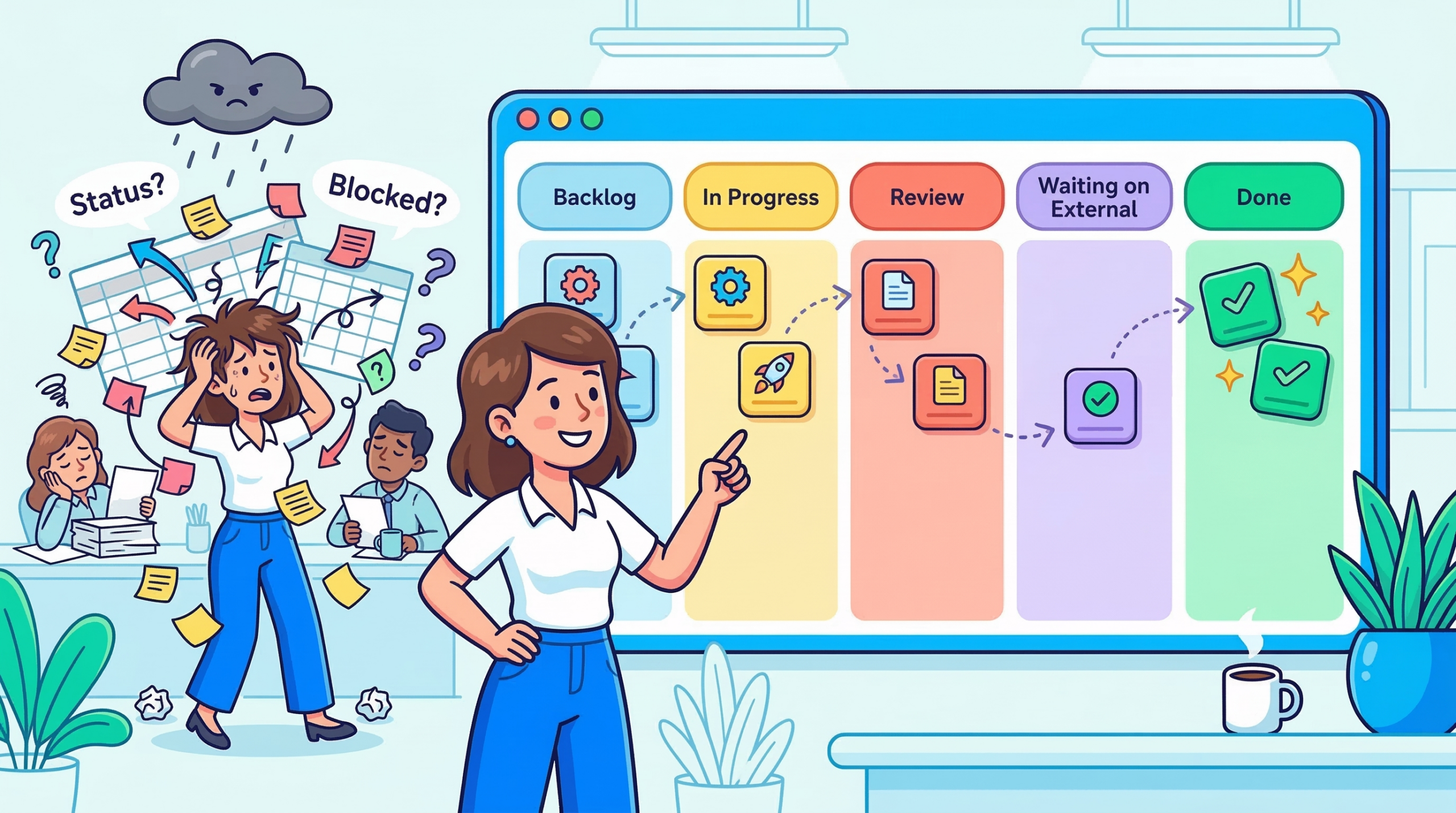
A project manager I know used to run her Monday standups from a spreadsheet. Seventeen rows. Color-coded by status. She’d updated it herself every Friday so the team would have something accurate to look at come Monday morning.
It worked until the team grew. Then she was spending three hours every Sunday chasing updates so the spreadsheet wasn’t wrong by the time the meeting started. The work wasn’t the problem. The visibility was.
She switched to Kanban view. Not because someone told her to, but because she was exhausted and needed the board to do the work of collecting information she’d been doing manually. Six months later, she told me the Sunday ritual was gone. “The board just shows me what’s actually happening.”
That’s the real case for Kanban view, not the aesthetics, not the productivity trend. It’s the fact that it turns a question you used to have to ask (“where does this task stand?”) into something you can just see.
What Kanban View Is Actually Doing For You
Before getting into how to use it well, it’s worth being precise about what Kanban view is because “visual task board” undersells it.
Kanban originated at Toyota in the 1950s as a manufacturing signal system. The word itself means “signboard” in Japanese. The idea was simple: make the state of production visible to everyone on the floor, so blockages couldn’t hide. If a stage was overwhelmed, you could see it. If work stopped flowing, you could see that too.
Knowledge work has the opposite problem from a factory floor. Nothing is physically visible. Tasks live in inboxes, in documents, in someone’s head. A piece of work can be “stuck” for a week, and nobody knows except the person it’s stuck on, and sometimes not even them.
Kanban view imports that factory-floor logic into project management. Every card is a piece of work. Every column is a stage that work passes through. The board’s job is to make the invisible visible: not just what exists, but where it is right now, and whether it’s actually moving.
“Stop starting, start finishing.”
– David J. Anderson, creator of the Kanban Method for knowledge work
Anderson spent years applying Kanban principles to software teams before codifying the methodology. His point and it’s a sharp one is that adding more tasks to a team’s plate doesn’t accelerate output. It creates drag. The board forces that truth into the open in a way a status update never will.
The Board That Lied (And What We Did About It)
Here’s a pattern that shows up constantly with new Kanban users: the three-column board.
To Do. In Progress. Done.
It looks clean. It feels manageable. And it hides almost everything that matters.
“In Progress” becomes a black hole. A task that entered the column eleven days ago looks identical to one that moved there this morning. A card that’s blocked on a decision from another team looks the same as one that’s actively being worked on. You can’t distinguish momentum from stagnation which means you can’t act on the difference.
What we’ve seen work far better is building columns that reflect how work actually moves through your team, not how you wish it would.
A content team’s board might run: Brief → Draft → Internal Review → Client Review → Approved → Published.
A product team’s might be: Backlog → In Sprint → In Development → In Review → Deployed.
An operations team: Requested → Scoping → In Progress → Waiting on External → Done.
Notice what changes when you do this. “Waiting on External” becomes its own column which means you can see at a glance how many tasks are sitting idle waiting on someone outside your team. That’s not a nice-to-have. That’s a conversation you need to have with your stakeholders, and the board makes it impossible to ignore.
💡 Pro Tip: When you first build your column structure, map it from a real task that completed last week. Walk it backwards what was the last stage before Done? The one before that? Keep going until you hit the origin. That sequence is your board.
Reading the Board Like a Project Manager, Not a Task Tracker
Once your columns reflect real workflow stages, the board stops being a checklist and starts being a diagnostic tool.
A column that keeps filling up is a bottleneck signal. If “In Review” consistently has seven cards while “In Progress” has two, that’s not a productivity report it’s a resourcing conversation. Something downstream isn’t keeping pace with what’s arriving upstream. You don’t need a retro to surface that. The board shows it to you in real time.
A card that stops moving is a blocked task, not a slow one. This is where card aging becomes one of the most underused features in any Kanban tool. When you can see how long a card has been sitting in a given column, a 14-day-old “In Progress” card stands out immediately. The instinct is to ask why. More often than not, the answer is a dependency nobody flagged, a decision that was never made, or a handoff that fell through a crack.
Workload distribution tells you more than utilization rates. Filter your board by assignee. If one person has nine active cards and another has two, that imbalance either reflects legitimate priority or it’s a problem you need to address before someone burns out or a critical task gets dropped. The board shows you that in seconds. A spreadsheet would take a pivot table.
This is the philosophy that shaped how Skarya.ai built its Kanban view not as a task list with column headers, but as a real-time signal layer that surfaces what needs a manager’s attention without requiring them to go looking for it. The goal was always the same as that project manager’s: make the board do the work of collecting information, so you can spend your attention on actually managing.
💡 Pro Tip: Set a WIP (work-in-progress) limit on your most critical columns. When “In Review” hits five cards, nothing new enters until something exits. It feels counterintuitive, you’re deliberately slowing input. In practice, it forces the conversations that needed to happen anyway, and it stops the board from becoming a dumping ground.
The Project That Changed How I Think About Kanban
A few years ago, a team running a product launch tried to manage the entire project on one Kanban board — design, dev, marketing, legal, and ops all on the same columns.
For the first two weeks, it felt like clarity. Everyone could see the full picture. Then the board became unmanageable. A legal review card sitting in “Waiting on External” for three weeks made the whole board look blocked, even though dev was shipping daily. A design card stuck in “Revisions” inflated the In Progress count and made the team look behind when they weren’t.
The fix wasn’t a different tool. It was swimlanes horizontal rows that separated each workstream on the same board. Now the legal track had its own lane, dev had its own, marketing had its own. The columns stayed consistent. But you could read each workstream’s health independently, or zoom out and see the full project at once.
That experience is what I’d tell most project managers who say Kanban doesn’t work for complex projects: it’s not that Kanban can’t handle complexity. It’s that a single flat board can’t. Structure the board to match the actual shape of the work.
When Kanban Isn’t the Right View
Kanban earns its value in flow-based work, where tasks move continuously through stages and the goal is throughput. But there are project types where it genuinely isn’t the best choice, and pretending otherwise wastes everyone’s time.
If your project has hard sequential dependencies where team B can’t start until team A finishes, full stop a timeline or Gantt view will serve you better. Kanban doesn’t show you critical path. It shows you current state. That’s a meaningful difference when a two-week delay in one workstream cascades into a launch postponement.
And if you’re doing bulk task management reassigning fifty tasks, filtering by due date, exporting a status report for a stakeholder list view is faster. Kanban is built for human eyes scanning workflow stages, not for data manipulation.
The most effective project managers we’ve worked with don’t choose one view and live in it. They use Kanban for daily team visibility, a timeline for planning conversations, and list view for administrative work. Each view answers a different question. The mistake is asking one of them to answer all three.
💡 Pro Tip: Introduce Kanban to a skeptical team by starting with one small, contained workflow not your biggest project. Let them see a card move from left to right and land in Done. Trust builds fast once the board proves it reflects reality.
The Board Your Team Will Actually Use
There’s a version of Kanban that’s theoretically perfect optimized columns, WIP limits on everything, swimlanes for every workstream, card aging alerts, automated transitions.
And then there’s the version your team checks every day.
Build for the second one.
The highest-functioning Kanban boards aren’t the most elaborate ones. They’re the ones where every team member can update their card in under 30 seconds. Where the columns match exactly what the team calls their own workflow stages. Where a project manager can scan the whole board in two minutes and know where attention is needed.
If your board needs a tutorial to understand, it’s already too complex. Kanban’s power is in immediate legibility you look at it, and you know what’s happening. That’s the whole deal.
Start simple. Let the team’s real working patterns shape it over time. The board will show you what it needs to become. You just have to resist the urge to design the ideal version before any real work has moved through it.
The project manager who gave up her Sunday spreadsheet ritual didn’t start with a perfect board. She started with five columns and three team members. The board grew with the work. That’s usually how it goes.
The shift from a chaotic spreadsheet to a clear signal layer doesn’t require a massive workflow overhaul. It usually just requires setting up the right structure once columns that reflect reality, a board the team actually trusts and then letting it do the work. Most teams that get there don’t rebuild from scratch. They make a few deliberate changes and stop managing around the gaps.
If you’re setting up Kanban for the first time or rethinking an existing board, this guide on choosing the right project view walks through how to decide which view fits which type of work. And if you want to see how Skarya.ai’s Kanban view is built around these principles workflow clarity, bottleneck signals, and team visibility without the overhead here’s where to start →
Frequently Asked Questions
What is Kanban view in project management?
Kanban view is a visual board that organizes tasks into columns representing workflow stages. Cards move left to right as work progresses. It’s used to track task status, spot bottlenecks, and see workload distribution across a team in real time.
When should I use Kanban view instead of list view?
Use Kanban when you want to understand workflow, where tasks are, where they’re stalling, and who’s carrying what. List view works better for bulk editing, sorting by field, or preparing a status report. Most teams get the most value from using both depending on the context.
What are WIP limits and do I actually need them?
WIP (work-in-progress) limits cap how many tasks can sit in a given column at once. They’re not mandatory but they’re one of the fastest ways to surface bottlenecks. When a column can’t accept new work until something exits, it forces the prioritization conversations teams usually avoid until it’s too late.
How many columns should a Kanban board have?
Five to seven is the practical range for most teams. Fewer and you lose meaningful stage distinction; more and the board becomes hard to read at a glance. The right structure comes from mapping how a real task actually moves through your team not from a template.
Can Kanban handle large, complex projects?
Yes, with the right structure. Swimlanes let you separate workstreams on a single board. Priority labels and due dates give cards a second layer of urgency. For projects with hard sequential dependencies, pairing Kanban with a timeline view gives you day-to-day visibility and planning clarity without trading one for the other.
Leave a Reply