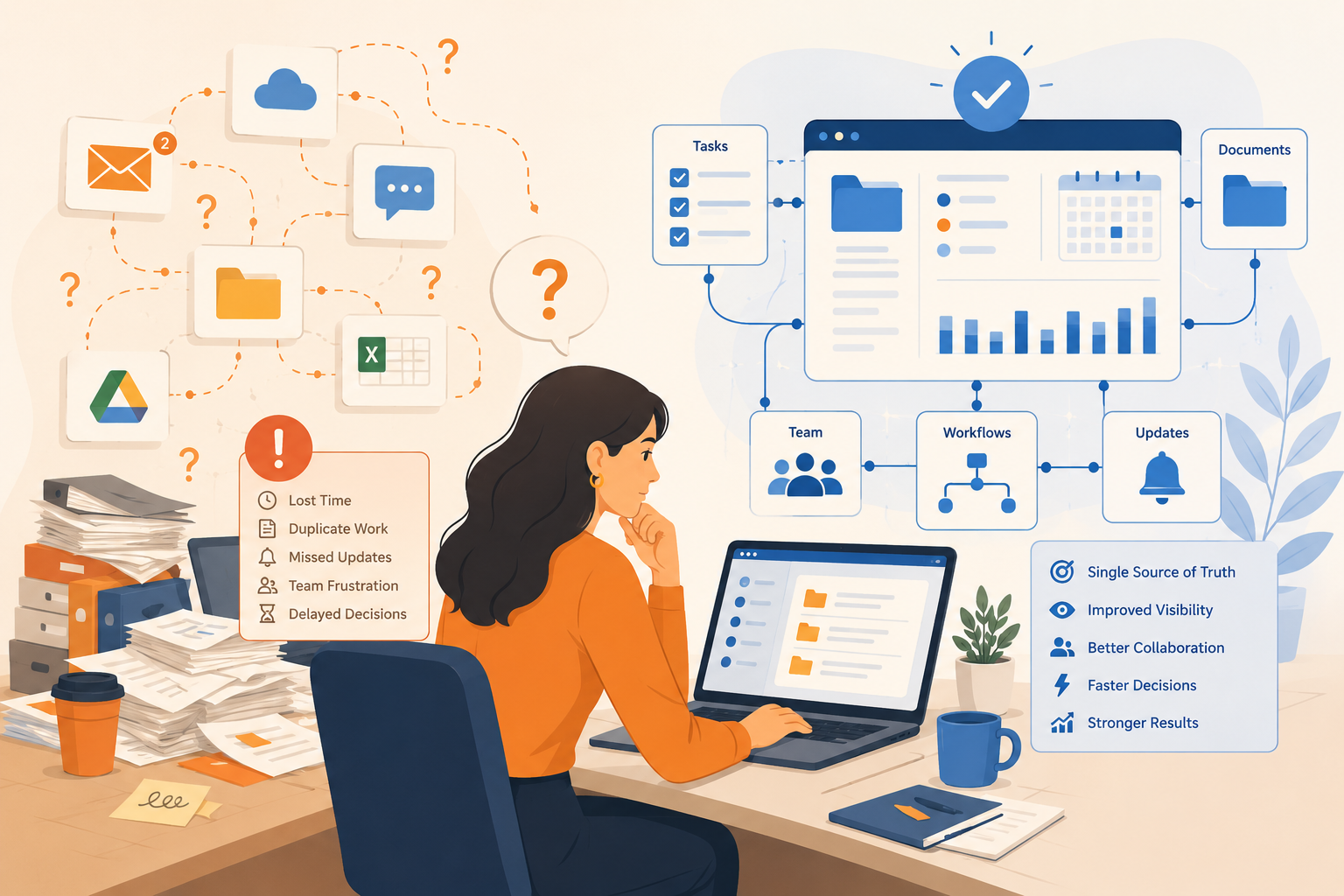
The Monday Morning Scramble
It is 9:47 a.m. A client call is at 10:00. Sarah needs the latest proposal, the one with the updated scope and the new pricing table.
She searches Slack. Three links show up. Two are old. One opens a Google Doc titled “Proposal_v4_FINAL_revised_ACTUAL.” She is not sure if this is the version the client approved or the one someone edited last Thursday.
She pings Jake. No reply yet. She checks her email. Finds a PDF from three weeks ago. She opens Drive. Sees five folders that all look correct. The client is waiting. She sends what she has and hopes it is right.
This is not a one-off. For most teams, the work is not hard. Finding the work is what slows everything down. That is the hidden cost of disconnected tools, and it is exactly why centralized work management matters.
If “the latest version” lives in five places, your team will keep guessing, redoing, and meeting just to stay aligned.
The Math Is Not Pretty
Even if your team only loses a bit of time to searching, the numbers add up fast. It is not one big meltdown. It is dozens of tiny hunts: the link, the brief, the latest comment, the decision, the right attachment, the correct version.
Keep it conservative. Even if it is only 30 minutes per person per day spent searching across tools, re-reading threads, and confirming which version is final:
- 30 minutes x 5 days = 2.5 hours per person per week
- 2.5 hours x 10 people = 25 hours per week for a 10-person team
- 25 hours x 50 weeks = 1,250 hours per year
That is roughly 31 full working weeks lost every year. Not to delivery. To searching.
| Quick Check: The Tab Test Open your browser right now. Count how many tabs you need just to answer one question: what is the latest status on your biggest active project? If the answer is more than three, your team is living this reality every day. |
The Real Problem: Version Fog
Disconnected tools do not just waste time. They create version fog, where nobody is fully sure what the truth is. It is not because people do not care. It is because the truth is split across chat, email, docs, drives, boards, and spreadsheets.
Version fog looks like this:
- Someone updated the doc, but never linked it to the task
- A decision was made in a DM between Mike and the account lead, and the rest of the team has no idea
- The spreadsheet Lisa has been updating all week says one thing, the project board says another
- The owner is unclear, so the next step floats and nobody picks it up
When updates live in conversations instead of the work itself, you do not have a workflow. You have a guessing game.
Everyone has partial context. Everyone thinks someone else has the full picture. That is how things fall through the cracks, not because of bad intentions, but because of bad structure.
The Business Cost Is Bigger Than Time
The hours lost searching are just the visible part. The deeper damage shows up in delivery, trust, and team energy.
Rework Becomes Normal
When people cannot find the right version, they either guess or recreate. One team member builds what already exists. Another edits the wrong file. Suddenly you are spending Friday fixing work that should have shipped on Wednesday.
Handoffs Break Silently
A task gets done, but the next step does not start because the handoff note was buried, the dependency was not visible, or nobody answered the question: who owns this now? The project stalls and nobody knows why.
Meetings Multiply to Replace Visibility
When answers are not visible in the system, teams schedule meetings to manufacture clarity. That is how a simple project turns into a Monday status call, a mid-week check-in, and a Friday wrap. Three meetings, just to recreate what should have been obvious at a glance.
Stress and Blame Creep In
When something drops, someone gets blamed. Often it is the wrong person. Over time, people stop owning tasks confidently because ownership feels like risk, not responsibility. That is how you lose good people to avoidable friction.
What Centralized Work Management Actually Means
This is not about adding another tool. It is a different way of running work.
| Definition: Centralized work management means there is one place where the task lives, the correct doc is attached, the owner is clear, the deadline is visible, and the latest update is recorded. Anyone should be able to open the work item and understand exactly what is happening, without chasing a person. |
Here is what that shift looks like in real life:
| Before The doc link lives in Slack. The task lives in a PM tool. The latest decision is in someone’s inbox. Status only exists in a meeting. | After The task contains the doc, the owner, the due date, and the latest update. Anyone can check progress without starting a scavenger hunt. |
A Practical 3-Layer System for Centralized Work Management
You do not need to centralize everything at once. Start with one project and build these three layers.
Layer 1: Intake (Where Work Enters)
Work needs one front door. A form, a request board, a single intake channel, anything that stops tasks from being born in DMs and dying in inboxes. The goal is simple: every request becomes a visible, trackable task.
- Client requests go into one shared form or channel, not into DMs or separate inboxes
- Internal tasks are created in the same system, not scattered across personal to-do lists
- Intake automatically triggers a task with an assigned owner and a due date
| Tip: Pick one rule and enforce it for one project: no new requests via DM. If it is real work, it goes through intake. Start there and do not make exceptions. |
Layer 2: Work (Where Execution Happens)
This is where most teams fall apart, because tasks do not carry context. The fix is straightforward: the task must hold the information needed to complete it.
Every task should include:
- One owner (a person, not the team)
- One clear next step (what happens right now)
- The correct doc attached or linked directly
- A due date, even a rough one
- Any dependencies flagged so blockers are visible
One task. One owner. One next step. If everyone owns it, no one owns it.
Layer 3: Visibility (Where Updates Live)
Visibility should not require a meeting. It should be readable at a glance. That means updates belong with the work, not scattered across chat threads.
- Status fields: In Progress / Blocked / Done
- A short update cadence: daily or twice a week, in the system
- Blockers flagged on the task, not buried in a message nobody will find
| Tip: Kill the Status Meeting for One Project Replace it with a simple async rule: everyone updates their tasks by 4 p.m. If the system is accurate, the meeting becomes optional. Most teams find they never reschedule it. |
Your 7-Day Rollout Plan (Start Small, Win Fast)
This works best when you centralize one active project first, not your entire company. Pick the one causing the most friction and start there.
Days 1 and 2: Audit and Choose the Project
- Pick the one project where the most friction lives right now
- List every place its work currently lives: Slack, Drive, email, spreadsheet, PM tool
- Identify the top three pain points: missing owners, lost files, unclear status
Days 3 to 5: Build the Structure
- Create the project space with tasks, owners, deadlines, and simple status fields
- Attach or link the correct docs to the tasks they actually belong to
- Set up one intake method for any new requests related to this project
Days 6 and 7: Run It Live
- Tell the team one clear rule: updates, files, and questions go in the system for this project
- Shorten or cancel the standing status meeting for this project
- At the end of day 7, check: how many messages were “where is that file?” compared to last week?
The one rule that makes centralized work management stick: if it is not in the system, it does not exist.
That sounds harsh. It is meant to. The moment you allow exceptions, the system collapses and you are back to hunting.
Where Skarya.ai Fits In
Skarya.ai is built for exactly this model. It brings tasks, docs, workflows, timesheets, and updates into one centralized workspace so your team stops switching between five tools just to find the basics.
The built-in AI assistant helps by summarizing what is happening on a project, turning plain-language requests into tasks, and surfacing blockers before they stall delivery. Less admin, more actual work.
- See how Skarya is structured: skarya.ai/product-overview
- Explore the full feature set: skarya.ai/features
- Real-world example for agencies and service teams: skarya.ai/use-cases/professional-services
| Your Next Step: Pick one project this week. Centralize just that project’s tasks and docs in one place. Run it for 7 days. If Slack gets quieter and delivery gets smoother, you will know you are on the right track. Skarya makes that first step straightforward. |
Frequently Asked Questions
1. What is centralized work management in simple terms?
It is one place where the task, file, owner, deadline, and latest update live together, so your team does not have to hunt across tools just to find out what is happening.
2. Do we need to replace Slack, Drive, and email?
No. The goal is not to delete the tools you already use. It is to stop letting work split into silos and make sure the source of truth lives in one system, not five.
3. What is the biggest mistake teams make when centralizing?
Trying to migrate everything at once. Start with one project, get a small win, then expand. Wholesale migrations stall almost every time.
4. How do we reduce “where is that file?” messages quickly?
Attach the doc to the task, assign one owner, and record updates on the work item itself. Most of those messages disappear when context is stored with execution, not in a Slack thread from two weeks ago.
5. How does Skarya help with centralized work management?
Skarya unifies tasks, docs, workflows, timesheets, and updates in one workspace. Its AI assistant summarizes progress, creates tasks from plain-language input, and surfaces blockers so the system stays current without extra admin effort.
Leave a Reply